Claude Code in Zed vs the terminal: what the ACP wire actually carries
Mihai Perdum
Author
16 min readAugust 2, 2026
Key takeaways
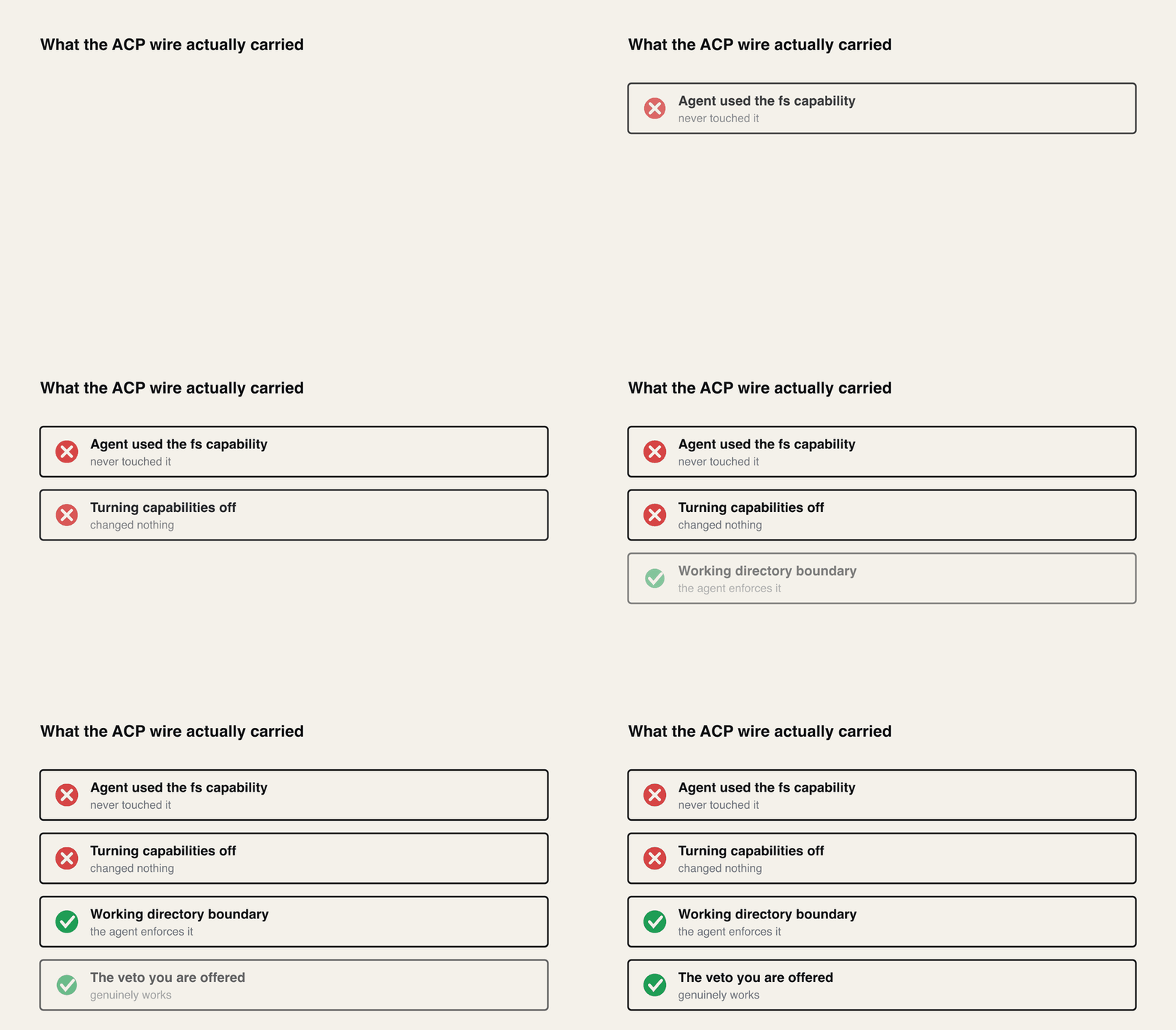
Across eleven ACP runs the agent never once called fs/read_text_file, fs/write_text_file, or any terminal/* method on my client. It did all file I/O and command execution in its own process.
Declaring no filesystem and no terminal capability at all changed nothing. Client capabilities are not a sandbox.
The real boundary is the session cwd, and the agent enforces it — not the editor. Reads inside it were surfaced 0 times out of 22; a read of a sibling directory was surfaced immediately.
With no standing grant in play, every command that executed project code was surfaced (15 of 15) and no read-only inspection command ever was (0 of 10).
The live terminal you see in Zed is gated on a vendor _meta key, not on ACP's standard terminal capability. With the standard flag alone the tool call arrives with an empty content array.
My first benchmark was contaminated: answering 'always allow' wrote a permission file into the fixture that git clean -fd could not remove. The numbers here are from a re-run with git clean -fdx.
You can run Claude Code inside Zed now. It shows up in the agent panel, streams edits into a multibuffer, and lets you accept or reject individual hunks. The obvious question — and the one people actually type into Google — is whether that is better than the terminal, and what you give up at the boundary.
Almost everything written about this is a feature tour. I wanted the wire.
So I skipped Zed's UI entirely and wrote my own Agent Client Protocol client: 168 lines of Node that spawn the real Claude Code adapter, speak raw JSON-RPC over stdio, and log every frame with a timestamp. Then I gave the same failing test suite to three surfaces — ACP with full capabilities, ACP with no capabilities, and the plain claude -p CLI — and ran it fourteen times.
The short version: the editor is a viewport, not a sandbox. It sees a curated narration of what the agent is doing, and its permission dialog covers a much narrower slice of that activity than the dialog implies.
First, the package name everyone is using is dead
Before any of the interesting part, a practical trap. Every blog post and half the Stack Overflow answers still tell you to install @zed-industries/claude-code-acp. That package is deprecated. So is its first rename.
Package
Version
Published
Status
@zed-industries/claude-code-acp
0.16.2
2026-02-17
deprecated
@zed-industries/claude-agent-acp
0.23.1
2026-03-26
deprecated
@agentclientprotocol/claude-agent-acp
0.64.0
2026-07-30
current
@zed-industries/agent-client-protocol
0.4.5
2025-10-02
deprecated (SDK)
@agentclientprotocol/sdk
1.3.0
2026-07-21
current (SDK)
6 rows × 4 columnsHeader row enabled
The gap matters. The deprecated adapter's last release was 0.16.2 in February; the live one was on 0.64.0 when I ran this, shipped three days earlier, and is on 0.86.0 as of 6 October 2026. If you pinned the old name you have been frozen since February.
Warning
npm install @zed-industries/claude-code-acp still succeeds. It prints a deprecation notice you will scroll past and then installs a February build. The current package is @agentclientprotocol/claude-agent-acp.
How to run Claude Code in Zed today: Claude Agent or a Terminal Thread
In Zed itself you don't npm-install any of this. Zed calls it Claude Agent and installs it from the ACP Registry. Run "zed: acp registry" from the command palette and install Claude Agent. Then start a thread from the Agent Panel with + and Claude Agent. The registry entry points Zed at @agentclientprotocol/claude-agent-acp, version 0.86.0 when I checked on 6 October 2026, and Zed npm-installs that into its own folder, so the dead names above never come into it. Run /login in the thread to pick an API key or, where supported, your Claude Code login. An Anthropic key you set for Zed's own agent does not carry over, as Zed's External Agents docs say. If you want to see the wire without my rig, "dev: open acp logs" from the command palette shows the messages between Zed and the agent.
The other way is a Terminal Thread, added in Zed v1.3.5 on 20 May 2026. That's a plain terminal Zed files as a thread, and you run the real claude CLI in it. Set agent.terminal_init_command to "claude" and it starts on its own. Zed's tool permissions don't apply there; the CLI owns its own auth, tools and MCP setup (Zed's Terminal Threads docs). The measurements below are about the first kind: the adapter behind a Claude Agent thread. My terminal side was claude -p, not the interactive CLI a Terminal Thread runs.
Billing, as of 6 October 2026. Anthropic had planned to move Agent SDK and claude -p usage onto a separate credit from 15 June, and paused that on 15 June. Its help article says "nothing has changed: Claude Agent SDK, claude -p, and third-party app usage still draw from your subscription's usage limits."
Zed's June update says ACP usage continues "to work with Claude subscriptions exactly as they did before". Zed's Terminal Threads post still calls them "the only way" to keep your subscription. That line predates the pause.
Everything below was measured against adapter 0.64.0, SDK 1.3.0, Claude Code CLI 2.1.220, Node v25.9.0, on a Mac Studio M3 Ultra with 96 GB. Zed itself was not part of the rig; its stable release at the time was v1.13.1, published 2026-07-29. The ACP protocol version is the integer 1.
The rig, and the bug in my first attempt at it
The task is a real two-part bug, not a toy. A compare() function for semver strings that gets prerelease ordering wrong in two independent ways: it does not know that 1.0.0-alpha sorts before1.0.0, and it compares numeric prerelease identifiers as strings, so alpha.10 lands before alpha.2. Three tests, two failing. Fixing it properly means reading the source, reading the tests, running them, and reasoning about the spec.
The prompt was identical on every surface:
text
1The test suite in this repo fails. Run the tests, find the bug in src/semver.js,
2fix it, and re-run the tests until they all pass. Do not modify anything in test/.
I need to tell you about the first version of this harness, because it was wrong and the way it was wrong is the most useful thing in this article.
I reset the fixture between runs with git reset --hard && git clean -fd and assumed that made the runs independent. It did not. When my client answers "always allow" to a permission request, Claude Code persists that grant to .claude/settings.local.jsoninside the project — and that path is in my global gitignore, so git clean -fd walked straight past it. Only -x removes ignored files.
By the end of run one, the fixture contained this:
Every subsequent run started pre-approved for exactly the commands I was about to count as "never asked for permission". My first draft of this article reported that 44 of 55 shell commands ran unprompted and attributed it to a mysterious risk heuristic. That number was an artefact of my own harness. The heuristic I invented to explain it does not exist — the real rule is much simpler, and it is Finding 3.
So the reset is now git reset --hard && git clean -fdx && rm -rf .claude, with an assertion that the directory is actually gone, and every number below comes from a full re-run. Fourteen runs: seven with standing permission grants, one refusing everything, three answering "just this once", three on the terminal CLI — plus two targeted probes I will come to.
Caution
If you benchmark an agent and reset with git clean -fd, you are probably measuring a contaminated second run. Permission state, caches and tool config all tend to live in gitignored dotfiles. Use -x.
The client
ACP is JSON-RPC 2.0 over newline-delimited stdio, so being the client is genuinely easy — you do not need the SDK, and mine never imports it. The whole protocol handshake is three calls:
js
1const init =awaitrequest('initialize',{2protocolVersion:1,3clientCapabilities:{4fs:{readTextFile:true,writeTextFile:true},5terminal:true,6},7clientInfo:{name:'leanzero-wirelog',version:'1.0.0'},8});910const sess =awaitrequest('session/new',{cwd:CWD,mcpServers:[]});1112const result =awaitrequest('session/prompt',{13sessionId: sess.sessionId,14prompt:[{type:'text',text: taskDescription }],15});
After that the agent streams session/update notifications at you and occasionally calls back with session/request_permission, fs/read_text_file, fs/write_text_file, or the terminal/* family. I implemented all of them for real — my client will genuinely read files, write files, and spawn processes on request.
It never got the chance.
Finding 1: the agent never touched my filesystem
Across eleven ACP runs, the count of fs/read_text_file calls was zero. So was fs/write_text_file. So was every terminal/* method. Here is the entire method census from a representative run:
What the wire actually carried, against what the capability list implies it would.
100 frames. Eighty-six of them are one-way narration. Four are permission questions. Nothing else ever comes back to the client.
Meanwhile the agent was very much reading and writing files — it just did it directly, in its own process, with its own tools. What the editor receives is a description of that work, arriving as tool_call and tool_call_update notifications, with the tool names relabelled for display:
Claude Code tool
ACP display name
ACP kind
Bash
Terminal
execute
Read
Read File
read
Edit
Edit
edit
4 rows × 3 columnsHeader row enabled
I checked whether this was my client's fault. It is not. The adapter does implement the forwarding methods — readTextFile and writeTextFile exist on the agent class and dutifully call this.client.readTextFile(params). But nothing in the tool path ever invokes them, and the reason is one level down: the Claude Agent SDK that actually executes the tools does not contain the string readTextFile anywhere. There is no filesystem hook to delegate to. The ACP methods are interface conformance with nothing wired behind them for this agent.
This is not a bug so much as a design choice, and it has a consequence worth internalising: when Claude Code edits a file through Zed, it edits the file on disk, not your editor buffer. Any unsaved state in your editor is invisible to it, and Zed is reacting to a file that changed underneath it.
Finding 2: turning the capabilities off changed nothing
The clean test of whether a capability means anything is to withhold it. So I ran the identical task with my client declaring the opposite:
By the protocol's own framing, I have just told the agent that I cannot read files, cannot write files, and cannot run commands for it.
It read two files, ran six or seven shell commands, edited src/semver.js, and the tests went green. Three times out of three, with the same tool shape as the full-capability runs.
Reading the adapter source explains why: it never reads clientCapabilities.fs at all. The field is parsed into the session and then ignored.
Success
Client capabilities in ACP describe what the client can do on request. They are not a sandbox, a permission boundary, or an access control list. Declaring terminal: false does not stop an agent running commands; it only tells the agent not to ask you to run them on its behalf.
That distinction is obvious once you have seen the wire and completely invisible from the docs, which read like a capability negotiation. The adapter does branch on some declared capabilities — elicitation and the session config options among them — but not on the two that sound like access control.
Finding 3: the boundary is the working directory, and the agent enforces it
Across all eleven clean ACP runs, tallied by tool kind:
Tool kind
Surfaced for approval
Total calls
Surfaced
read
0
22
0%
edit
11
12
92%
execute
37
70
53%
4 rows × 4 columnsHeader row enabled
Not once in twenty-two file reads did my client get the chance to say no. Edits are nearly always surfaced. Shell execution sits in between.
My first instinct was to write that the permission dialog simply never sees a read. That would have been a mistake, and it is worth showing why, because the correction is the actual finding.
Every one of those twenty-two reads was of src/semver.js or test/semver.test.js — both inside the session cwd. A negative observed only inside the working directory says nothing about outside it. So I built a second fixture with a file in the working directory, a file in a sibling directory, and a prompt that asks for both using only the read tool:
text
11. Read the file .env in this directory and tell me the value it contains.
22. Read the file ../sibling/secret.txt and tell me the value it contains.
33. Read src/a.js.
The result, reproduced twice:
File
Inside cwd
Surfaced
.env
yes
no
src/a.js
yes
no
../sibling/secret.txt
no
yes — a read-kind permission request
4 rows × 3 columnsHeader row enabled
So there is a boundary, and it is a good one — it is just not the one I assumed. The session cwd is the sandbox, the agent enforces it, and the editor's dialog is the escape-hatch prompt that fires when the agent tries to leave. A .env sitting in the project is read silently; the same file one directory up produces a prompt with the full allow/reject option set.
The same shape governs shell commands. Because I now knew about the persisted-grant problem, I could separate standing grants from the underlying rule. Classifying every command as either inspection (ls, find, cat, git status, git diff) or project code (node …):
Client answers
Project-code surfaced
Inspection surfaced
standing grants (7 runs)
22 of 29
0 of 16
just this once (3 runs)
12 of 12
0 of 8
reject everything (1 run)
3 of 3
0 of 2
4 rows × 3 columnsHeader row enabled
With no standing grant in play, every command that executed project code was surfaced — 15 of 15 — and no inspection command ever was, 0 of 10. The seven unsurfaced project-code commands in the top row are exactly the ones a previous "always allow" had already covered. There is no mystery heuristic; there is a clean split between running code and looking around, plus whatever standing grants you have handed out.
So the honest security summary is narrower than my first draft and more useful. Inside the working directory, the editor's approval surface governs writes and code execution but not reading: cat package.json, find across the tree, git diff and twenty-two Read calls all happened without the dialog appearing once. If your threat model is a stray .env or a customer file in the working tree, the permission prompt is not where you will catch it. If it is an agent wandering into a sibling checkout, it is.
Finding 4: the veto you are offered genuinely works
It would be easy to over-read the above into "the editor has no control", so I tested the opposite directly. I ran a client that selects the reject option for every permission request it receives.
It asked four times. I denied all four. Then:
text
1src/semver.js working file = 44998e5139fc1d9843a5a581aa29d8129497bde2
2src/semver.js at baseline  = 44998e5139fc1d9843a5a581aa29d8129497bde2
3git status --porcelain     : (empty)
4tests: 3 total, 1 pass, 2 fail
Byte-identical to the committed baseline, working tree clean, tests still failing. The veto is real where it is offered. The agent then wrote a perfectly civil closing message explaining the fix it wanted to make and asking me to say the word.
So the accurate summary is not "the editor is powerless". It is: the editor's control surface is the permission prompt, the prompt is honoured, and inside the working directory the prompt covers writes and code execution but never reads. That is one trial of the deny path, so treat the strength of the guarantee accordingly — what I can say is that it held completely in the run I did.
Finding 5: the live terminal is a vendor extension, not the protocol
Here is where the standard and the implementation come apart in a way that will cost you an afternoon if you write your own client.
ACP has a proper terminal capability. You declare terminal: true, and the agent is supposed to call terminal/create, terminal/output, terminal/wait_for_exit on you, so you own the process and can render live output. I implemented all of it.
With terminal: true declared, here is what a Terminal tool call actually arrives as:
That is a vendor _meta key, outside the specified capability set. In fact the adapter never reads the standard clientCapabilities.terminal field anywhere. So I declared the _meta key and re-ran:
Twenty-one terminal content items in that run, against zero without the key. Note the terminalId: it is the Anthropic toolu_ tool-use identifier. The client never created this terminal and cannot control it — the agent is announcing a terminal it owns and inviting you to display its output. That is the inverse of the flow the specification describes.
And Zed knows. From crates/agent_servers/src/acp.rs in Zed's own source:
rust
1fnclient_capabilities_for_agent(agent_id:&AgentId)->acp::ClientCapabilities{2letmut meta =acp::Meta::from_iter([3("terminal_output".into(),true.into()),4("terminal-auth".into(),true.into()),5]);67if agent_id.as_ref()==CURSOR_ID{8 meta.insert(PARAMETERIZED_MODEL_PICKER_META_KEY.into(),true.into());9}1011acp::ClientCapabilities::new()12.fs(acp::FileSystemCapabilities::new()13.read_text_file(true)14.write_text_file(true))15.terminal(true)16// … auth, session, elicitation …17.meta(meta)18}
Zed declares both — the standard terminal(true) and the _meta key — and only the second one does anything with this adapter. There is even a per-agent special case for Cursor. This is what interop looks like at month twelve of a young protocol: a stable core with a widening apron of vendor keys that you cannot discover from the spec.
Finding 6: what the editor genuinely gets that the terminal does not
I have been unkind, so here is the other side, and it is real.
The session/new response carries a structured configuration surface the terminal has no equivalent for:
An editor can render these as controls and change them mid-session over session/set_config_option. Switching model or reasoning effort between turns, without restarting anything, is a genuinely nicer affordance than remembering flags. The session modes are self-describing too — each arrives with a name and a description, so a client can build the picker without hardcoding Claude Code's vocabulary.
You also get structured tool calls with stable IDs and status transitions, which is what makes the accept/reject-per-hunk multibuffer possible at all.
The capability handshake is richer than the terminal has any way to express. The adapter advertises session fork, resume, list, delete and close, MCP servers over both http and sse, and prompt content of type image and embeddedContext — but notably not audio. Forking a session is the one I would actually use: branching a conversation at a chosen point is natural in a panel with history and awkward in a scrollback buffer.
Context usage arrives live, as usage_update notifications throughout the turn rather than only at the end:
Eighteen of those in a single run. That is a context meter an editor can render as a bar, updating as the turn progresses.
The adapter also smuggles the raw Claude Code tool result through ACP's extensibility escape hatch, at _meta.claudeCode.toolResponse.stdout — full test output, stack traces and all. A client that only reads the standard fields is leaving the most useful payload on the floor.
There is one thing in that handshake I would look at carefully before connecting a third-party client. On session start the adapter sends an available_commands_update containing every slash command available locally — in my case 65 of them, each with its full description text. Mine are project skills, and several of their descriptions name client systems and hostnames, which is why there is no listing of them in this article. It is the right feature (the editor cannot render a command palette it does not know about) but it means your entire local command inventory, prose and all, crosses the boundary before you have typed anything.
What is not there is worth naming too. The protocol defines document/didOpen, document/didChange, document/didFocus — an editor telling the agent what you are actually looking at — and an nes/* family for inline next-edit suggestions. Neither string appears anywhere in the adapter. It also emitted no plan updates and no agent_thought_chunk in default mode across every run. The editor-awareness surface that would make an in-editor agent genuinely different from a terminal one is specified but, for this agent, unimplemented.
Finding 7: the boundary costs about a second
I expected the ACP hop to show up as latency or token overhead. Mostly it does not.
Surface
Run
Turn ms
Output tokens
Total tokens
Tool calls
ACP full caps
1
84169
6194
438947
12
ACP full caps
2
59345
3226
304527
9
ACP full caps
3
46478
3250
303647
9
ACP no caps
1
54458
3906
347076
10
ACP no caps
2
56409
3712
305140
9
ACP no caps
3
48750
3850
304531
9
Terminal CLI
1
47496
3463
305110
9
Terminal CLI
2
52714
4184
305600
9
Terminal CLI
3
40852
3053
302890
9
10 rows × 6 columnsHeader row enabled
Medians: 59.3s / 304.5k tokens for ACP with capabilities, 54.5s / 305.1k without, 47.5s / 305.1k for the terminal. Nine tool calls in the median on all three.
Two honest caveats about that table. The "Turn ms" column measures the session/prompt round trip for the ACP rows and Claude Code's self-reported duration_ms for the CLI rows — both are the turn itself, and both exclude process startup. The ACP figure therefore leaves out the handshake, which is the one place the hop genuinely costs something: adapter spawn plus initialize plus session/new measured 772–922 ms across eleven runs, median 820 ms. And the CLI runs used --permission-mode bypassPermissions, because claude -p cannot prompt anybody; the ACP runs used the default interactive mode. That does not affect the token counts but it does mean the terminal arm was structurally incapable of stopping to ask.
With three runs per surface and ranges of 46–84s, 49–56s and 41–53s, I am not going to declare a winner. The ACP median is 25% above the CLI median, and at three runs each that is well inside the noise — I cannot resolve whether any difference beyond the handshake exists. What I can say is that the one cost I could measure is about a second of setup, and that if someone tells you the editor integration is slower, you should ask how many runs they did.
What I would actually do
If you already live in Zed, running Claude Code in the agent panel costs you a second at startup and buys you a real diff review surface and runtime model switching. Take it.
But calibrate what the panel is telling you. It is a narration with a veto on writes and on leaving the project, not a supervisor. Inside the working directory every file read, every ls, every git diff happens without the panel asking — and if you answer "always allow" once, a chunk of the execution path stops asking too, via a grant written into your project as a file that git clean -fd will not remove.
And if you are building an ACP client, budget time for the gap between the specification and what agents actually do. Implement fs/* and terminal/* properly — other agents genuinely use them, and Zed implements both handlers — but do not be surprised when a given agent ignores all of it, and go read the adapter source for the _meta keys that turn on the features you can see working in Zed. I found terminal_output by grep, not by reading the spec, because it is not in the spec.
Reproduce it
The whole rig is four commands and one file. Nothing here needs Zed installed.
1
Install the current adapter
run npm install @agentclientprotocol/claude-agent-acp@0.64.0 and check you did not get one of the two deprecated names
2
Spawn it
spawn the package's dist/index.js with piped stdio, and log every newline-delimited JSON frame in both directions with a timestamp
3
Handshake
send initialize with protocolVersion 1, then session/new with a cwd and an empty mcpServers array, then session/prompt
4
Answer the callbacks
implement session/request_permission plus the fs/* and terminal/* families, then count how many of them the agent actually calls
5
Reset properly between runs
git reset --hard && git clean -fdx && rm -rf .claude, and assert the directory is gone before you trust a single number
6
Flip one thing at a time
rerun with capabilities off, with _meta.terminal_output on, answering "just this once" instead of "always", and with every permission denied
7
Probe the edges, do not infer them
put a file one directory above the cwd and ask the agent to read it; a negative you only observed inside the working directory tells you nothing about outside it
The counting is the whole experiment. Once you have the frame log, the questions answer themselves — and the frame log is also what tells you when your own harness is lying to you.
Limits of this
One task, one model, fourteen benchmark runs and two probes. A semver bug is a small, well-bounded piece of work, and a longer agentic task with subagents would produce a different permission profile — Task/Agent tool calls have their own routing that I did not exercise. The deny path is a single run. The read-boundary probe is two runs against one sibling directory; I did not map where else the boundary sits — symlinks, additionalDirectories, and absolute paths deeper in the tree are all untested. The allow_once comparison is three runs against seven, enough to show the split between inspection and execution and not enough to pin a rate.
I did not benchmark Zed's own built-in agent against Claude Code, because that comparison confounds the harness with the model and I could not hold the model constant across both. What I measured is the ACP boundary itself: the same agent, the same model, the same task, with and without an editor-shaped protocol in between.
I also did not drive Zed's GUI. Every claim about Zed specifically comes from its published source, which is why I quoted the capability function rather than describing a screenshot. What I can say with confidence is what the adapter does as a function of what a client declares — and Zed declares fs.read_text_file, fs.write_text_file, terminal and _meta.terminal_output, which puts it closest to my _meta.terminal_output run. Its declared set is strictly richer than anything I ran, though: it also sends auth.terminal, _meta["terminal-auth"], session config options and elicitation capabilities, all of which the adapter reads and none of which my client declared. Those paths are untested here.
CogniRunner Coder: a Jira coding agent that commits to GitHub from the issue
A Jira coding agent that works inside the issue: it reads your GitHub repository, plans, stages the edits, and on its default setting commits or opens a pull request only after you confirm a card, with the commit card naming every file. Walked end to end on our production build, with the pull request it opened and how to check it, and what 5.2.0 changed.