Bitbucket App Passwords: What Actually Breaks, and Why Your Fix Didn't Work (2026)
Gabriela Perdum
Author
13 min readJuly 22, 2026
Key takeaways
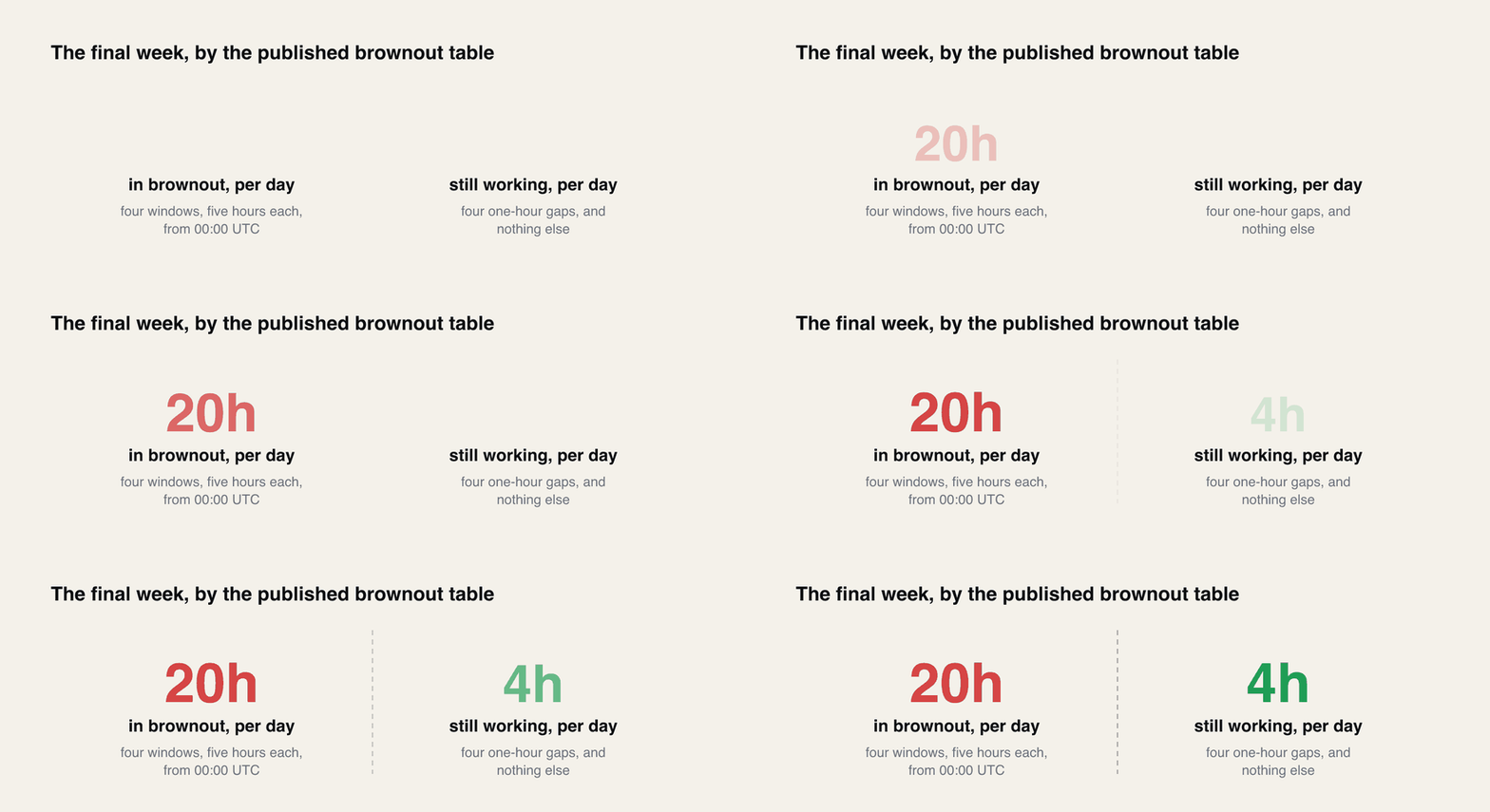
In the final brownout week app passwords worked for only four one-hour gaps a day — 05:00, 11:00, 17:00 and 23:00 UTC. Anyone reporting that theirs still works was living in those gaps.
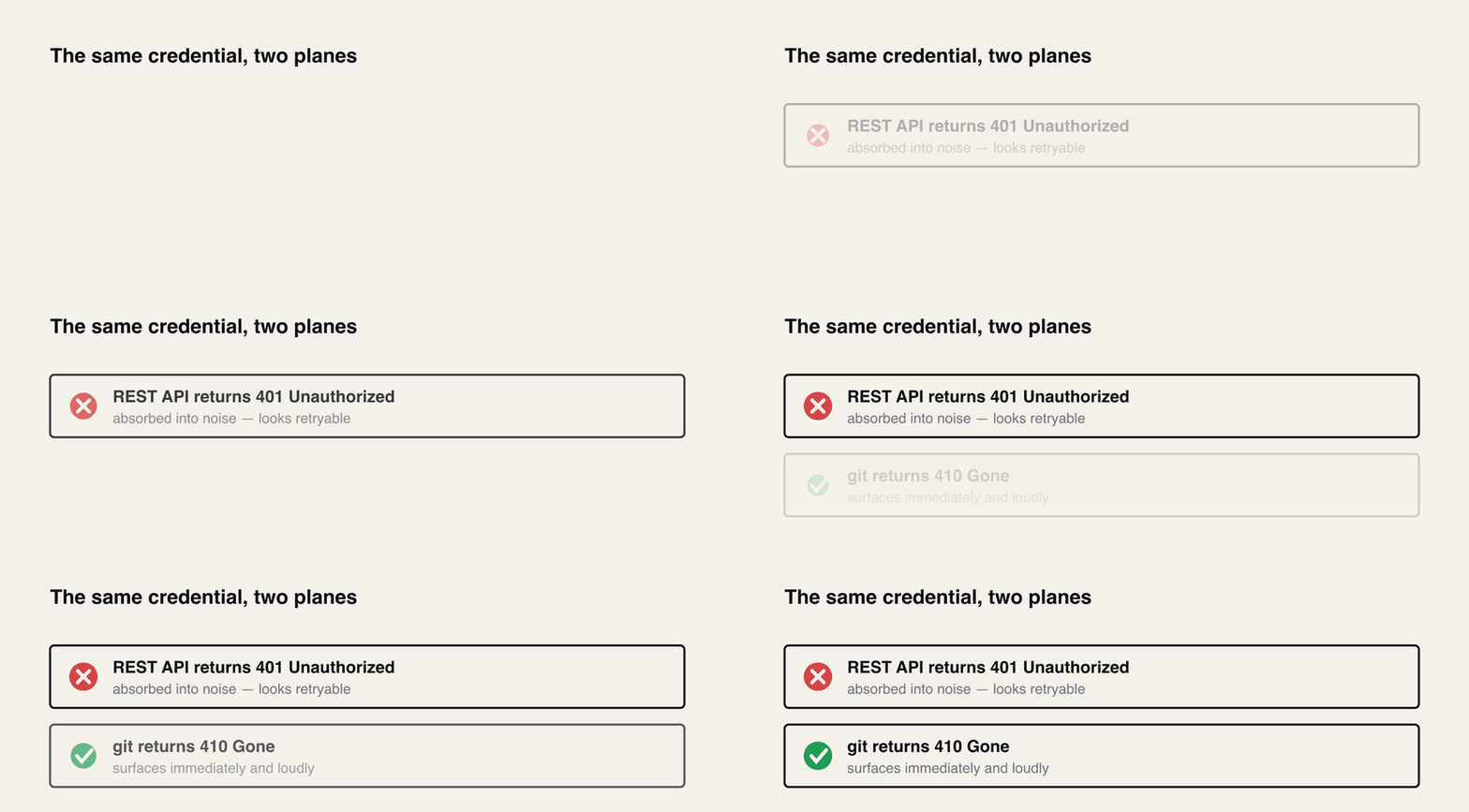
The REST API returns 401 and git-over-HTTPS returns 410. Two different codes for the same dead credential, which is why the two halves of an integration fail differently.
There are four usernames, not one. Git with an API token takes your Bitbucket username or a static one, x-bitbucket-api-token-auth or x-token-auth. REST takes your account email with Basic auth, or none at all if you send the token as Bearer. An access token takes x-token-auth for git.
CHANGE-3222 fires only on an app-password request. If you still see it after switching to a token, the token is not on the wire — something is still sending the old credential.
No Bitbucket report tells you who is still using an app password. The audit log records App password added and removed, keeps 30 days, and never records use.
Oracle, Packagist, Tokens Studio, AutoRABIT and GitLab all published 9 June 2026 as the hard cutoff. That was the brownout start, not the removal.
API tokens max out at one year and cannot be extended, so a clean migration this week schedules the same outage for next July unless someone owns the rotation.
I am writing this on 22 July 2026. Bitbucket Cloud app passwords are removed on the 28th, which sounds like a problem for next week. It is not. Pull the published brownout table and do the arithmetic and you find that the deprecation, for practical purposes, finished days ago.
The final week runs five-hour brownout windows starting at 00:00, 06:00, 12:00 and 18:00 UTC. Four windows, five hours each, is twenty hours. That leaves four one-hour gaps a day — 05:00 to 06:00, 11:00 to 12:00, 17:00 to 18:00, and 23:00 to midnight — and nothing else. App passwords have already spent this week working for four hours out of twenty-four.
That number reframes every conversation I have had about this. When somebody says "ours still works, we have time", they are not disagreeing with the deprecation. They are telling you they happened to run their pipeline inside a one-hour gap.
Success
The dates, from Atlassian's own notices. New app passwords blocked since 9 September 2025. Escalating brownouts from 9 June to 27 July 2026. Full removal 28 July 2026. During a brownout, REST calls authenticated with an app password fail with HTTP 401 and git-over-HTTPS fails with HTTP 410.
What does the failure actually look like?
This is the string that sends people to the community forums, and it is worth reading closely because three of its four lines are misleading:
Four windows of five hours is twenty hours a day. The deprecation had effectively finished before its own deadline.
text
1remote: CHANGE-3222 - Functionality has been deprecated
2remote: App passwords are deprecated and must be replaced with API tokens.
3remote: https://developer.atlassian.com/cloud/bitbucket/changelog#CHANGE-3222
4fatal: unable to access '.../my-repo.git/': The requested URL returned error: 410
The fatal: line names git, and git is not involved in the decision. The 410 is Bitbucket refusing the credential at the edge. Nothing in your .git/config, your remote URL, your git version or your network is implicated, and I have watched several people spend an afternoon there because the error puts the word fatal next to a git command.
The other trap is subtler. Escalating brownouts mean this error was, until this week, intermittent. A push failed at 13:00 and succeeded at 17:30. That pattern reads exactly like a flaky network or a load balancer having a bad day, and it got diagnosed as one constantly. The intermittency was the schedule, not the symptom.
Why 401 for the API and 410 for git?
Because they are two different planes, and this trips up anyone debugging an integration that does both.
One integration, two failure modes. If your monitoring only watches the API half, you have had a 401 blip for weeks with no alarm.
A 401 means unauthenticated — a normal, expected, retryable-looking response that most HTTP clients already have a code path for. Plenty of integrations catch a 401 and respond by re-authenticating with the same stored credential, then logging a generic auth warning. The failure gets absorbed into noise.
A 410 means Gone, and it is deliberately harsher. Git clients do not have a retry path for it, so it surfaces immediately and loudly, which is why git broke visibly while the REST half of the same integration quietly degraded.
So a tool that clones repositories and calls the API will not fail cleanly. It fails hard on one side and murmurs on the other, and if your monitoring only watches the API half you have been getting a 401 blip for weeks without a single alarm.
Why can't anyone tell me who is still affected?
This is the question I keep coming back to, because it explains why organisations that knew about the deadline still got caught.
There is no report. A workspace admin cannot list who is still authenticating with an app password. I went looking for one properly — the Bitbucket audit log carries App password added and App password removed as events, it lives under Workspace Settings, Security, Audit Log, and it retains 30 days by default. Every one of those facts works against you here. The events record credential lifecycle, never credential use, so a token created in 2021 and used by a build server every night since produces exactly zero audit events. And with 30-day retention, the creation event you would want to find was overwritten years ago.
You cannot query it either. Nothing in the REST API enumerates app passwords across a workspace.
Warning
The practical consequence is that nobody can hand you a list. Every accurate inventory I have seen was built the hard way — by walking CI configurations, credential stores, and integration settings one at a time, or by watching what broke during a brownout window.
Which is the genuinely useful thing about the brownouts, and it is worth saying plainly because it is now over: the brownouts were a free fire drill. Four scheduled outages a day, escalating in length for seven weeks, each one a live test that named your affected systems for free and then handed them back at the end of the window. Teams that treated a brownout as an incident to investigate finished their migration in June. Teams that treated it as a blip retried until it passed, and are now doing the same discovery in production with no window at the end of it.
The date most of the ecosystem published was wrong
Here is something I did not expect to find. When I went through vendor migration notices, a striking number name 9 June 2026 as the day app passwords stop working:
Vendor
Published cutoff
Oracle Resource Manager
"app passwords will be permanently disabled" after 9 June 2026
Private Packagist
"on June 9th 2026 all existing app password will stop working"
Tokens Studio for Figma
9 June 2026
AutoRABIT
"Action Required Before June 9, 2026"
GitLab
"Atlassian deprecation deadline is 2026-06-09"
6 rows × 2 columnsHeader row enabled
Atlassian's own brownout notice says 9 June is when brownouts begin and 28 July is when app passwords are fully removed.
I think I know how this happened. The original deprecation announcement did say app passwords would "cease to function" on 9 June 2026; the brownout schedule that split that single date into a seven-week ramp came later. Five vendors read the first announcement, wrote it into their docs, and never revisited.
The error is in the safe direction — anyone who believed their vendor migrated seven weeks early. But if you are auditing this, do not trust a vendor's date. Two independent tools quoting the same wrong day is not corroboration.
The four usernames
If there is one technical fact to take away, it is this one, because it accounts for more failed migrations than everything else combined. The username depends on which credential you are holding, and on what you are doing with it.
Credential
Git over HTTPS
REST API
Atlassian API token
your Bitbucket username, x-bitbucket-api-token-auth or x-token-auth
your Atlassian account email with Basic auth, none with Bearer
Access token (repo / project / workspace)
x-token-auth
none, it goes in as a Bearer token
App password (dead)
your Bitbucket username
your Bitbucket username
4 rows × 3 columnsHeader row enabled
Read the first row again. One credential, and the username changes depending on whether the request is a git operation or an API call. That is not a documentation quirk, it is a structural problem for any tool that does both with one stored credential.
The clearest illustration is the Jenkins Bitbucket Branch Source plugin before version 937.0.1. Branch Source called the API and wanted an email. The Git plugin cloned and wanted a Bitbucket username. One credential entry could not be both, so a multibranch pipeline was unsatisfiable with a single API token — not misconfigured, not undocumented, actually impossible. It took a plugin fix (JENKINS-75772) to resolve, and the fix had to specifically handle usernames that contain an email address.
Your real Bitbucket username also works for git, but Atlassian warns it is case-sensitive and must match your account settings page exactly. I would use the static x-bitbucket-api-token-auth and remove the question entirely.
How to create the API token that replaces your app password
Haven't made the token yet? It isn't in your repository or workspace settings. It lives on your Atlassian account. Going by Atlassian's steps, you select your profile, then Account settings, then the Security tab. From there it's Create and manage API tokens, then Create API token with scopes. Give it a name and an expiry date, and pick Bitbucket as the app. Then tick the scopes it needs, because a token for git or the Bitbucket API must have them. Copy it straight away. Atlassian shows the token once and you can't get it back later.
Two things changed after I first wrote this, and the table above now has both. On 18 August 2026 Atlassian added Bearer authentication for API tokens, which means that on the REST API you can now send the token as Authorization: Bearer and leave the email out. Basic auth with your email still works too. I also fixed the access-token row. Atlassian's access-token pages only show Bearer for the REST API, and I'd written x-token-auth there.
Atlassian's token page says it plainly: "Bearer authentication removes the need to provide the Atlassian email tied to the API token." Git is a different story. That page documents Bearer for the REST API only, and its git steps still pair the token with your Bitbucket username or a static username. It now lists x-token-auth there next to x-bitbucket-api-token-auth, so going by that page, x-token-auth isn't only an access-token name any more.
"I created a token and it still says app passwords are deprecated"
This one has a clean logical answer, and it is my favourite thing about this whole migration.
CHANGE-3222 only fires on a request that carries an app password. Bitbucket cannot emit that error for a request authenticated with an API token, because the deprecation check has nothing to fire on. So the error is not a complaint about your token. It is proof your token was never on the wire. Something between your intent and the network is still holding the old credential and sending it.
That "something" is a stack, and people usually clear the top layer and stop:
The tool's own account store — SourceTree's Accounts tab, an IDE's VCS settings, a CI secret.
The git credential helper — Git Credential Manager on Windows, osxkeychain on macOS.
The OS credential store underneath — Keychain Access, Windows Credential Manager.
A token baked directly into a remote URL in .git/config.
Clearing SourceTree does nothing for layer 2, because git-over-HTTPS never asks SourceTree. It asks the credential helper configured in git's own config, independently.
There is a definitive test, and it is better than guessing. Ask git directly what it would send:
bash
1printf"protocol=https\nhost=bitbucket.org\n\n"|git credential fill
That prints the exact username and password git would hand to Bitbucket. The username alone won't tell you which credential is live, though. Your Bitbucket username is right for an API token, and it's also what an app password used. So look at the password. An API token starts with ATAT and an app password with ATBB, as Atlassian staff confirmed on the Community. An email in the username slot is wrong either way, because Atlassian says not to use your email as the git username. If the password has neither prefix, the preflight in the tutorial sends it with your helpers switched off and tells you what it is.
Caution
That command prints a live secret to your terminal in plain text. Do not run it while screen sharing, do not run it in CI where the output is captured, and clear your scrollback afterwards.
And a trap I hit while testing this on my own machine. The advice everyone gives is git config --global --unset-all credential.helper. On a Mac with Xcode installed, that does nothing at all:
The helper is not in your global config. It ships in Xcode's system gitconfig, a scope --global cannot reach. You unset nothing, get no error, and the keychain keeps answering. Always diagnose with --show-origin so you can see which file you actually need to edit.
The error that does not mean what it says
Worth knowing because it sends people down completely the wrong path:
text
1You may not have access to this repository or it no longer exists in this workspace.
2If you think this repository exists and have access, make sure you are authenticated.
That reads like a permissions or a wrong-URL problem. According to Atlassian support, the actual cause is an API token created without any scopes assigned. The token is valid, it authenticates, and it is allowed to do nothing.
Cloning needs read:repository:bitbucket. Pushing needs write:repository:bitbucket as well. Anything richer needs more — Renovate's documentation lists eight scopes for normal operation, including pull request read and write, issue read and write, user and workspace read. Scope it for the job, not for the demo.
Who didn't make it
Six days out, the ecosystem is uneven. Some of these are worth checking before you assume your stack is covered.
Backstage — the issue asking for API token support in the bitbucketCloud integration was opened in July 2025, went stale, and was closed as not planned. A year open, closed unresolved.
The Terraform AWS provider — aws_codebuild_source_credential still has an open issue for this. AWS CodeBuild itself supports auth_type = "API_TOKEN"; the provider has not caught up. Six weeks open at the deadline.
SourceTree — Atlassian's own git client. Users following Atlassian's official instructions have been reporting failures since June on current builds on both platforms. When the Accounts tab rejects a token that works fine from the command line, that is usually the account entry carrying a legacy Bitbucket username underneath, and a full remove-and-re-add on the API Token auth type is the fix. When that fails too, OAuth works and sidesteps the credential helper entirely.
SonarQube — migrated correctly but did not relabel the UI. Its own documentation instructs you, verbatim, to "In App password, enter the API token you created in Step 1." The field is a lie and the docs are right.
If your tool is not on that list it does not mean it is fine. It means I found no vendor notice for it, which for a number of widely used products is exactly what I found — no notice at all, in either direction.
What changes on the 29th
One thing that is going to cause bad diagnoses, so it is worth stating before it bites.
Until now, intermittent auth failure was the signature of this problem. Works, fails, works again meant a brownout window and it was the single most reliable tell. From 28 July an app password never works, so the failure becomes constant.
Which means the old tell inverts into a trap. After the removal, an intermittent Bitbucket auth failure is not the deprecation, and anyone told it is will be sent to fix a credential that was already correct. Intermittent now points somewhere else entirely — a stale credential racing a good one across two helpers, a proxy, several remotes on one repo, or a token whose scopes cover some operations and not others.
A constant 410 with CHANGE-3222 after the 28th has exactly one meaning: you are still sending an app password. A constant 401 means your token is on the wire and it, or the username paired with it, is wrong. For the 410, the answer is the same as it was in June.
The part everybody is about to forget
A migration finished this week is not finished.
API tokens expire. One year is the maximum, one year is now the default, and it cannot be extended — not by you, not by support. A token cannot be topped up; it can only be replaced.
So every token minted in this week's scramble dies in late July 2027, in a batch, having been created under deadline pressure by people who mostly will not remember doing it. That is the same outage with the same blast radius, rescheduled, and this time with no brownouts as warning shots and no deprecation notice to point at.
The migration deliverable is not a working token. It is a working token plus a named owner and a calendar entry ahead of its expiry date. If you are doing this under pressure right now, the highest-value thirty seconds you will spend is writing the expiry date down somewhere a human will see it.