CHANGE-3222 will not clear itself: git forgets a credential on 401, and Bitbucket answers 410
Gabriela Perdum
Author
16 min readAugust 7, 2026
Key takeaways
Atlassian documents that git over HTTPS returns 410 when an app password was presented, and I measured that six other credential shapes all return 401. So if you are looking at CHANGE-3222 and a 410, your new token is almost certainly not in play yet and checking its scopes is wasted time.
Git erases a stored credential on 401 and on nothing else. I measured 401, 403, 404, 410 and 500 against git 2.50.1: only the 401 emptied the credential store. That is why this specific failure loops forever instead of self-healing.
Bitbucket Cloud credentials pair with four different usernames depending on what is asking. Git wants your Bitbucket username or a static one, x-bitbucket-api-token-auth or x-token-auth. The REST API wants your Atlassian account email with Basic auth, and no username at all if you send the token as Bearer. An Access Token wants x-token-auth. Both git and REST answers sit on the same documentation page, which is how the email habit you built on the Jira API ends up breaking your git clone.
Repointing the remote works because git's credential lookup is keyed on the username in the URL. I measured it on both the store helper and the macOS keychain: a stored olduser entry is offered for olduser, and not offered for x-bitbucket-api-token-auth, which is what forces the fresh prompt.
A remote with no username in it is the dangerous shape, and it is the default one. Asked about a host with no username, both the store helper and the macOS keychain hand back a whole stale identity, username and password together, so you are never prompted and never find out.
Atlassian's own two pages give different end dates for app passwords: the changelog says 28 July 2026, the authentication KB says after 9 June 2026. Both were live on 7 August 2026.
remote: CHANGE-3222 - Functionality has been deprecated remote: App passwords are deprecated and must be replaced with API tokens.
They had already created an API token. They had already put it into Sourcetree and watched it report success. Bitbucket kept telling them to replace an app password they had, as far as they were concerned, already replaced.
The answer that closed that thread was to clear the cached credential, and the reply underneath was "Cleared all my bitbucket cached credentials from keychain and keychan access and all is now good!" Which works, and which I have now given to enough people that it is worth writing down why it is needed at all — because the interesting part is not the fix. The interesting part is that git normally cleans up after itself here and in this one case it refuses to, and the reason is a status code.
Note
Everything below was re-read from Atlassian's own documentation, changelog and public issue tracker on 7 August 2026, and every measurement was run the same day on git 2.50.1 (Apple Git-155). Ticket statuses and doc wording move, so I have dated what I quote. Where I could not prove something I have said so in the section it belongs to rather than saving it all for the end.
The status code is the triage. Atlassian put the two failure modes in separate columns, and a 410 on git is not a generic auth failure.
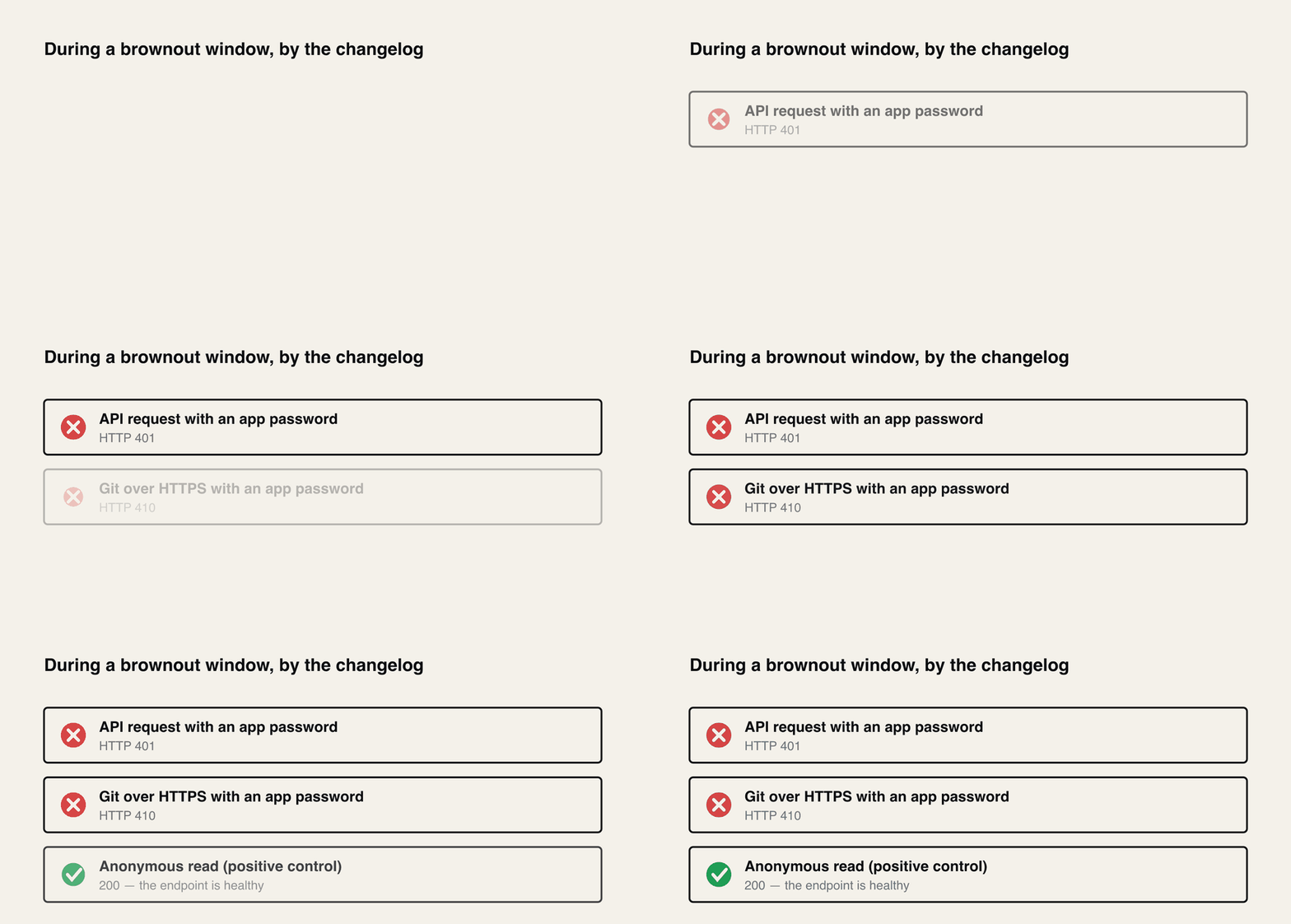
During each brownout window, API requests authenticated using app passwords will fail with an HTTP 401 while Git-over-HTTPS operations authenticated using app passwords will fail with an HTTP 410.
Read that carefully, because it is doing more work than it looks like. A 410 on git over HTTPS is not a generic auth failure. It is Bitbucket answering a request that carried an app password, and Atlassian has put the two failure modes in separate columns on purpose.
What Atlassian does not say — and I want to be strict about this from the start rather than bury the caveat at the end — is that an app password is the only thing that can produce a 410. That would be the useful claim, because it is the one that lets you stop looking at your token. So I went and tried to break it, and what I can tell you is that every wrong credential I am able to construct comes back 401 instead.
I probed a public Bitbucket repository with six credential shapes. The repository is Atlassian's own atlassian/atlassian-pocketknife, and the positive control matters: an anonymous read against the same repository returns 200, so the endpoint is healthy and reachable and any 401 below is about the credential, not about me being blocked.
bash
1REPO="https://bitbucket.org/atlassian/atlassian-pocketknife"23# positive control, same object4curl-s-o /dev/null -w"anon upload-pack: %{http_code}\n"\5"$REPO/info/refs?service=git-upload-pack"67# then the write endpoint, one shape at a time8curl-s-o /dev/null -w"%{http_code}\n"-u"x-bitbucket-api-token-auth:NOTAREALTOKEN00000"\9"$REPO/info/refs?service=git-receive-pack"
credential presented
status
anonymous read (positive control)
200
no credentials at all
401
x-bitbucket-api-token-auth + garbage
401
x-token-auth + garbage
401
a plain username + garbage
401
an email address + garbage
401
empty username + garbage
401
8 rows × 2 columnsHeader row enabled
Six credential shapes, six 401s, measured on 7 August 2026. The body is the same every time:
text
1You may not have access to this repository or it no longer exists in this
2workspace. If you think this repository exists and you have access, make
3sure you are authenticated.
So the practical rule holds up as far as I can push it. A 410 in front of you means your new token has not been sent yet, and checking its scopes is checking a credential that is still sitting in your clipboard as far as the wire is concerned. That retires most of the advice on these threads.
But hold it as an empirical rule and not a law. I cannot manufacture a 410, because app passwords are gone and I have none to present, so the 410 half of the pair is Atlassian's documented statement plus a large pile of consistent community reports. The 401 half is measured, on six shapes, with a same-object positive control. If you ever see a 410 that turns out not to be an app password, it is my rule that is wrong and not Atlassian's, because Atlassian never claimed exclusivity in the first place.
Why it never fixes itself
Here is the part I had not seen written down anywhere.
Git has a perfectly good mechanism for this. When a credential it pulled out of a helper turns out to be wrong, it tells the helper to throw it away, so the next command prompts you fresh. That is what makes a rotated password a minor annoyance rather than a permanent outage. It is implemented in handle_curl_result in http.c, and in git 2.50.1 it reads like this:
There are three credential_reject calls in that function and only one of them is about your HTTP credential: the one nested inside results->http_code == 401. The other two are the TLS client certificate and the proxy.
A 410 matches none of the branches above it. missing_target is the only one that might plausibly catch a "this is gone" status, and it does not — in http.h it expands to a test for exactly three things, a local file that could not be read, code == 404, and FTP's 550. So a 410 falls all the way through to the generic else, returns HTTP_ERROR, and your credential is never touched.
Reading code is not the same as watching it behave, so I built a rig. It stands up a throwaway HTTP server on localhost that challenges for Basic auth, then answers the authenticated retry with whatever status code I choose. Git runs against it with an isolated credential store file — a scratch HOME, GIT_CONFIG_NOSYSTEM=1, nothing near my real keychain — pre-populated with a credential the server will reject. Then I look at whether the file still has anything in it.
python
1proc = subprocess.run([2"git",3"-c","credential.helper=",# reset the helper list4"-c",f"credential.helper=store --file={creds}",# then ONE isolated helper5"ls-remote",f"http://127.0.0.1:{port}/repo.git",6], env=env, capture_output=True, text=True)
Every run confirmed the server saw two requests, the second one carrying an Authorization header, so the stored credential really was presented before the verdict in each case.
status returned to the authenticated retry
git's message
stored credential
401
fatal: Authentication failed for ...
ERASED
403
The requested URL returned error: 403
kept
404
fatal: repository ... not found
kept
410
The requested URL returned error: 410
kept
500
The requested URL returned error: 500
kept
6 rows × 3 columnsHeader row enabled
401 is the only one that clears. Everything else leaves the bad credential exactly where it was, ready to be sent again on your next push, and the next, and the next.
That is the whole loop. Your machine holds a dead app password. Bitbucket answers 410 because it is a dead app password. Git does not discard it because it was not a 401. So you push again and send the same dead app password. The new token never gets a turn, and no amount of re-pasting it into Sourcetree changes that, because Sourcetree is writing into a different drawer from the one git is reading.
There is a free diagnostic hiding in that table, too. The wording of the failure tells you which branch you landed in. fatal: Authentication failed is the 401 path, and git has already cleaned up after itself. The requested URL returned error: 410 is the other path, and it has not.
Success
This also means git will not re-prompt you. On a 401 it discards the credential and asks again next time. On a 410 it exits with an error and leaves everything in place, which is exactly why the failure feels so stubborn: there is no prompt to type the new token into.
The trap underneath the trap: your API token has four usernames
Clear the credential and a good number of people hit the second wall immediately, and this one is a 401. It is caused by muscle memory from the Jira and Confluence REST APIs, and Atlassian's own page sets it up beautifully by documenting the git answer and the REST answer on the same screen.
To authenticate with Bitbucket Cloud using an API token, you will need the API token and your Bitbucket username.
And further down the same page, on the REST side:
You will need both your Atlassian account email and an API token.
Same token. Same page. Two different usernames, and no sign anywhere that you have just switched context. If you have spent the last two years writing curl -u me@company.com:$TOKEN against the Jira API, you will type your email at the git prompt without a flicker of doubt, and you will get a 401 that says nothing about why.
Atlassian's own troubleshooting KB is blunter than the docs page, and it is worth quoting because it names the exact mistake:
Make sure you are not using the API token name or your email address as the username.
Here is the full mapping as the documentation has it, rechecked on 2 October 2026. Five rows, four different usernames, and one of them is the one you already have in your fingers.
what you are holding
username to pair it with
where that is documented
Atlassian API token, at a git prompt
your Bitbucket username, case sensitive
Using API tokens
Atlassian API token, static form
x-bitbucket-api-token-auth or x-token-auth
Using API tokens
Repository, Project or Workspace Access Token
x-token-auth
Using access tokens, one page per scope
App password
your Bitbucket username
removed 28 July 2026
Atlassian API token, against the REST API
your Atlassian account email with Basic auth, none with Bearer
Using API tokens; changelog, 18 August 2026
6 rows × 3 columnsHeader row enabled
I checked the access-token row on all three of its pages — repository, project and workspace — and x-token-auth is the literal username on every one of them, in both the interactive and the token-in-URL form.
Two notes on that table that cost people real time.
The Bitbucket username is not your email and it is not your display name. It is a separate string, it lives on your Bitbucket account settings page, and the doc is emphatic about it:
Important: Bitbucket usernames using in Git commands with API tokens are case sensitive and must match exactly what appears on your account's Settings page.
That is Atlassian's typo, not mine, and I have left it in so you can find the sentence.
The static username exists precisely so you do not have to care about any of that. Here's the wording as of 2 October 2026:
Alternatively, you can also use the static username x-bitbucket-api-token-auth or x-token-auth as seen in the examples below. The static username provides more options for git interactions, particularly to simplify interacting with git in apps and integrations.
If you are helping somebody who is already frustrated, give them x-bitbucket-api-token-auth and nothing else. It has no capitalisation to get wrong and no settings page to go and find. The "or your Bitbucket username" alternative is true, and offering both in the same breath is how you end up debugging the wrong string for an hour.
And the scopes, which are the thing to check after you have escaped the 410, not before:
API token scopes required for cloning include read:repository:bitbucket. Cloning and pushing require both read:repository:bitbucket and write:repository:bitbucket.
A token minted with Create API token and no scopes at all will not clone. You want Create API token with scopes, with Bitbucket ticked as the app.
Why repointing the remote is a real fix and not a folk remedy
The advice you will see on these threads is to rewrite the remote URL so it carries the static username:
I have always liked that one because it only touches .git/config and is trivially reversible, but I wanted to know whether the mechanism is what people think it is. It is, and it is measurable without needing a Bitbucket account at all, because the behaviour lives in git.
git credential fill asks git the question directly: given this URL, which credential would you use? Point it at a populated helper and you can watch the matching happen. I seeded a helper with a stale entry for olduser and then asked for four different usernames on the same host.
the username in the URL
what git offered
olduser
the stale credential
x-bitbucket-api-token-auth
nothing
x-token-auth
nothing
someone@example.com
nothing
5 rows × 2 columnsHeader row enabled
So the lookup is keyed on the username, and naming a different one in the remote genuinely does put the poisoned entry out of reach. Git has to prompt, and the new token finally gets sent. That is not a superstition, it is how the credential protocol matches.
Then there is the case I nearly got wrong, which is the one almost everybody is actually in. Most people's remote has no username in it at all, because that is what git clone https://bitbucket.org/ws/repo.git leaves behind. I assumed a lookup with no username would match nothing and force a prompt. It does the opposite:
text
1$ git credential fill        # asking about bitbucket.org, no username given
2protocol=https
3host=bitbucket.org
4username=olduser
5password=APP-PASSWORD-STALE
A username-less question gets answered with a whole identity. The helper volunteers both the stale username and the stale password, git uses them, and you are never prompted for anything. That is the silence people describe on these threads — not a rejected token, but a credential exchange you were never invited to.
I ran the same question at the macOS keychain, since that is the helper the person in the original thread was fighting. I used an invented hostname so nothing real was touched, and erased the entry afterwards.
bash
1printf"protocol=https\nhost=lz-rig-test.invalid\nusername=olduser\npassword=STALE-SECRET\n\n"\2|git credential-osxkeychain store
34printf"protocol=https\nhost=lz-rig-test.invalid\n\n"\5|git credential-osxkeychain get
lookup
git's store helper
macOS keychain
username olduser
the stale credential
the stale credential
username x-bitbucket-api-token-auth
nothing
nothing
no username in the URL at all
the stale credential, plus its username
the stale credential, plus its username
4 rows × 3 columnsHeader row enabled
Both helpers agree on all three rows. I had expected them to differ and they do not, which is the more useful result: the behaviour is git's credential-matching model rather than one platform's quirk, so the reasoning above should travel.
That said, I have measured store and osxkeychain and nothing else. Windows Credential Manager is what most of the people asking these questions are actually running, and I have not tested it. Do not take the third row on faith there.
Configure the git credential helper for x-bitbucket-api-token-auth
Got a dozen Bitbucket clones? Then rewriting every remote gets old fast. You don't have to. Git can hold a default username per host, set once: git config --global credential.https://bitbucket.org.username x-bitbucket-api-token-auth. Git's credential docs call it "a default username, if one is not provided in the URL". So any https bitbucket.org remote with no username in it now asks your helper for x-bitbucket-api-token-auth. That's the dangerous default shape from the last section, closed off.
I checked it with git credential fill on git 2.54.0 on 2 October 2026, with the store helper and the macOS keychain each holding a stale olduser entry, the same setup as the tables above. Without the setting, git handed the stale pair straight back. With it, git skipped them and asked for a password for x-bitbucket-api-token-auth. That's where your API token goes. The store helper then saved the token under the static username and returned it on the next lookup. The old entry was still sitting there, just out of reach, so clear it anyway, as in step 3 of the recipe below. One catch. A username written into the remote URL still wins over this setting.
The recipe
Assuming you are looking at a 410, in order.
1
Read the status code before anything else
410 with CHANGE-3222 means an app password is still being sent and your token is not in play. 401 means the token is in play and something about it or its username is wrong. These are different problems and the fixes do not overlap.
2
Prove which layer is broken
run git -c credential.helper= clone https://bitbucket.org/WORKSPACE/REPO.git and enter the static username and token by hand. Git's own documentation is explicit that "if credential.helper is configured to the empty string, this resets the helper list to empty", so nothing cached can reach the wire. I confirmed that against a populated helper: with the helper active git handed over the stored password, and with -c credential.helper= it declined to use it and wanted to prompt instead. If this clones, your token is fine and the problem is entirely in the helper layer.
3
Clear the stored credential
macOS Keychain Access, Windows Credential Manager, or git credential-osxkeychain erase with the host on stdin. This is the step that actually breaks the loop, because git was never going to do it for you.
4
Or repoint the remote instead
git remote set-url origin https://x-bitbucket-api-token-auth@bitbucket.org/WORKSPACE/REPO.git changes the identity git looks up, so the poisoned entry cannot match. Touches only .git/config and is undone with one more command.
5
Then, and only then, look at the token
minted with Create API token with scopes, Bitbucket ticked, read:repository:bitbucket for clone and write:repository:bitbucket for push. Paired with the static username, never with your email.
There is a form of that URL rewrite with the token embedded — https://x-bitbucket-api-token-auth:{api_token}@bitbucket.org/... — which Atlassian also documents, and it is the form I have seen confirmed working most often on the community threads. It also writes your token in plaintext into .git/config, where it will sit until you remember it is there. On a build agent where the token is already a secret variable that is a reasonable trade. On a laptop it is not, and the bare-username form plus a fresh prompt gets you to the same place.
Sourcetree is its own bug, and it is still open
If the person you are helping is in Sourcetree rather than at a shell, there is a known defect underneath all of this. SRCTREE-8274, "Sourcetree 4.2.18 continues using App Password credentials after switching a Bitbucket Cloud account to an API token", was created on 6 July 2026 and when I checked the tracker on 7 August 2026 it was still Needs Triage with no resolution set, 1 vote and 4 watchers.
It is filed against 4.2.18, which is the Mac line. If you are on Windows, cite it as the same symptom rather than as your ticket. The behaviour is consistent with everything above: Sourcetree refreshes the account credential in its own storage, git reads from the OS store, and nothing on the 410 path forces the two to reconcile.
The date is wrong on one of Atlassian's pages
Worth knowing if you are the person writing the internal migration notice, because you will be quoting one of these.
The changelog says app passwords "will be fully deprecated on Jul 28, 2026", with brownouts starting 9 June 2026. The authentication troubleshooting KB says something else:
Your account's password will not work, and app passwords will stop working after June 9th, 2026.
Both pages were live on 7 August 2026. My read is that the KB has collapsed the brownout start into the end date, since 9 June is the date the brownouts began rather than the date anything was removed, but that is my read and not a statement from Atlassian. Quote the changelog.
While you are in there, one more that gets repeated wrongly: the default expiry on a new Atlassian API token is one year, not a week. Atlassian's token management doc says "By default we set tokens to expire in one year" and that you can set it anywhere from 1 to 365 days. It is still worth putting the expiry date in a calendar. I have not tested what an expired token returns — I do not have one to hand — but it is not an app password, so on the evidence above expect it in the 401 family, which means it will look like every other credential mistake and tell you nothing about the real cause.
The one that will catch your CI next
A detail from a second thread, where somebody had migrated Jenkins to a token and reported that the initial clone worked and the submodule fetch did not.
That is documented behaviour in the Jenkins Git plugin rather than anything to do with Bitbucket. The plugin's own description of the Advanced sub-modules behaviours extension says submodule updates do not use credentials by default, and that enabling "Use credentials from default remote of parent repository" is what passes the parent's credential down to each submodule. Until you tick it, the submodule fetch authenticates with whatever the agent happens to have lying around for that URL — which on a build box that has been running since 2023 is very often an app password nobody has thought about since.
Two constraints come with that switch, and they are in the plugin's documentation too: the submodule repository has to accept the same credential as the parent, and the protocols have to match. An HTTPS parent cannot hand its credential to an SSH submodule reference.
Same shape as everything above: the credential that breaks you is never the one you just changed. It is the one you forgot was there.
What I have not proved
I could not produce a 410 from Bitbucket. App passwords are gone and I do not have one to present, so the claim that a 410 means an app password is Atlassian's documented statement and a consistent pile of community reports, not my measurement. The 401 side of it is measured, on six credential shapes, with a same-object positive control.
I did not test with a valid API token against a private repository. Everything I ran against real Bitbucket was either anonymous or deliberately wrong, so I can tell you what fails and how, and I cannot tell you from my own hands that the static username succeeds. That part is Atlassian's documentation and other people's reports.
The credential-erase measurements were run against a stand-in HTTP server, not against Bitbucket. That is deliberate — it is the only way to control the status code — but it means my server speaks just enough of the handshake to trigger the auth exchange, and git never reached pack negotiation. The credential path is the part under test and it is exercised fully; the rest of the protocol is not.
I tested git 2.50.1 only, and only the ordinary Basic-auth path. There is a multistage branch in that same 401 block that takes a different route, and I did not exercise it. If you are on a much older or much newer git, the branch structure is worth re-reading before you trust the table.
And the helper comparison covers store and osxkeychain, which is two of the four that matter. Windows Credential Manager is the one most of the people asking these questions are actually using, and I have not measured it. If somebody wants to run the no-username lookup against wincred and tell me whether it volunteers a whole stale identity the way both of the helpers I tested do, that is the gap I would most like closed.