
What's New in CogniRunner: Local AI, Zero-Key Models & Actions That Write Back

6 min readJune 18, 2026
Key takeaways
- Run AI on your own hardware with LM Studio — the first Jira app to do it — or zero-key inside Atlassian with the new Forge LLM provider.
- Declarative AI actions go beyond validation: draft comments, create sub-tasks or linked issues, and generate DOCX/PDF/PPTX — all in plain English.
- Skills, Memories, and a shared documentation library ground every decision in your team's real context.
CogniRunner — the semantic layer for Jira workflows — just got its biggest update yet. If you've used it to block a vague bug report or flag a likely duplicate, the core idea is familiar: write a plain-English prompt, pick a field, and let an AI model judge meaning, not just structure. This release pushes that idea in three directions: where the AI runs, what it can do after it decides, and how well it understands your project.
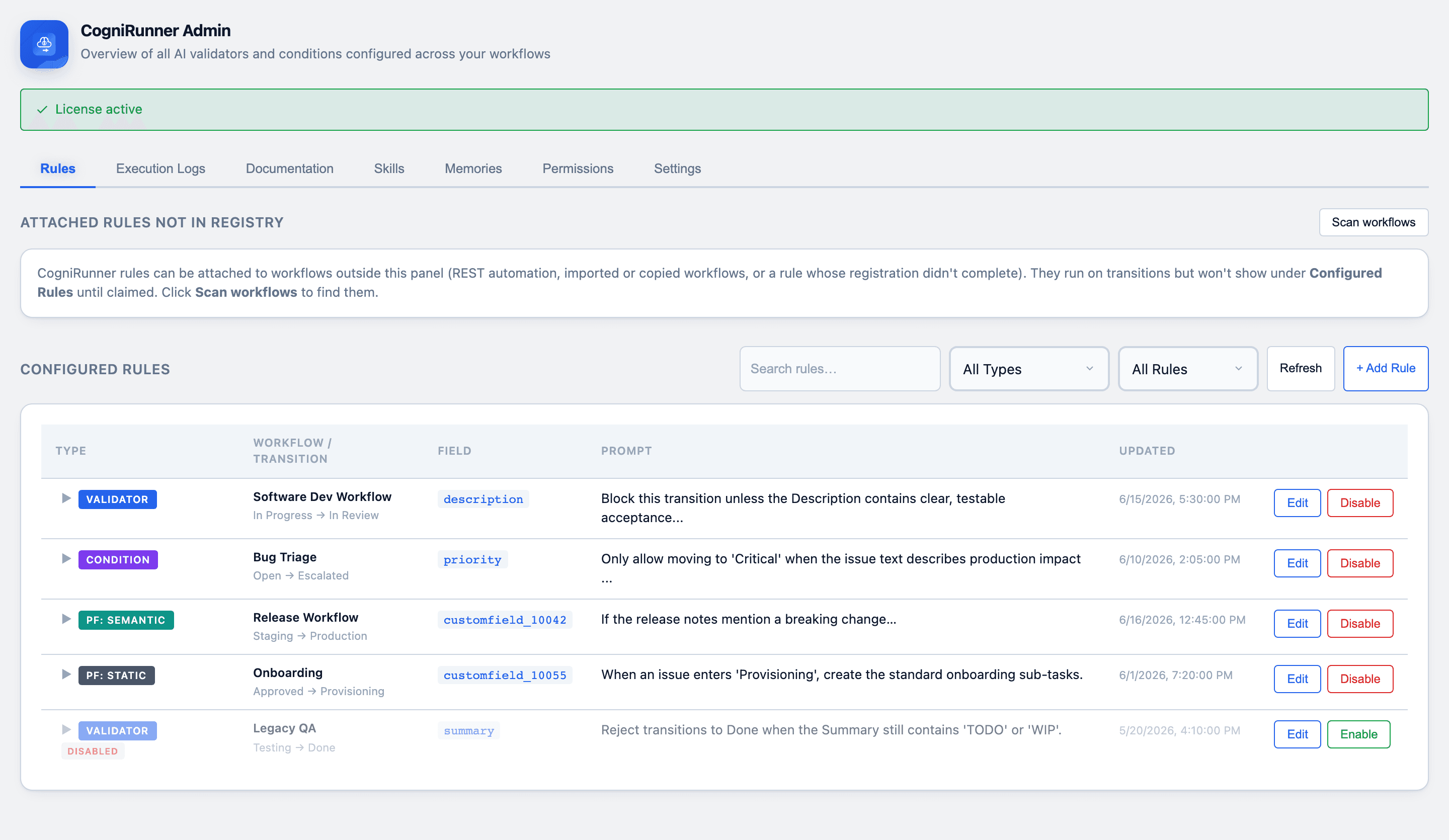
CogniRunner is a commercial app, delivered to client teams as scoped work: the rules are built, tested and handed over. Everything below is in the shipping app on the Atlassian Marketplace — see the CogniRunner page.
Run AI where your data lives
The headline of this update is choice of where inference happens. CogniRunner now spans the full spectrum, from fully local to fully managed:
Option | What it means | Best for |
|---|---|---|
LM Studio (local) | Inference and your field data stay on your own hardware. Zero per-token cost. | Maximum privacy, air-gapped or cost-sensitive teams. |
Atlassian Forge LLM | Zero-key, runs inside Atlassian's platform — no API key, no external egress. | The fastest start; data never leaves Atlassian. |
BYOK cloud | Bring your own key: OpenAI, Anthropic, Azure OpenAI, OpenRouter, AWS Bedrock. | A specific model, vision support, or your own account. |
CogniRunner is the first Jira app to integrate LM Studio for on-device inference, and among the first to ship the Atlassian Forge LLM provider — AI that runs with no key and no egress, so the app keeps its Runs on Atlassian eligibility. Switching providers never loses your other keys; each is stored per-provider, encrypted at rest.
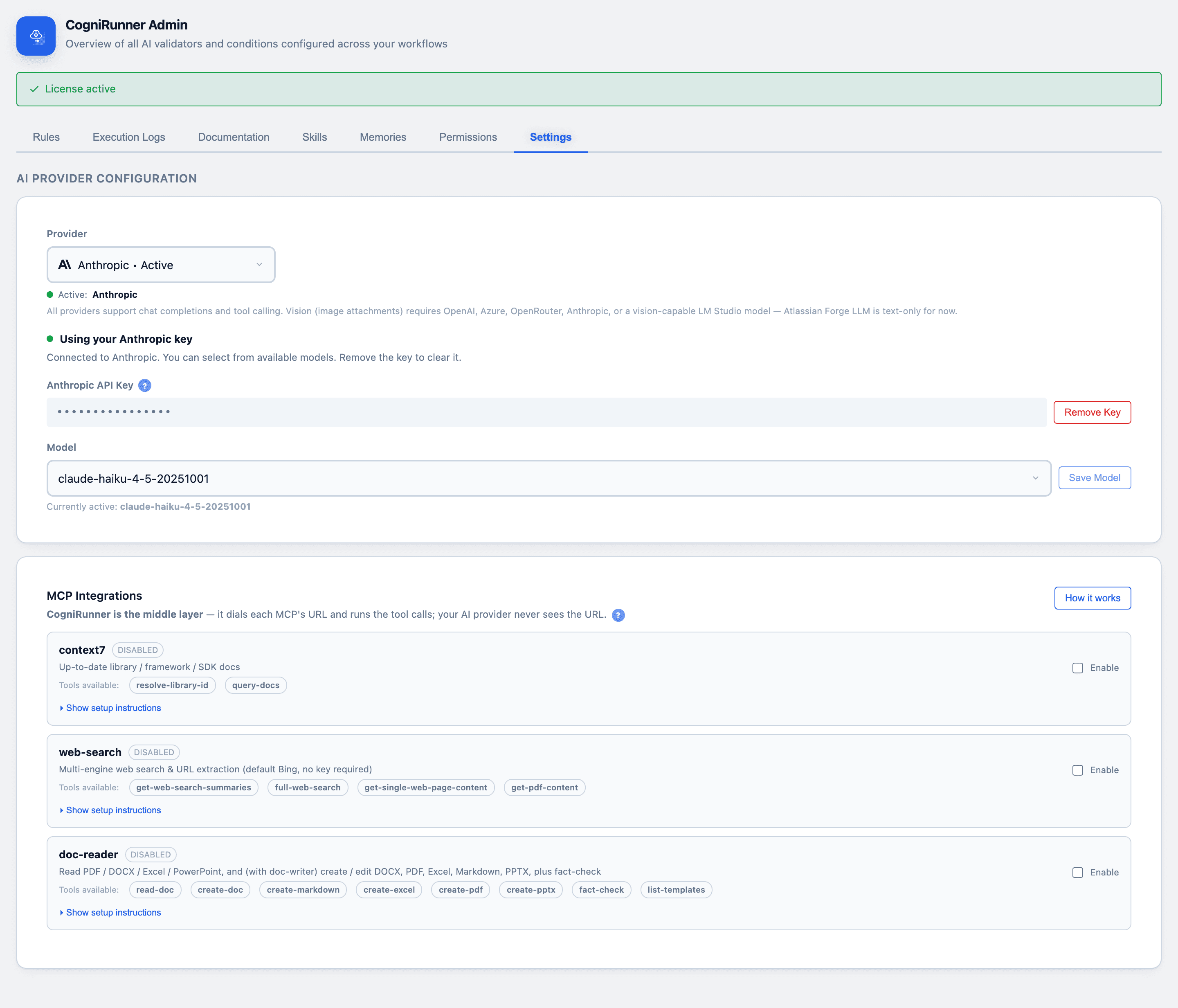
With LM Studio, field content and attachments never leave your machines. With the Forge LLM provider, they never leave Atlassian's cloud. Privacy is now a configuration choice, not a compromise.
From validation to action
Validators gate a transition; the new declarative AI actions let CogniRunner act on one. After a transition, you can now have the AI:
- Draft and post a comment — a summary, a triage note, a status update.
- Create a sub-task or linked issue — spin off follow-up work automatically.
- Generate and attach a document — a DOCX, PDF, or PPTX, built from the issue's own content.
All of it is configured in plain English — no code required. Under the hood, the same engine powers CogniRunner's static post-functions: the AI writes the JavaScript once at setup, then it runs on every future transition at zero AI cost, chaining up to 50 sandboxed steps.
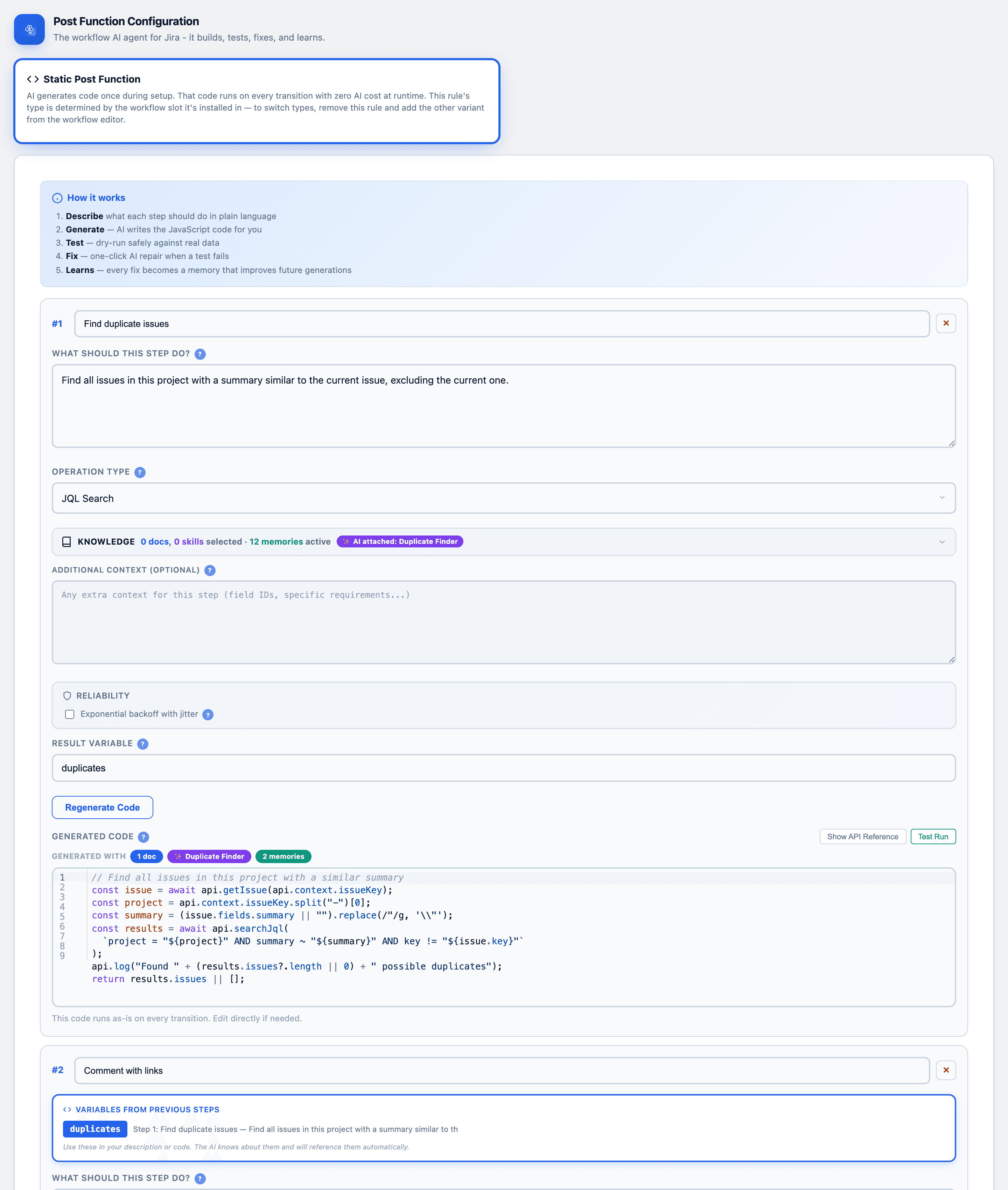
Use semantic post-functions when the output should change per issue (a summary, a release note), and static ones for deterministic, high-volume work (creating standard sub-tasks) where you don't want a model call on every transition.
Smarter context: Skills, Memories & the docs library
A model is only as good as what it knows about your project. This update deepens grounding three ways:
- Documentation library — upload API specs, JSON schemas, or business rules once, then attach them to any rule so the AI validates and generates against your standards.
- Skills — reusable, named capabilities you can drop into rules instead of re-writing prompts.
- Memories — instance-specific context the AI learns and carries forward.
Optional MCP integrations (context7 for live SDK docs, web-search, document tooling) extend that reach further — CogniRunner acts as the middle layer and runs the tool calls, so your AI provider never sees the integration URLs.
Agentic by default — the AI searches Jira for you
When a rule needs context beyond the field itself — "is this a duplicate?" — CogniRunner goes agentic: the AI autonomously builds and runs JQL against the issue's own project, over multiple rounds, before deciding. Every query, every round, and the final reasoning are recorded.
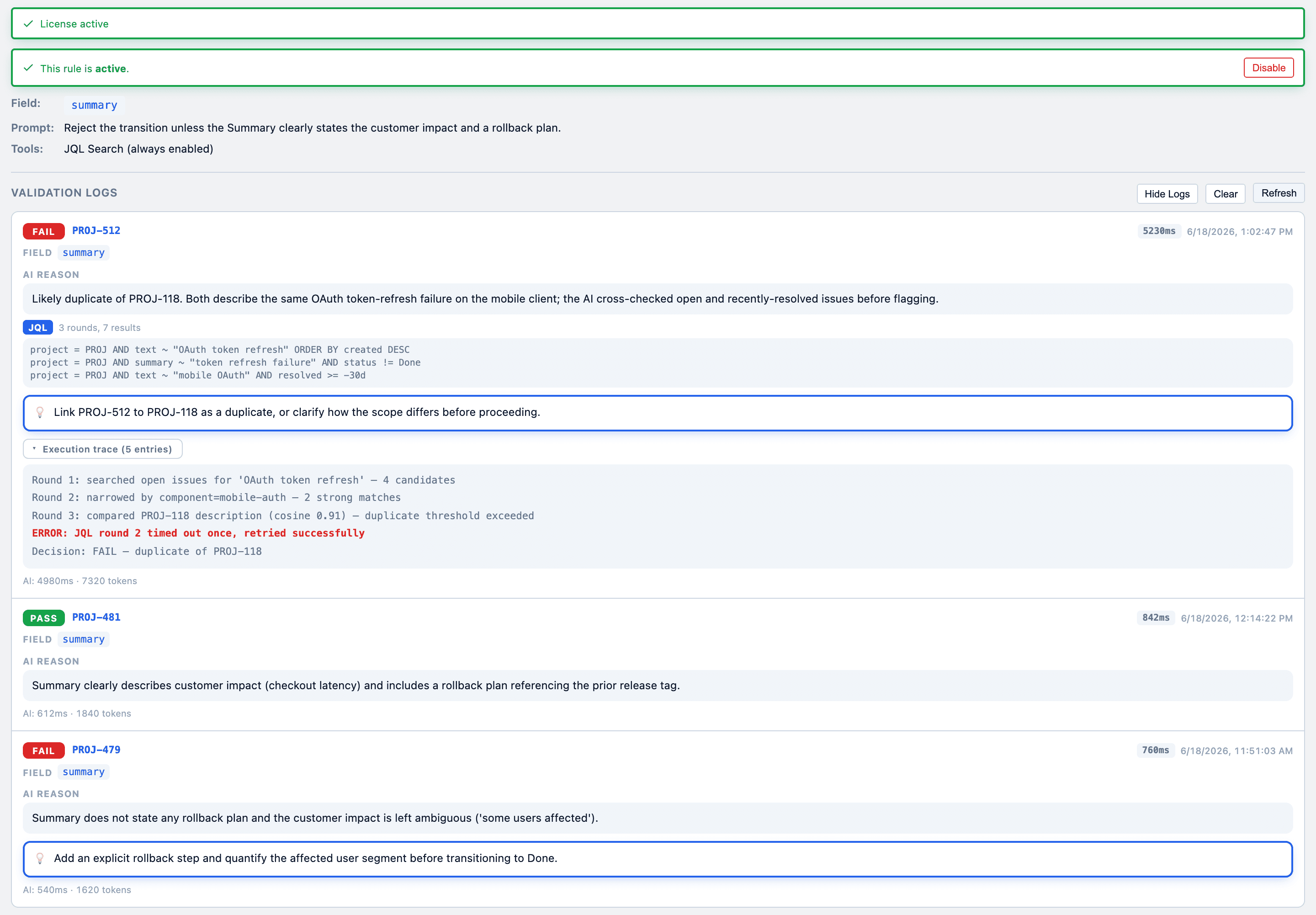
Agentic search is now confined to the rule's own project and bounded to three rounds within a 22-second budget — and it always fails open. If the model errors or runs out of time, the transition is allowed. A workflow that locks up is worse than one that occasionally misses.
Hardened for production
Beyond features, this release is the result of a long adversarial-review and durability campaign. Among the under-the-hood wins: agentic JQL is project-scoped, the static-function sandbox is tightened, multi-provider dispatch is hardened, and a durability sweeper reaps any killed long-running task so you never see a "stuck" run. It's the same app — just sturdier on a Monday.
Try it
- 🧪 CogniRunner on the Atlassian Marketplace — install straight into Jira Cloud.
- 💻 Delivered to client teams — a commercial app; the rules are built, tested and handed over as scoped work.
- 📖 The CogniRunner project page — the full feature tour.
Configuration still takes about 30 seconds: pick a field, write what "good" means in plain English, done. The difference now is that the AI can run on your terms, act on what it finds, and reason with everything your team knows.
Comments
0Add a comment