Agent Work
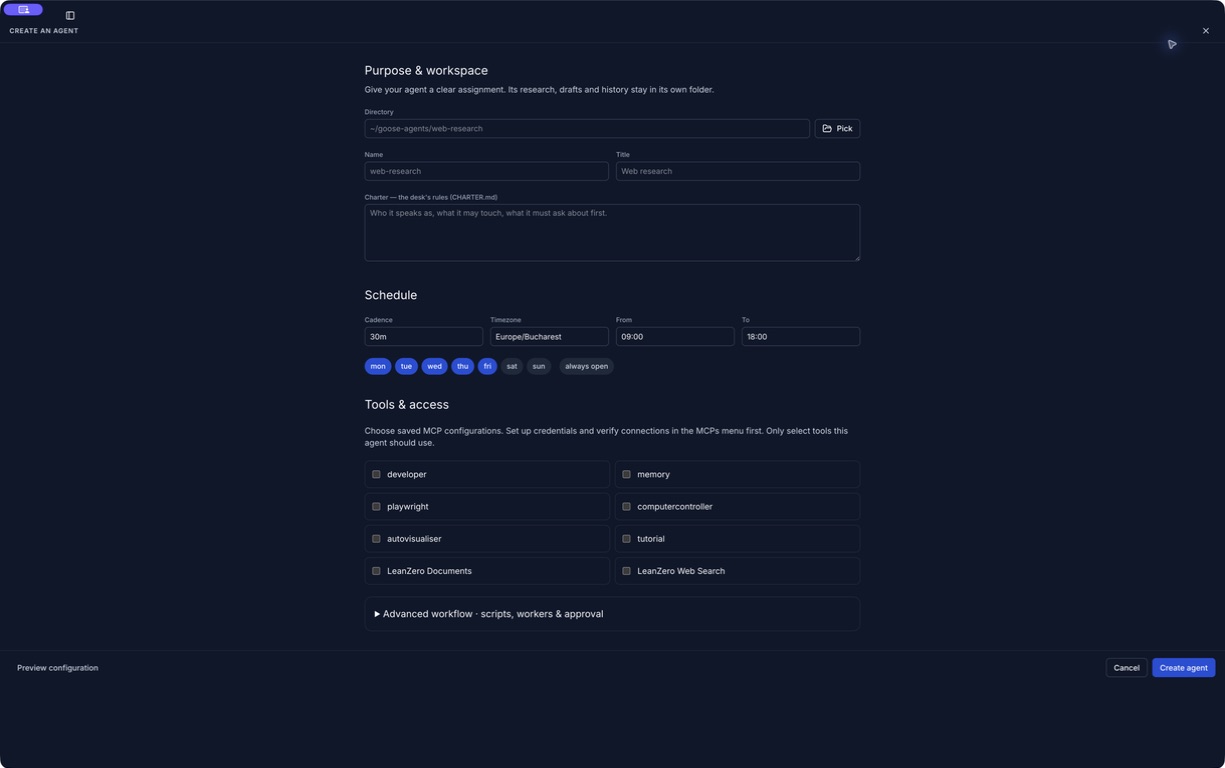
Recurring assignments get their own workspace, charter, schedule, worker activity and ledger. Follow what an agent did, read its handoff and review work that needs you.
Goose Swarm 3.0 series
Goose local edition brings recurring agent work, local MLX models and a private network of your own machines into one desktop app.
Apple Silicon macOS. Version 3.0.0 is signed and Apple-notarized. Latest release verified: 3.0.1.
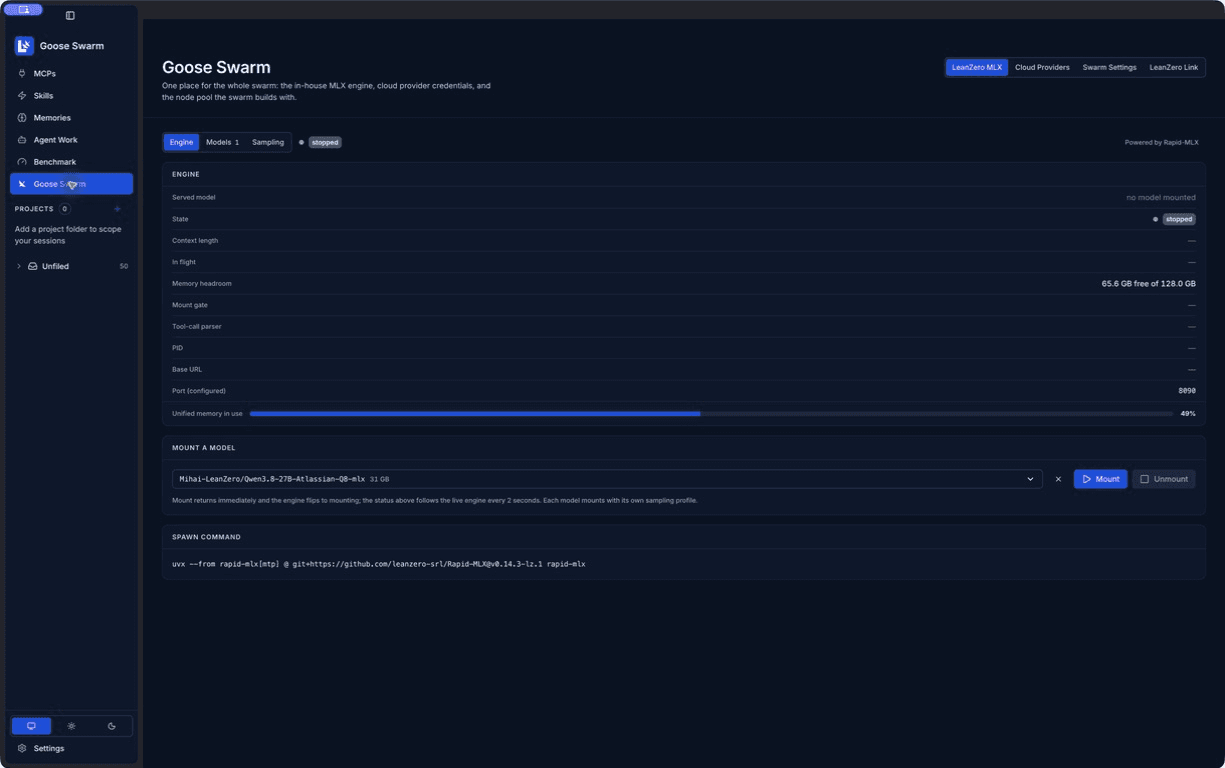
Keep working on your laptop while a linked machine handles an agent task. Sign in on your devices, bring them onto your private mesh, and choose where the work runs.
Link brings device discovery, availability and remote prompt execution into Goose Swarm. The destination keeps its own workspace and compute. Your laptop does not need to hold every model.
Choose the task and target
Run the agent in its workspace
If you know LM Studio’s LM Link, the goal will feel familiar: use compute on another machine from the device in front of you. LM Link exposes remote models inside LM Studio. LeanZero Link connects Goose devices and lets you dispatch agent work to them.
They are separate products and separate networks. LeanZero Link is not an LM Studio integration or affiliation.
Goose runs its own userspace Tailscale mesh, isolated from your existing Tailscale installation. Email-code sign-in associates your devices; authenticated device traffic uses the mesh. Only link machines you trust.
The target must be awake and configured for the task. Link does not synchronize your project files automatically, and choosing a cloud provider still sends inference requests to that provider.

The desktop release brings together the Agent Work and memory work that followed 2.0.3, updates the local engine, and ships a notarized macOS installer.
Recurring assignments get their own workspace, charter, schedule, worker activity and ledger. Follow what an agent did, read its handoff and review work that needs you.
The accumulated memory and recall work joins the desktop release. Inspect saved knowledge and reusable skills from dedicated navigation, and keep project context alongside your work.
The local engine moves to Rapid-MLX 0.14.3 with the LeanZero LoRA extension retained. Model browsing shows repository download bytes; active downloads stay tracked when you navigate away.
LeanZero Documents and LeanZero Web Search ship with the app, including the browser for PDF generation and page extraction. Web searches need your Serper API key; document tools and known-page extraction do not.
Shared buttons show pending actions and failures. MCP tools have their own navigation, and route transitions respect reduced-motion preferences.
The 3.0.0 Apple Silicon app and DMG are Developer-ID signed and Apple-notarized. Manual updates use a private staging directory; the in-app updater follows LeanZero’s GitHub releases.
3.0.1 follows with agent-creation, handoff and MCP-setup refinements. Read the 3.0.0 release notes or the 3.0.1 maintenance notes.
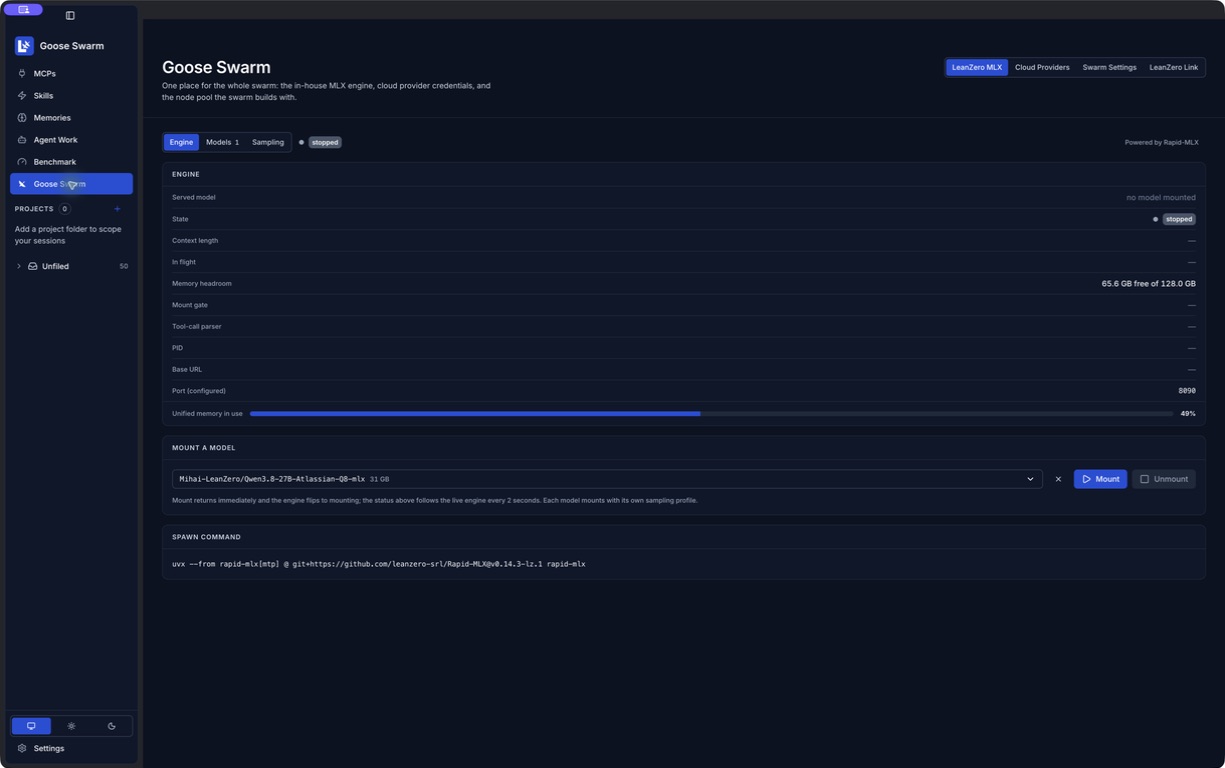
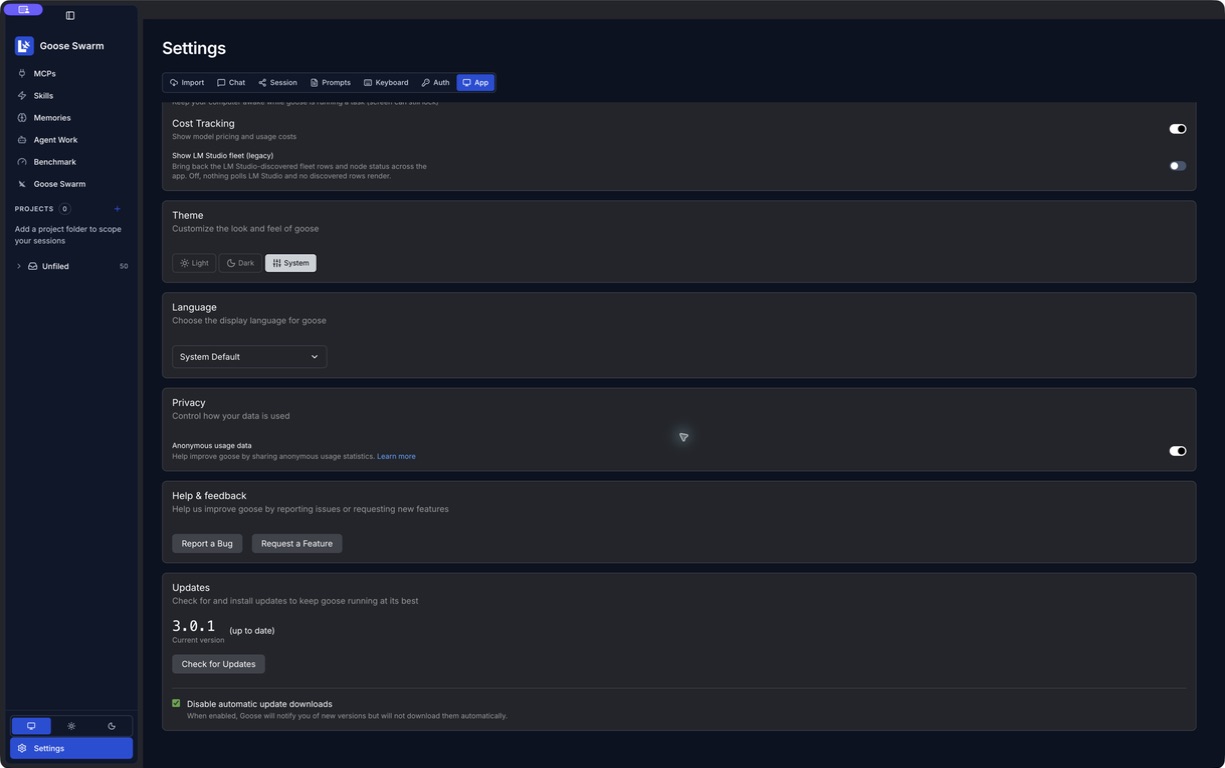
Actual captures from the 3.0.1-based review installation. Agent creation includes the maintenance release’s layout refinements. Screenshots are expandable, with no fabricated activity or connected devices.
Gemini 3.8 Flash built the SB7.1 Meridian Payments pilot. The unchanged app was graded externally, including backend consistency, rendered payment towers and event-driven animation.
This is a later benchmark pilot, separate from the experimental SB8 that shipped in 3.0.0. Its conditions and known scorer limitations are disclosed with the run.
79.68% earned behavioral credit before the visual admission ceiling. 9m14s model build; 3m46s final scoring pass. The original artifact is preserved.
Inspect the Gemini runCorrect tower geometry was present. Fixed-frame camera motion, stale-event version regression and partially applied backend groups prevented higher credit. The run card includes actual screenshots, the recorded animation and the measurement caveats.
Explore the benchmark and its full promptWe will keep shipping maintenance and feature releases. Compatible stable updates will be available through the app’s automatic updater and the official GitHub release page.
Use Settings → App → Updates to check now. Automatic downloads are optional; the screenshot shows them disabled. Save your work before a restart, or replace the app manually with the latest DMG.
From your first installation to a linked agent workspace. Open a chapter for the actual controls, prerequisites and recovery steps.
Open Download from GitHub and choose the Goose-<version>.dmg asset from the latest stable release. The published macOS package is for Apple Silicon (arm64); do not use it as an Intel Mac installer.
Open the disk image, drag Goose.app into Applications, then eject the disk image. Launch Goose from Applications. A normal first-open confirmation for an internet download can still appear on a notarized app.
The 3.0.0 app and disk image were accepted by Apple’s notarization service and stapled. Notarization checks the distributed software; it is not a guarantee about generated code or third-party models.
If macOS reports that an app is damaged or its signature is invalid, stop and download a fresh copy from the official release. Do not disable Gatekeeper or remove quarantine attributes as a routine installation step. Report the exact version and message if it persists.
Goose local edition is LeanZero’s open-source fork of Goose. Source code, release assets and development history are available on GitHub.
Building a local-model coding agent and a benchmark honest enough to fail its own authors.

Our port reclaim logged a warning every single time it ran in the shipped app, and nobody noticed for weeks — because the warning branch was the only branch that could execute there. macOS keeps lsof in /usr/sbin, and a packaged app's PATH does not have it.

The model was fine. GPT-5.6 Sol driven from goose's own engine did good work. Driven from Codex it gold-plated the quality gates until a ten-minute rebuild took over an hour, and it never once got to the end. Six days, zero completed runs, and a bill I cannot justify to anyone.

Every number this benchmark ever published was wrong at least once. The transferable part is not the scorer, it is the six disciplines that caught each lie: prove the lever moves before you A/B it, prove the grader in both directions, pre-register the falsifier, positive-control every zero, spell absence and failure differently, and fix the report when the score is right but unreadable.

goose Local Edition is our fork of goose with a swarm engine and an execution-based scorer. The scorer boots the built application, drives it over HTTP and in a browser, and prices what a user would actually experience. On the current board our own fleet is last of seventeen at 0.0172 — here is why that number is the point.

A worker in my local-model swarm ran pytest against a file that did not exist, twice, and finished the task green. The pipe had eaten the exit code. Measured on bash and zsh, on pytest and cargo — including why turning pipefail on just moves the lie to the other side.

Our swarm workers kept re-reading files they had already read. Context compaction was summarising the tool output that held the file. Pasting the file into the summary does not fix it; returning the last turns verbatim does. Measured three ways on the same 27B.

Three weeks after the swarm shipped its first honest builds, the work stopped being about making small local models smarter and became about making them stop lying to me. Here is what 602 commits bought, what the desktop looks like now, and the three defects I found in my own honesty machinery while writing this post.

A hands-on walkthrough of swarm-gym — the harness that drives goose local-edition's swarm through real coding tasks and grades the result by running it. Set it up, run both modes, read every output, and tune the swarm from what you find.

We built a harness that makes local coding agents produce real software, grades it by running it, and ran the same model as GGUF and MLX. Here's the harness, its modes and archetypes — and which build wins.

The engineering teardown of goose local-edition: how the scheduler, the parallel planner, the CONTRACTS discipline, the model-free judge, and the post-run smoke/AST gates are actually implemented, why each exists — and the self-driving test harness that found the failure behind every one of them.

We forked Block's goose into a multi-agent swarm that decomposes a hard app spec into a task DAG, runs it across three small local models on LM Studio, and makes them verify their own work by actually running it. Over six days and 300-plus commits, the last real limit stopped being the swarm's coordination and became the small model's raw coding ability — and even that ceiling moved.