Your Jira filters survived the migration. That's the bug.
Mihai Perdum
Author
13 min readAugust 12, 2026
Key takeaways
A saved filter stores its JQL as literal text. Nothing in it is a reference that a migration can follow.
cf[10042] binds to whatever field occupies slot 10042 on the site you are querying, and the destination allocates that number from its own counter.
Jira Cloud's strict validation checks fields, filters, projects and statuses. It does not check users, so a filter carrying a Data Center username saves clean and matches nobody.
The two migration routes fail in opposite places: DC to Cloud loses the filters entirely and breaks loudly, Cloud to Cloud copies them and breaks quietly.
Rewriting ids to field names is not the safe option. Real tenants have duplicate field names and the parser will not tell you which one it picked.
A filter that breaks after a migration is a good outcome. Someone opens it, sees an error, files a ticket, and you fix it. The one that costs you is the filter that opens fine, returns forty issues, and is wrong. Nobody files a ticket for that. It feeds a board, a dashboard, an SLA calendar or an automation rule, and it quietly reports the wrong number for a quarter.
I spent this morning measuring exactly how that happens, on a Jira Cloud site, with the REST API. Everything below with a number attached was run on 12 August 2026 against a throwaway Cloud site on the Free plan. I have flagged the handful of things I am inferring rather than measuring, and the one thing I could not test at all.
A saved filter is a string
This is the whole problem in one sentence, and it is worth proving rather than asserting.
I created a custom field, got back customfield_10924, and saved a filter against it:
bash
1curl-u"$EMAIL:$TOKEN"-X POST \2-H"Content-Type: application/json"\3"https://$SITE/rest/api/3/filter"\4-d'{"name":"probe","jql":"cf[10924] ~ \"alpha\" ORDER BY created ASC"}'
Then I renamed the field. Twice, as it happens, because I wanted to be sure the first result was not a fluke: "LZ Probe Alpha" became "LZ Probe RENAMED", then "LZ Probe TOTALLY DIFFERENT". After that I read the filter back:
text
1stored jql        : 'cf[10924] ~ "alpha" ORDER BY created ASC'
2rename HTTP       : 204
3jql after rename  : 'cf[10924] ~ "alpha" ORDER BY created ASC'
Unchanged, which is what you would expect. The interesting part is what still works. All three of these were run against the final state, where the field is called "LZ Probe TOTALLY DIFFERENT":
So cf[10924] is not a pointer to a field called anything. It is a lookup of slot 10924 in whatever field table the site you are querying happens to have, performed at query time. The filter has no idea what lives there. It never did.
That is fine while the filter and the field table stay on the same site. A migration is precisely the event that separates them.
What the parser actually accepts
Before going further I had to correct my own notes, because two things I have repeated for years turned out to be wrong when I finally tested them.
The first is that customfield_10042 and cf[10042] are interchangeable in JQL. They are not, at least not on Cloud:
text
1cf[10015] is not EMPTY              ACCEPTED
2customfield_10015 is not EMPTY      REJECTED
3  Field 'customfield_10015' does not exist or you do not have permission to view it.
Both refer to the same field. Only one is a JQL token. You can see why from the field's own definition, which lists every clause name the parser will accept for it:
customfield_10015 is not in that list. I checked all 188 custom fields on the site and not one of them advertises a customfield_N clause name. So if your rewriting script emits that form, every filter it touches gets rejected, which is at least loud.
The second correction is more embarrassing. I had it written down that Cloud's parser rejects Data Center's lenient syntax, specifically lowercase operators and unquoted values in an IN list. It does not:
JQL
Result
labels not in (Test, TEST)
accepted
labels NOT IN ("Test", "TEST")
accepted
project = WFH and status = Done
accepted
status = In Progress
rejected, needs quotes around the multi-word value
issuetype in (standardIssueTypes)
rejected
issuetype in (standardIssueTypes())
accepted
7 rows × 2 columnsHeader row enabled
Lowercase and, lowercase not in and bare single-token values are all fine. What actually breaks is a bare value containing a space, and a function name written without its parentheses. The error on that last one is worth reading closely, because it is not a syntax error at all:
text
1The value 'standardIssueTypes' does not exist for the field 'issuetype'.
Cloud parsed it as a literal value rather than a function call. It is not complaining about your grammar, it is telling you there is no issue type by that name. Which implies that if an issue type called standardIssueTypes existed, the query would become valid and mean something completely different. That felt too silly to assert without checking, so I checked:
text
1before            issuetype in (standardIssueTypes)    NOT QUERYABLE
2create issue type "standardIssueTypes"                 id=10206
3after             issuetype in (standardIssueTypes)    QUERYABLE
4delete issue type 10206
5after cleanup     issuetype in (standardIssueTypes)    NOT QUERYABLE
So the paren-less form is not a broken function call. It is a perfectly good value lookup that happens to be looking up a value nobody has created. Nothing turns on that in a real migration, but it tells you the parser is doing far less semantic work than the error messages suggest, which is the theme of everything below.
Where the destination's ids come from
The reason cf[10042] cannot survive a move is that the destination has never heard of your numbering.
I created two custom fields, one after the other, on a site whose highest existing custom-field id was 10640:
Not 10641. The site allocates from its own counter, which had already run 284 ahead of anything still visible on it. I did not chase down where those numbers went and it does not much matter. What matters is that nothing about the number I got derives from the field's name, its type, or what it was called on the source. Two sites agreeing on an id is coincidence.
Atlassian says the same thing in their own documentation, and this is the sentence to quote at anyone who tells you the ids will line up:
When you copy data for specific projects or spaces, identifiers (such as custom field identifiers like customfield_10456, board IDs, content page identifiers) are not guaranteed to be the same between your production and sandbox environments.
That is from the what happens when you copy data page, read on 12 August 2026. It is written about sandbox copies, but the allocation mechanism is the same one I measured above, and it does not care why the data arrived.
So: the JQL is literal text, and the number inside it means something local. Put those together and a filter moved between sites is a query that will bind to whatever the destination happens to have at that number. If the slot is empty, you get an error. If the slot is occupied by something else, you get results.
Route one: Data Center to Cloud
Here is the part that surprises people who have not done one recently. On the JCMA route, most of your filters do not migrate at all.
Atlassian's what gets migrated page lists "Filters associated with boards being migrated" as included. In the not-migrated column, under Jira global entities, it lists cross-project filters, filters on boards that are not migrated, filters that share permissions with projects, dashboards, and filter subscriptions.
Which is most of them, in every instance I have worked on. Standalone saved filters are the bulk of what people actually use, and they stay behind. So you move them yourself, over the API, and the moment you do that you own the rewriting.
The good news is that the destination fights you honestly. POST /rest/api/3/filter validates the JQL to the same standard as the strict parser, and it refuses:
text
1customfield_10924 ~ "alpha"      REJECTED  Field 'customfield_10924' does not exist...
2cf[99999] is not EMPTY           REJECTED  Field 'cf[99999]' does not exist...
3filter = 99999                   REJECTED  A value with ID '99999' does not exist for the field 'filter'.
You cannot save a filter pointing at a field the destination does not have. Your import will fail on those rows, you will see the failures, and you will go and build a proper id map. That is the system working.
Then there is the hole.
text
1assignee = jsmith AND project = WFH SAVED id=10480
jsmith is a Data Center username. It means nothing on Cloud, where users are identified by account id and the name field does not exist. The parser took it, the save endpoint took it, and the filter now sits on the destination matching nobody, forever, with no error anywhere.
Compare that against everything else, which is checked properly:
Clause
Strict validation
nonexistent field
rejected
nonexistent filter id
rejected
nonexistent project key
rejected
nonexistent status name
rejected
any string at all as a user
accepted
6 rows × 2 columnsHeader row enabled
That asymmetry is the single most useful thing I learned today. Validation is not a safety net for identity. On a DC to Cloud move, every filter that names a person is a filter that will pass every check you run and be wrong. Grep for assignee, reporter, creator, watcher, voter and the membership functions before you import, not after.
Warning
A filter that returns zero rows looks identical to a filter whose criteria genuinely match nothing. This is why the username hole survives so long in the wild. Nobody investigates an empty result, they assume the backlog is clean.
Route two: Cloud to Cloud
Now flip every assumption, because this route behaves the opposite way in both places that matter.
First, the filters do come across. Atlassian's what data is copied page for the org-level data transfer explicitly includes "Filters not linked to any boards" and "Filters linked to more than one project", plus dashboards with their portlet configuration. The exact category JCMA leaves behind is the category the cloud-to-cloud tool picks up.
Second, identity ports. Atlassian's user privacy developer guide puts it plainly: an account id uniquely identifies a user across all Atlassian products. It is not scoped to a site, so assignee = "5b10a2844c20165700ede21g" refers to the same human on both ends. That does not guarantee they have product access on the destination, and if they do not the filter returns nothing, but the identifier itself is stable. On this route people are the easy part.
What does not port is every configuration id, and now nothing is stopping the bad query from being saved, because the id resolves. It just resolves to something else.
This is the shape of it, from the audit script I will hand you in a moment, run against a site where I had renamed the underlying field:
text
1[10479] LZ Newsroom Probe Filter
2    cf[10924] ~ "alpha" ORDER BY created ASC
3    cf[10924] -> "LZ Probe TOTALLY DIFFERENT"
The filter is called one thing, its JQL searches for "alpha", and the field it actually reads is named something with no relationship to either. No error was raised at any point in producing that. On a real cross-site move, substitute "a text field on the destination that happens to sit at 10924" and you have a filter that runs every morning and reports on the wrong column.
The same applies to filters that reference other filters. filter = 10010 was accepted on my site because a filter with that id exists there. It is a completely different filter from the one that had id 10010 on the source. Boards carry the same problem one level up: GET /rest/agile/1.0/board/11/configuration returns filter.id = 10016 and a column configuration made of raw status ids. Every one of those is a local number.
So the honest summary of the two routes is not that one is safer:
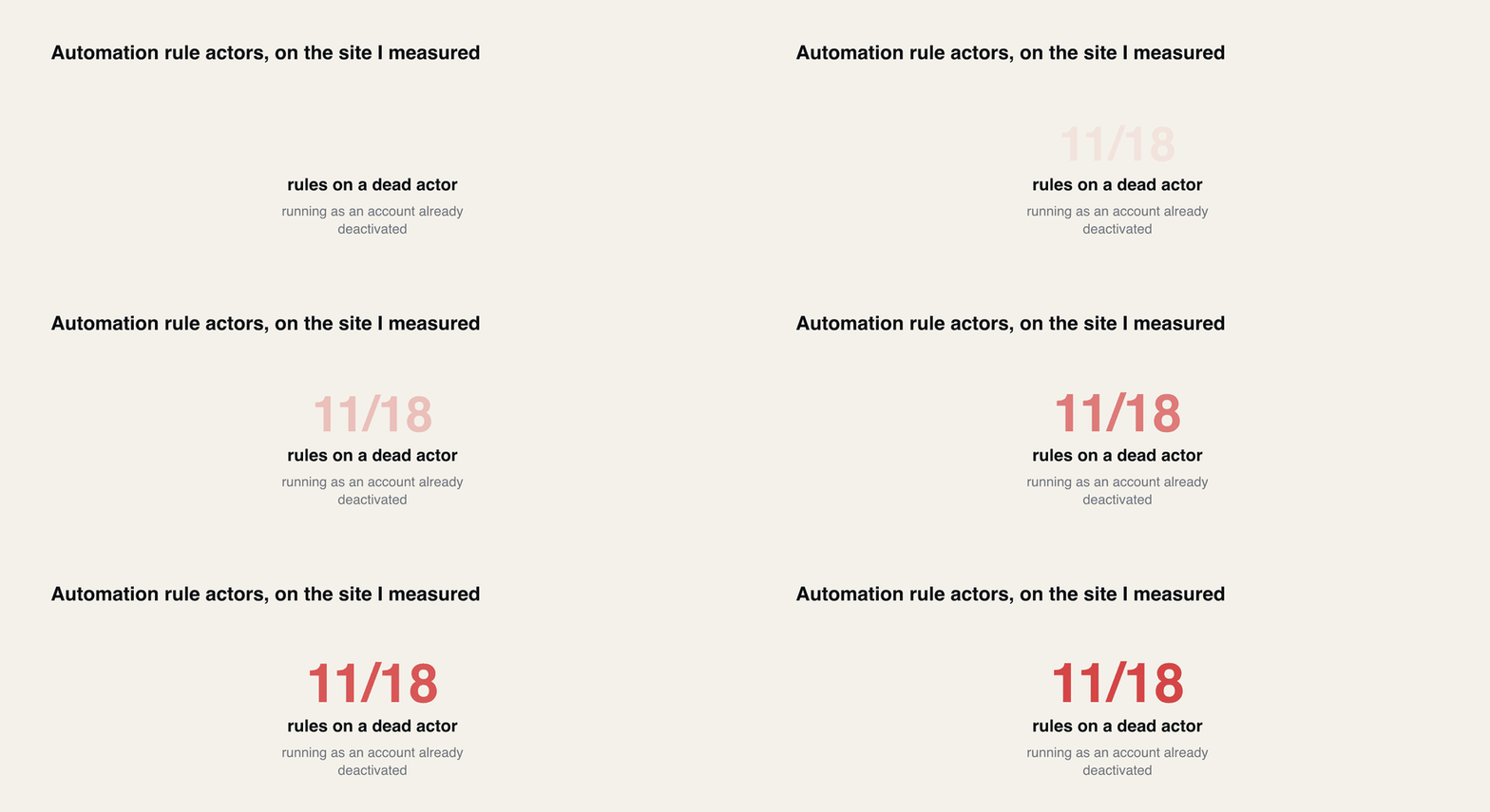
Automation rules split along the same two routes and invert the answer again: JCMA brings them across disabled and without their actors, while the cloud-to-cloud transfer marks automation flows with a cross and brings nothing at all. Both roads end in the same Rule Management API, where the actor is validated at create time — and on the site I measured, 11 of 18 existing rules ran as an account that had already been deactivated.
Data Center to Cloud
Cloud to Cloud
Standalone filters
mostly not migrated, you move them
copied by the transfer
Config ids (cf[N], filter = N)
do not exist on the destination, loud failure
may exist and mean something else, silent
Users in JQL
usernames are meaningless, silent failure
account ids are global, generally fine
Where to spend your time
building the id map, and grepping for usernames
proving what each surviving id resolves to
5 rows × 3 columnsHeader row enabled
One caveat I want to be straight about. I could not test Atlassian's native cloud-to-cloud transfer, because that needs two sites and org admin, and I have one throwaway site. So I do not know whether that tool rewrites the ids inside copied filter JQL. It might. What I have measured is that the JQL is stored as literal text, that cf[N] binds to the destination's table, and that Atlassian documents the ids as not guaranteed to match. Any route that moves the text without rewriting it produces the failure above. Check your own copy rather than trusting me on which routes do that.
The fix that is not a fix
The obvious move at this point is to stop using ids. Rewrite every cf[10042] to the field's name before you migrate, since names are human and portable.
Measured on one site: most existing rules were already running as a deactivated account, before any migration touched them.
I thought that too, until I looked at what is actually on a real tenant. There were two custom fields called "Team":
text
1customfield_10001 | Team | type atlassian-team
2customfield_10395 | Team | type textfield
One is the Atlassian Teams field, the other is somebody's short text field. And this parses without complaint:
text
1Team is not EMPTY ACCEPTED
The parse endpoint returns the structure, and the structure says the field is called "Team". It does not say which one it bound to. So the name-based rewrite trades an id that is precisely wrong for a name that is ambiguously right, and the ambiguity is invisible.
There is a middle option that works, which is the bracketed form Jira itself generates: "Team[Team]" and "Start date[Date]" disambiguate by type. Real filters on the site already used it. It is still not unique if you have two text fields with the same name, but it collapses most collisions and it is portable in a way a raw number is not.
The actual answer is that you need the mapping either way. Build it from both sides, keep it in a file, and rewrite deliberately. There is no encoding of the query that saves you from having to know what the destination calls things.
Two ways the destination lies to you about its own fields
While building the mapping I hit two things that would have quietly corrupted it.
The first is that there are two endpoints that list custom fields and they do not agree. GET /rest/api/3/field returned 188 custom fields. GET /rest/api/3/field/search?type=custom returned 197. The nine extra are exactly the ones the JQL parser refuses to touch, and they are not exotic: two pairs of app-installed fields with duplicated names, a few leftovers, one locked field owned by another product. If you build your destination-side map from field/search, you will map source fields onto destination fields that cannot be queried, and every filter using them will fail at save time with a message saying the field does not exist, which will send you looking in entirely the wrong place.
Use /rest/api/3/field for anything JQL-related. It is the queryable set, by definition.
The second one cost me twenty minutes and is genuinely useful if you provision fields programmatically. A custom field created over REST gets a global context automatically, and is still invisible to JQL:
text
1customfield_10924 contexts: 1 [('11216', 'Default Configuration Scheme for LZ Probe Alpha', True)]
2cf[10924] ~ "alpha"    NOT QUERYABLE
I waited, on the theory that it was an indexing delay. It was not. What fixed it was putting the field on a screen. Look the tab id up rather than copying mine, because tab ids are allocated per screen and are not predictable. On my site Default Screen was id 1 with a single tab at 10000, while another screen's only tab was 10007:
bash
1# find the screen, then its tab2curl-u"$EMAIL:$TOKEN""https://$SITE/rest/api/3/screens?maxResults=50"3curl-u"$EMAIL:$TOKEN""https://$SITE/rest/api/3/screens/1/tabs"45# then add the field to that tab6curl-u"$EMAIL:$TOKEN"-X POST \7-H"Content-Type: application/json"\8"https://$SITE/rest/api/3/screens/1/tabs/10000/fields"\9-d'{"fieldId":"customfield_10924"}'
Thirty seconds later it was queryable and it had appeared in /rest/api/3/field. The control matters here, so I will give it: customfield_10925 was created in the same second as 10924, by the same call pattern, and was never added to a screen. It stayed unqueryable throughout. One variable, opposite outcomes.
So a provisioning script that creates destination fields and then writes filters against them will fail, and the failure message will tell you the field does not exist when it demonstrably does. Add the screen association before the filter import, not after.
An audit you can run
This is the script I actually ran. It is read-only. It walks every saved filter on a site, pulls the id tokens out of the JQL, and tells you what each one resolves to there.
It targets Cloud, on the v3 API, and I have only run it against Cloud. On a Cloud to Cloud move you can point it at both ends and diff the output directly. Coming from Data Center you will need to change the two endpoints, because the paths and the pagination differ there, so treat the Cloud run as the destination half and pull the source list however your Data Center version prefers.
js
1#!/usr/bin/env node2// filter-audit.js - dump every saved filter's JQL and resolve the id tokens3// it carries against THIS site's field table. Read-only.4//5// SITE=your-site.atlassian.net EMAIL=you@example.com TOKEN=xxx node filter-audit.js6const{SITE,EMAIL,TOKEN}= process.env;7const auth ="Basic "+Buffer.from(`${EMAIL}:${TOKEN}`).toString("base64");89asyncfunctionapi(path){10const res =awaitfetch(`https://${SITE}${path}`,{11headers:{Authorization: auth,Accept:"application/json"},12});13if(!res.ok)thrownewError(`${res.status}${path}${await res.text()}`);14return res.json();15}1617asyncfunctionallFilters(){18const out =[];19for(let startAt =0;;){20const page =awaitapi(21`/rest/api/3/filter/search?expand=jql&maxResults=50&startAt=${startAt}`22);23 out.push(...page.values);24if(page.isLast)break;25 startAt += page.values.length;26}27return out;28}2930(async()=>{31// The JQL-usable field set. NOT /field/search - that one lists fields the32// parser will refuse.33const fields =awaitapi("/rest/api/3/field");34const byId =newMap(35 fields
36.filter((f)=> f.custom&& f.schema?.customId !=null)37.map((f)=>[String(f.schema.customId), f.name])38);39const nameCount =newMap();40for(const n of byId.values()) nameCount.set(n,(nameCount.get(n)||0)+1);4142const filters =awaitallFilters();43console.log(`site=${SITE} filters=${filters.length} jql-usable custom fields=${byId.size}`);4445for(const f of filters){46const jql = f.jql||"";47const cfIds =[...jql.matchAll(/\bcf\[(\d+)\]/g)].map((m)=> m[1]);48// Two shapes, kept separate on purpose: a bare `filter = N` operand, and a49// parenthesised IN-list. One combined regex over-matches into the next clause.50const filterIds =[51...[...jql.matchAll(/\b(?:filter|savedFilter)\s*(?:=|!=)\s*"?(\d+)"?/gi)].map(52(m)=> m[1]53),54...[...jql.matchAll(/\b(?:filter|savedFilter)\s+(?:not\s+in|in)\s*\(([^)]*)\)/gi)]55.flatMap((m)=>[...m[1].matchAll(/\d+/g)].map((x)=> x[0])),56];57const legacy =[...jql.matchAll(/\bcustomfield_(\d+)\b/g)].map((m)=> m[1]);58if(!cfIds.length&&!filterIds.length&&!legacy.length)continue;5960console.log(`\n[${f.id}] ${f.name}`);61console.log(`${jql}`);62for(const id ofnewSet(cfIds)){63const name = byId.get(id);64const dup = name && nameCount.get(name)>1?" <-- NAME IS AMBIGUOUS HERE":"";65console.log(66 name
67?` cf[${id}] -> "${name}"${dup}`68:` cf[${id}] -> UNRESOLVED on this site`69);70}71for(const id ofnewSet(filterIds)){72let label ="UNRESOLVED on this site";73try{74 label =`"${(awaitapi(`/rest/api/3/filter/${id}`)).name}"`;75}catch{}76console.log(` filter ${id} -> ${label}`);77}78for(const id ofnewSet(legacy))79console.log(` customfield_${id} -> NOT A VALID JQL TOKEN (rewrite to cf[${id}])`);80}81})();
Output against my site while the probes were still in place, which is why the field count reads one higher than the 188 elsewhere in this piece and the filter count reads 21 rather than 18:
text
1site=wolfaenpak.atlassian.net filters=21 jql-usable custom fields=189
23[10481] LZ Probe cross-ref
4 filter = 10010 AND cf[10924] ~ "alpha"
5 cf[10924] -> "LZ Probe TOTALLY DIFFERENT"
6 filter 10010 -> "10d to Due date"
78[10482] LZ Probe in-list
9 filter in (10010, 10009) AND cf[10924] ~ "alpha"
10 cf[10924] -> "LZ Probe TOTALLY DIFFERENT"
11 filter 10010 -> "10d to Due date"
12 filter 10009 -> "Expired due dates"
One note on that regex, since it bit me while writing this. My first version used a single pattern for both the filter = N and filter in (...) forms, with [^)]* for the operand. On filter = 10010 AND cf[10924] ~ "alpha" it ran straight past the operand and reported a phantom filter 10924. Splitting it into two patterns fixed it. If you adapt this, test it against a query that has a cf[...] clause after the filter clause, because that is the case that breaks.
The script does not tell you the answer. It tells you what each site thinks the query means, and the diff between those two answers is your actual migration work.
What I would do
Capture the source's filter definitions first, while you still have the source, and keep the output somewhere outside both systems. It is the only record of what those queries were supposed to mean, and once the source is decommissioned it is gone.
Then, depending on the route. Coming from Data Center, accept that you are moving the filters yourself and budget for it, because the JCMA scope surprises people late. Build the field id map from the field list on both ends, /rest/api/2/field on Data Center and /rest/api/3/field on Cloud, rewrite cf[N] through it, and separately grep every filter for the user clauses and rewrite usernames to account ids. The id work will fail loudly if you get it wrong. The user work will not, so do it deliberately rather than trusting the import to complain.
Coming from another Cloud site, assume every surviving id is guilty. Run the audit on both sites, diff the resolved names, and treat any filter where the source and destination disagree about what cf[N] is called as broken even though it runs. Leave the account ids alone, they are the one thing that ports.
Both routes, before you hand anything back to users: pick the ten filters that feed dashboards or automation rules, open them, and compare the row count against what the source used to return. Not the syntax, the count. Syntax is what the parser already checked for you, and the parser is not the thing that got this wrong.
The question I have not answered, and would like to: does anyone know whether Atlassian's cloud-to-cloud transfer rewrites the ids inside copied filter JQL? I could not test it with one site, and the documentation does not say either way.
Where this was measured, and what I did not check
Everything numbered above was run on 12 August 2026 against a throwaway Jira Cloud site on the Free plan, with a site-admin API token, using the v3 REST API. The site had 188 JQL-usable custom fields and 18 saved filters before I started, and it has 188 and 18 now, because the probe fields and filters were deleted afterwards.
The mechanisms are not plan-specific as far as I can tell, but I only verified them on Free, so if you are on Premium or Enterprise treat the numbers as illustrative and re-run the audit rather than quoting mine. I tested Jira only. Confluence has the same class of problem through CQL and content ids, and I have not measured that one. And as said above, I did not run a real two-site transfer, so the cross-site collision is demonstrated by mechanism rather than by a live cross-site reproduction.
Forge App REST API with OAuth 2.0 (3LO): Scripting LeanZero Management Plans with curl
A Forge app REST API is called from outside Jira with an OAuth 2.0 (3LO) access token. This walks the whole path with curl against LeanZero Management: the admin switch, the integration and its scopes, consent with sns, the token exchange, rotating refresh tokens, and the four 403s I hit on the way.