
What is the Atlassian Teamwork Graph? What it connects in Jira, Confluence and other tools

13 min readOctober 31, 2026
Key takeaways
- The Teamwork Graph is Atlassian's data layer that links your Jira work items and Confluence pages to people and to third-party content. You never open it directly. You see it through Rovo, which comes with any Standard plan or higher of Jira, Confluence, Jira Service Management or one of the two collections.
- Atlassian's own size figures disagree: 'over 150 billion objects and relationships' in May 2026, '250B+ connections' on 6 October 2026, and again 'more than 150 billion objects and relationships' on 16 October. The connector count is '80+' in the October blogs, 35 setup pages plus 31 Smart Link apps on the support doc, and 100 on a 2025 developer page.
- On our test org with 0 third-party connectors, Rovo Chat answered a cross-app question in 71 seconds: it tied a Jira project of 88 work items to 2 Confluence pages in a different space. A follow-up took 81 seconds and 9 visible tool steps. Its narration names a CQL search (Confluence's query language), so the test shows what users see but doesn't prove which links came from the graph.
- Permissions follow the source app: a private Google Drive file shows only to people who can open it in Drive, and an org admin uninstalling a connector deletes its content from the graph within 30 days (GitHub and Workday are exceptions). Smart Link connectors can't be switched off by an admin; the request for that, ROVO-183, has 95 votes.
- Team '26 Europe added code (code context in open beta, plus a Rovo Code Search app with no separate status) and structured data (Atlassian Insights, phased rollout) as context types. Our admin page says code context turns on automatically for Rovo-connected workspaces by January 2027, and Atlassian's setup doc says indexed code is stored in the United States.
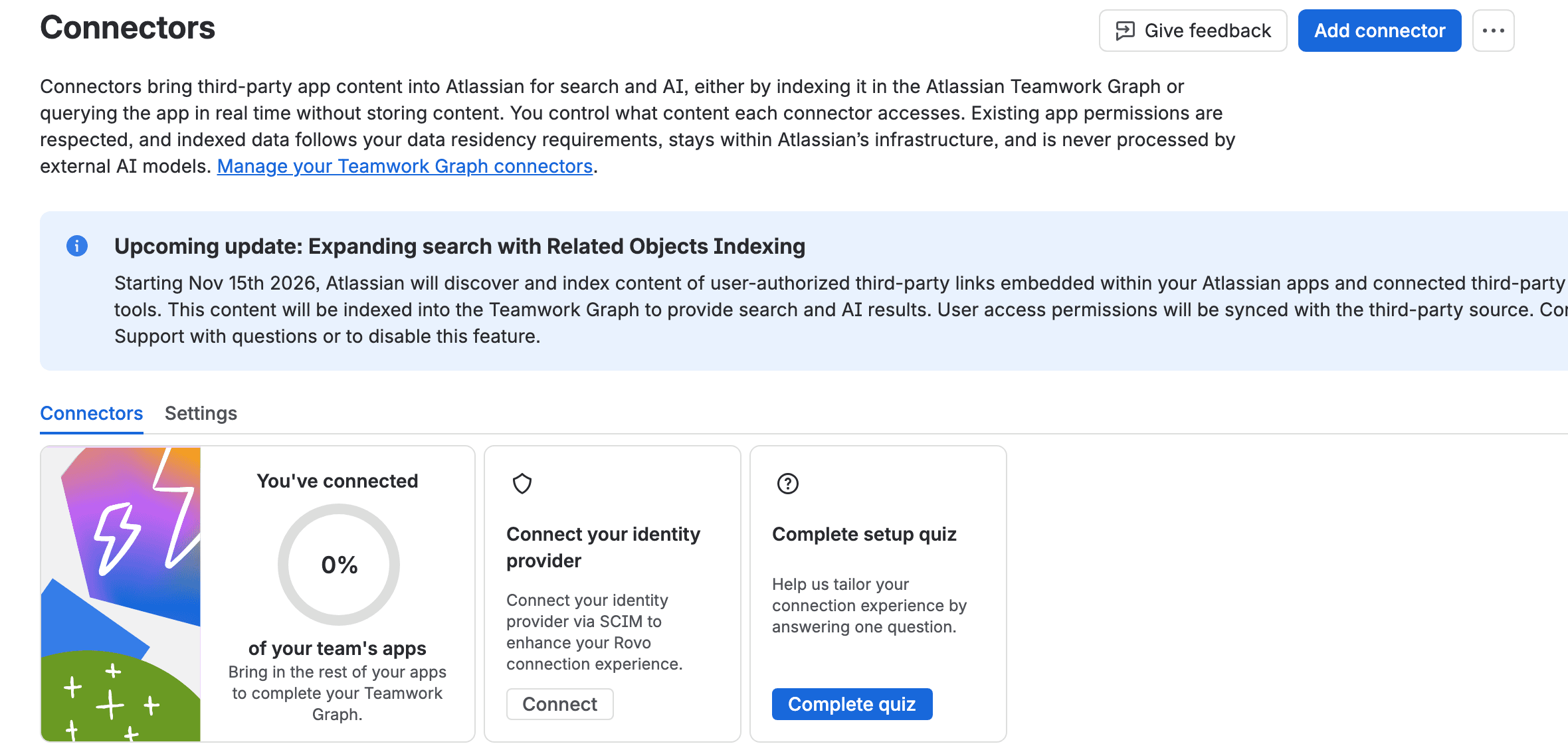
- Our Connectors admin page also shows a banner I couldn't find in any public Atlassian doc: from 15 November 2026, 'Related Objects Indexing' will index the content behind user-authorized third-party links inside your Atlassian apps. Read it now if you care about what ends up in search.
Back in April someone asked on the Atlassian Community, about the SharePoint connector, "where is the data stored? Is it actually storing a copy of the documents". It's a fair question once you realise Rovo (Atlassian's AI assistant and search) can answer from files that don't live in Atlassian at all. The answer is yes. Connectors bring in content from tools outside Atlassian. For the connectors that sync, Atlassian copies the workspace you connect into something called the Teamwork Graph. Atlassian's own example is "the entire Google Drive or the SharePoint workspace".
So what is it? The Teamwork Graph is the map Atlassian keeps of how your work fits together, meaning which work items and pages relate to which people and connected tools. There's nothing to install or open. Rovo reads it. On 6 October 2026 Atlassian said it holds "250B+ connections". In May it said "over 150 billion" objects and relationships (and a 16 October Atlassian blog still says 150 billion, so quote whichever you use with its date).
We tried it on our own test org with zero third-party tools connected. Rovo tied a Jira project to two Confluence pages that had no links to it, in 71 seconds. Its step log names a CQL search (Confluence's query language) and a page read. A plain text search can find those pages without any graph link, so I can't tell you how much of the answer came from the graph itself. I can show you exactly what we saw.
The part I'd act on is in Atlassian Administration. Two pages in Atlassian Administration (admin.atlassian.com, where org admins manage connectors) carry dates. From 15 November 2026, Atlassian will index the content behind third-party links people have authorized. By January 2027, code context, which indexes your source code, turns on automatically. I couldn't find either date in Atlassian's public docs.
Five things the docs and our test org show
- Atlassian's numbers don't agree with each other. "Over 150 billion" objects and relationships (6 May 2026), "250B+ connections" (6 October 2026), "more than 150 billion" objects and relationships (16 October 2026). Connectors: "80+" in the October blogs, 35 setup pages on the support doc, 100 on a 2025 developer page.
- Rovo can connect Jira work to Confluence pages with no connectors at all. With 0 connectors, Rovo Chat tied a Jira project of 88 work items to 2 Confluence pages that had no links to it, through a CQL search and a page read.
- Permissions follow the source app. Restricted third-party content shows only to people who can open it there, and uninstalling a connector deletes its content within 30 days, with exceptions for GitHub and Workday.
- Code context, where Rovo indexes your source code, is off on our org today. The admin page says it turns on automatically for Rovo-connected Bitbucket workspaces by January 2027. Atlassian's setup doc says indexed code is stored in the United States.
- A new indexing change starts on 15 November 2026. Our Connectors page announces "Related Objects Indexing", which will index the content behind third-party links people have authorized inside Atlassian apps. I couldn't find a public doc for it.
What is the Atlassian Teamwork Graph? A map of links that Rovo reads
Atlassian's developer docs call it "Atlassian's unified data layer that connects teamwork data from across Atlassian apps, like Jira and Confluence, as well as external tools", built on "a common data model for work items, documents, messages, users, groups, projects, and more". The May launch post puts it more warmly: it stitches together "people, goals, code, and content" and becomes "your enterprise's living map of how work actually happens".
In practice you'll never see a screen called Teamwork Graph. Atlassian says users "experience its value through features like unified search, intelligent recommendations, cross-tool analytics". So if you've used Rovo Search or Rovo Chat, you've used it. Atlassian's Rovo pricing page says Rovo is "Powered by the Teamwork Graph". Atlassian's Teamwork Collection blog from 7 October 2026 goes further and says the whole collection "is built on a shared context layer called the Teamwork Graph".
Rovo comes with any Standard plan or higher of Jira, Confluence, Jira Service Management or one of Atlassian's two bundles, the Service Collection and the Teamwork Collection (Jira, Confluence, Loom and Rovo). You have the graph on every one of those sites, whether or not you connect anything else.
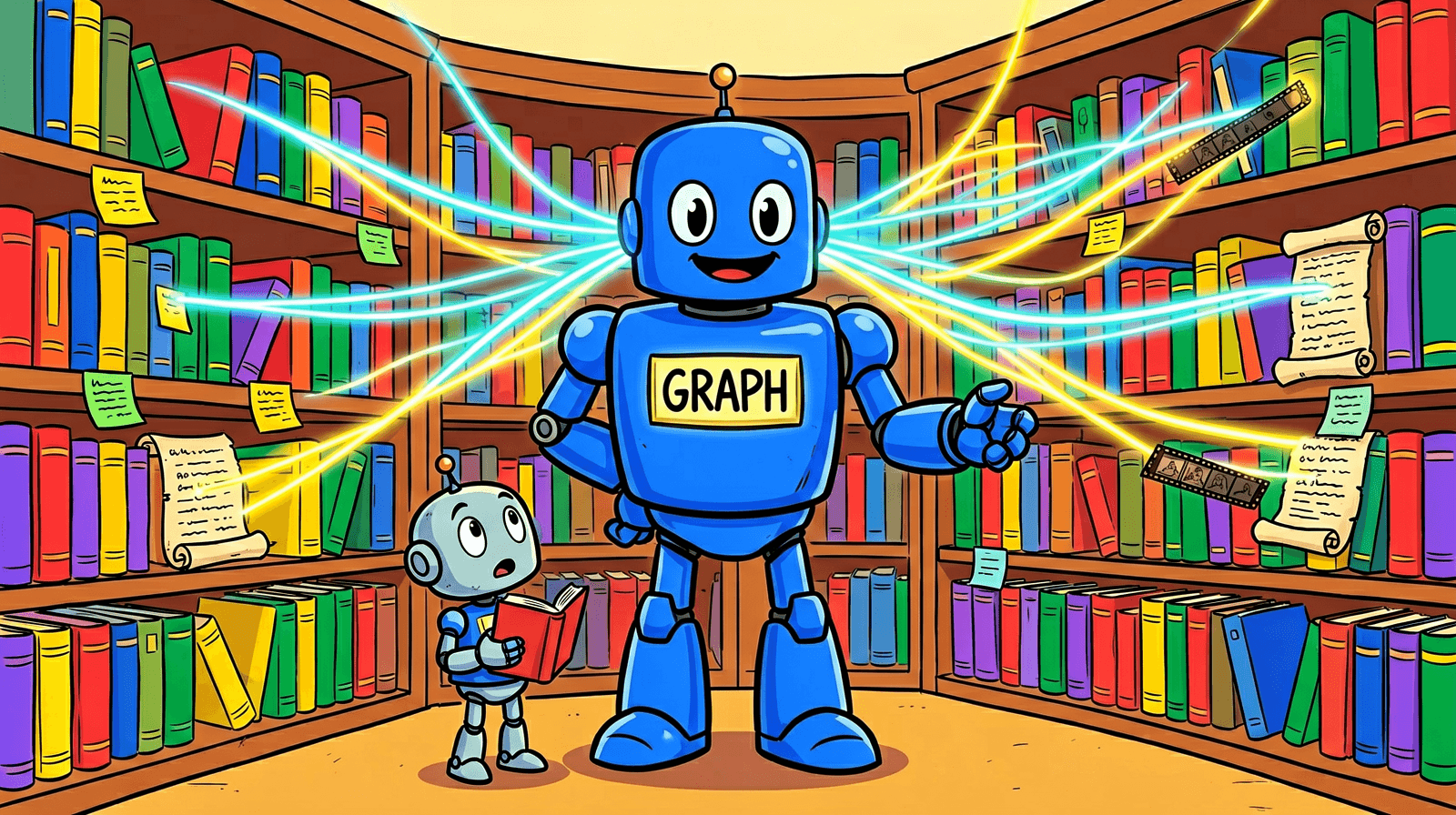
What the Teamwork Graph connects in Jira and Confluence
Atlassian's developer docs list four kinds of link. Canonical links are structural, like a work item in a project or a page in a space. Activity links record "who did what to which objects", and Atlassian generates them "when users interact with objects". Logical links are umbrella links that cover several underlying link types, so they can be queried as one. And inferred links are "derived by Teamwork Graph itself", by "analyzing patterns, metadata, or using machine learning models on existing data".
Atlassian doesn't say which of these links exist between a given page and a given work item, and you can't see them from the UI. On the Atlassian side the graph also covers Goals, Projects, Loom, Bitbucket and, since Team '26 Europe, Assets in Jira Service Management ("every asset, CI, or custom object is linked to the people, teams, and changes around it").
It has gaps too. A Community post in May found a good one: "Space membership is not a first-class, queryable object in the Teamwork Graph today." Ask Rovo who the members of a Confluence space are and the graph has nothing to give it.
Where you see the Teamwork Graph working today: Rovo Search and Chat
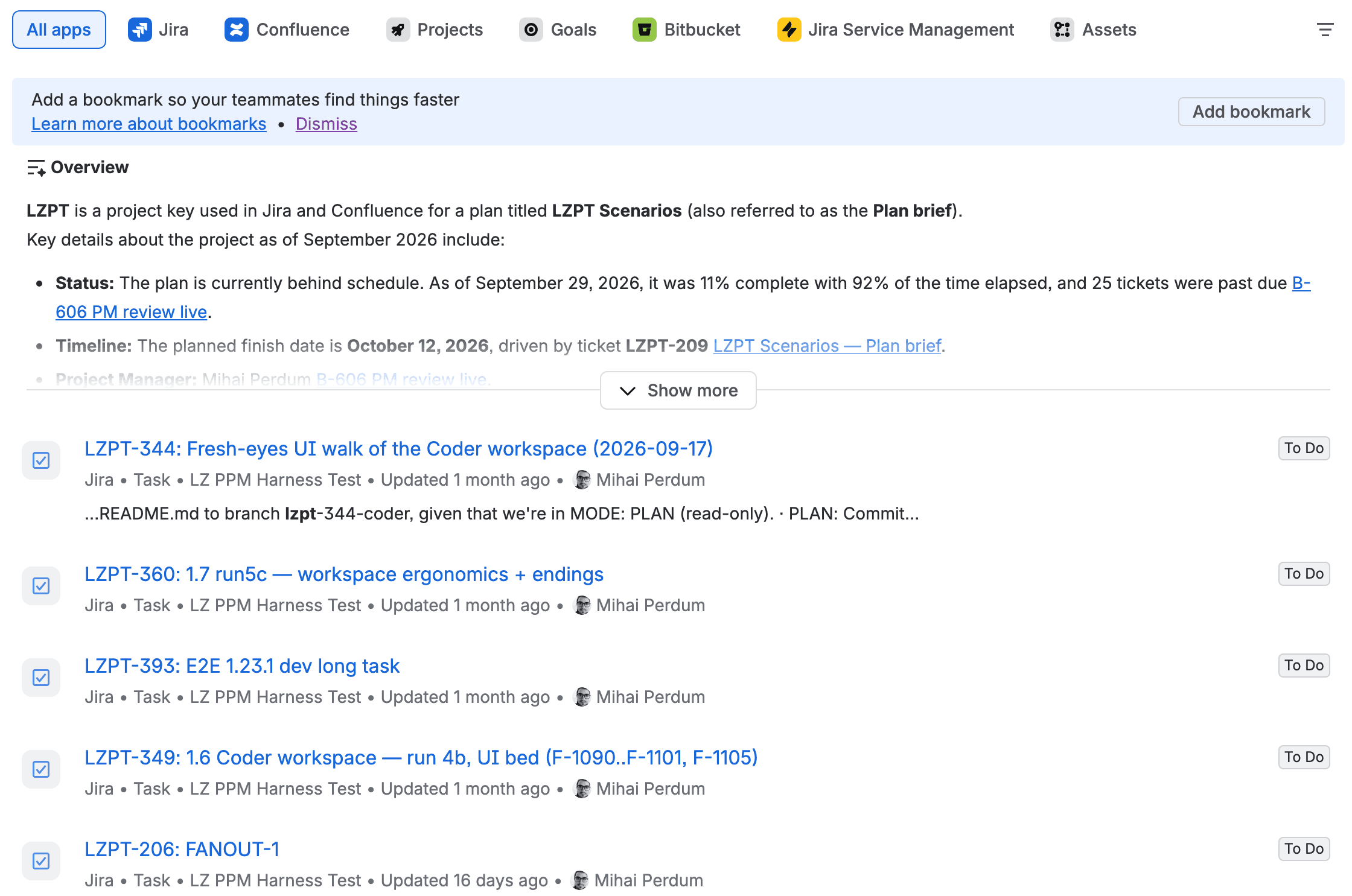
We tried it on a site with no extra connectors. Our test org, wolfaenpak, has a Jira project called LZ PPM Harness Test (key LZPT). My colleague Mihai Perdum uses it to test our planning app. It also has a Confluence space called WORK FOR HIRE with two plan-review pages that mention LZPT. Nobody linked those pages to the Jira work items. The LZPT keys sit in them as plain text.
We searched for "LZPT" in Rovo Search on 31 October. Its results page has filter tabs for Jira, Confluence, Projects, Goals, Bitbucket, Jira Service Management and Assets. Above the Jira results sits an AI overview that had already joined the two products: "LZPT is a project key used in Jira and Confluence for a plan titled LZPT Scenarios", with the plan's status ("11% complete with 92% of the time elapsed, and 25 tickets were past due") and a link to the Confluence page it came from.
Then we asked Rovo Chat from Mihai's admin seat, in Quick answers mode (Rovo Chat's quick mode, as opposed to Think deeper): "What is the LZPT Scenarios plan, who is working on it, and which Confluence pages and Jira work items are linked to it?" It answered in 71 seconds. It found the project and its 88 work items. It said all 88 are assigned to Mihai, with me as reporter on a few. It sorted them into 12 scenario groups and found "Two pages in the WFH space reference this plan" (WFH is the key of the Confluence space those pages live in).
Our follow-up asked about the Confluence side only, and you can watch the steps. It took 81 seconds and showed 9 completed steps. The narration in between says what it did. First: "I already have meaningful excerpts from the CQL search results". Then: "The full page body wasn't accessible via URL read". So it said it would fetch the page "via REST", Confluence's web API, next. Rovo quoted both pages correctly: "25 tickets past due, with only 11% done and 92% of the time gone", "44 of 79 tickets have no dates", and a dry note that "The planned finish of 2026-10-12 has already passed (today is 31 Oct 2026)".
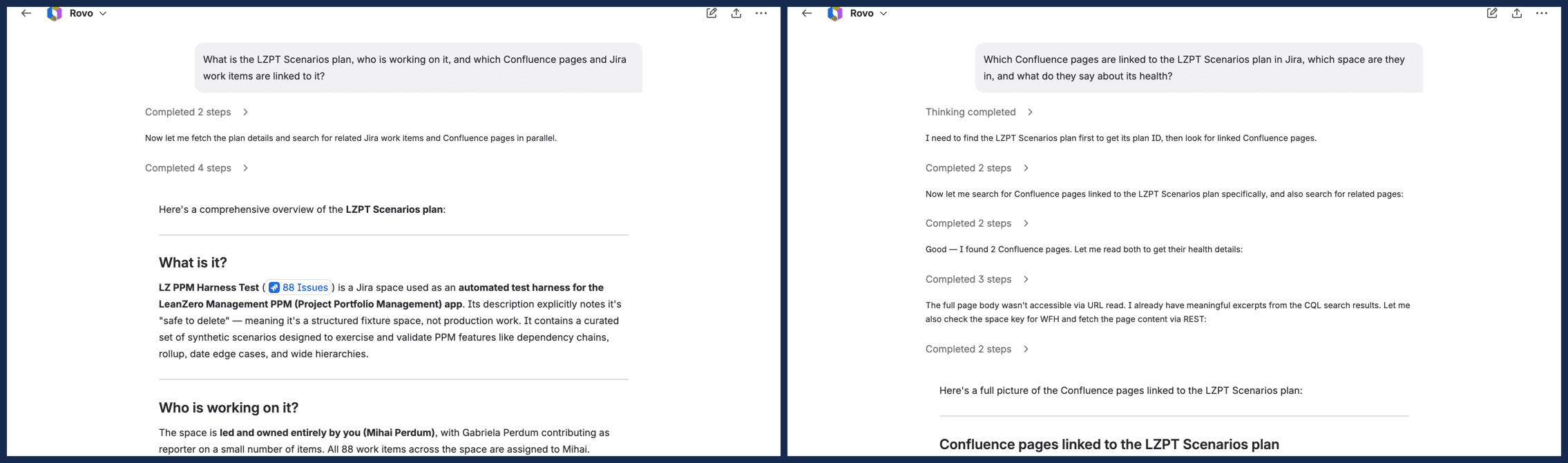
So the result was right. The route to it was mostly search. A text search finds those pages without any graph link, so this test doesn't prove the graph made the connection. It shows what your users will actually see. We also didn't test a restricted page this time. Mihai's admin account can open everything in both spaces, so the test says nothing about permissions. One small puzzle: Rovo counted 88 work items in the project, while one of the Confluence pages counts 79 tickets in the plan. My guess is that the plan covers part of the project, but neither says so.
In May Atlassian also announced in-product "expressions" built on the graph: "Related work", "People signals" and "Decision trails", showing up "across Jira, Confluence, Loom, and Rovo experiences". I couldn't find a support page or a beta or GA label for any of them, so don't plan around them yet.
Teamwork Graph connectors: "80+" announced, 35 with setup pages
Connectors are how content from outside Atlassian gets in, and this is where the "is it a copy?" question gets its full answer. Atlassian's support docs (updated 27 October 2026) describe three kinds. The third, Smart Links, are the preview cards Atlassian shows when you paste a link to another tool.
Connector type | Is content stored by Atlassian? | Who sets it up | Can an admin switch it off? |
|---|---|---|---|
Synced | Yes, imported and indexed | Org admin | Yes, by disconnecting or uninstalling |
Direct (Outlook Mail, Gmail, Slack) | No, "retrieved live", "not stored or indexed by Atlassian" | Org admin | Yes |
Smart Link | Partly: Atlassian indexes "only the links a user has seen in Atlassian surfaces that load as Smart Links" | "Don't need to be setup by an admin" | No, they "can't be disabled by an Admin" |
The list on that page has 31 connectors an org admin sets up: Adobe Sign, Aha!, Airtable, Asana, Azure DevOps, Box, Confluence Data Center, Custom website, Docusign, Dropbox, GitHub, GitLab, Gmail, Google Calendar, Google Drive, Jira Data Center, Lucid, Outlook Calendar, Outlook Mail, SharePoint (with OneDrive), Microsoft Teams, Miro, Monday, Notion, Salesforce, ServiceNow, Slack, Smartsheet, Workday, Zendesk, Zoom. The same doc links setup pages for 4 more (Microsoft Entra, Google Workspace Directory, HRIS S3 data and a separate OneDrive page). That makes 35 connectors with setup pages. A separate table lists 31 Smart Link apps.
So where does "80+" come from? Atlassian's 6 October platform post says "We've expanded our library of 80+ Connectors with additions like Zoom, Gong, Microsoft Entra ID, and Google Identity", plus "65+ improvements". A 2025 developer page says "100 out-of-the-box" connectors, and a May Community post said 75+. No Atlassian page reconciles these, so I'd plan from the support list. Zoom and Microsoft Entra, two of the four new names, have setup pages. Gong doesn't yet. I found nothing called Google Identity either; the nearest is a "Google Workspace Directory" connector that indexes people data, and maybe that's it.
You can also build your own on Forge, Atlassian's app platform: Forge-built Teamwork Graph connectors became generally available in May 2026. Be careful with third-party ones, though. Atlassian's evaluation page says their capabilities "are self declared by the developer or vendor who created the connector and they're not verified by Atlassian".
What changed at Atlassian Team '26 Europe: code context and data context
Atlassian's main Team '26 conference in May 2026 was about opening the graph up to outside tools: the Teamwork Graph CLI (Open Beta then, and the page banner now says it's GA), Teamwork Graph tools in the Rovo MCP Server (MCP lets outside AI tools connect; Open Beta), Forge connectors (GA), and TeamworkGraph.com. If you want the whole Amsterdam event in one place, our Team '26 Europe announcements roundup has the status of each item.
Team '26 Europe, on 6 and 7 October 2026, added two new kinds of context, meaning information Rovo can draw on. The first is code. "The Teamwork Graph now reads your source code itself, down to functions, symbols, and classes", Atlassian wrote, with a new Rovo Code Search app across Bitbucket and GitHub. Atlassian's status line on 7 October covers code context, and doesn't name the app: "Code Context is gradually rolling out to paid Atlassian customers through open beta."
The second is structured data. "Structured data is now a Teamwork Graph context type", and Atlassian Insights, which evolves the Analytics app, is its home, "curating 20+ structured sources with catalog, glossary, and lineage". Atlassian says Insights "will be available to all paid Atlassian Cloud customers, with a phased rollout starting after Team '26 Europe". Atlassian is careful to say what it brings in "isn't a copy of every row; it's governed metadata".
Separately from the event, Connectors has had its own top-level entry in Atlassian Administration since 25 August 2026. And the Atlassian MCP server, which lets outside AI tools read your Jira and Confluence with each user's permissions, went GA in October. We tested what it can reach in MCP server permissions vs data security policy.
Managing Teamwork Graph connectors in Atlassian Administration
Only an organization admin can set up synced connectors, from admin.atlassian.com, then Connectors, All connectors, Add connector. Its wizard starts by asking for a site, and the connector belongs to that site. Most connectors connect "to a single workspace" per site, apart from Custom website and Jira Data Center. Atlassian's connector evaluation page lists Government Cloud as "Not available".
Permissions come up first in every thread. Atlassian's rule is short: "The Teamwork Graph relies on and respects the permissions that are set in your third-party apps." The permission-sync doc gives examples. A private file in Google Drive "can only be seen and used in Rovo by those users who already have access to that content". If someone adds restrictions to a document in the connected app, Rovo search hides it from everyone else. If they remove the restrictions, it becomes "Visible in Search for everyone using Rovo on your site". Atlassian says it "listens" for permission changes. People may also have to connect their own account to an app before they see its content.
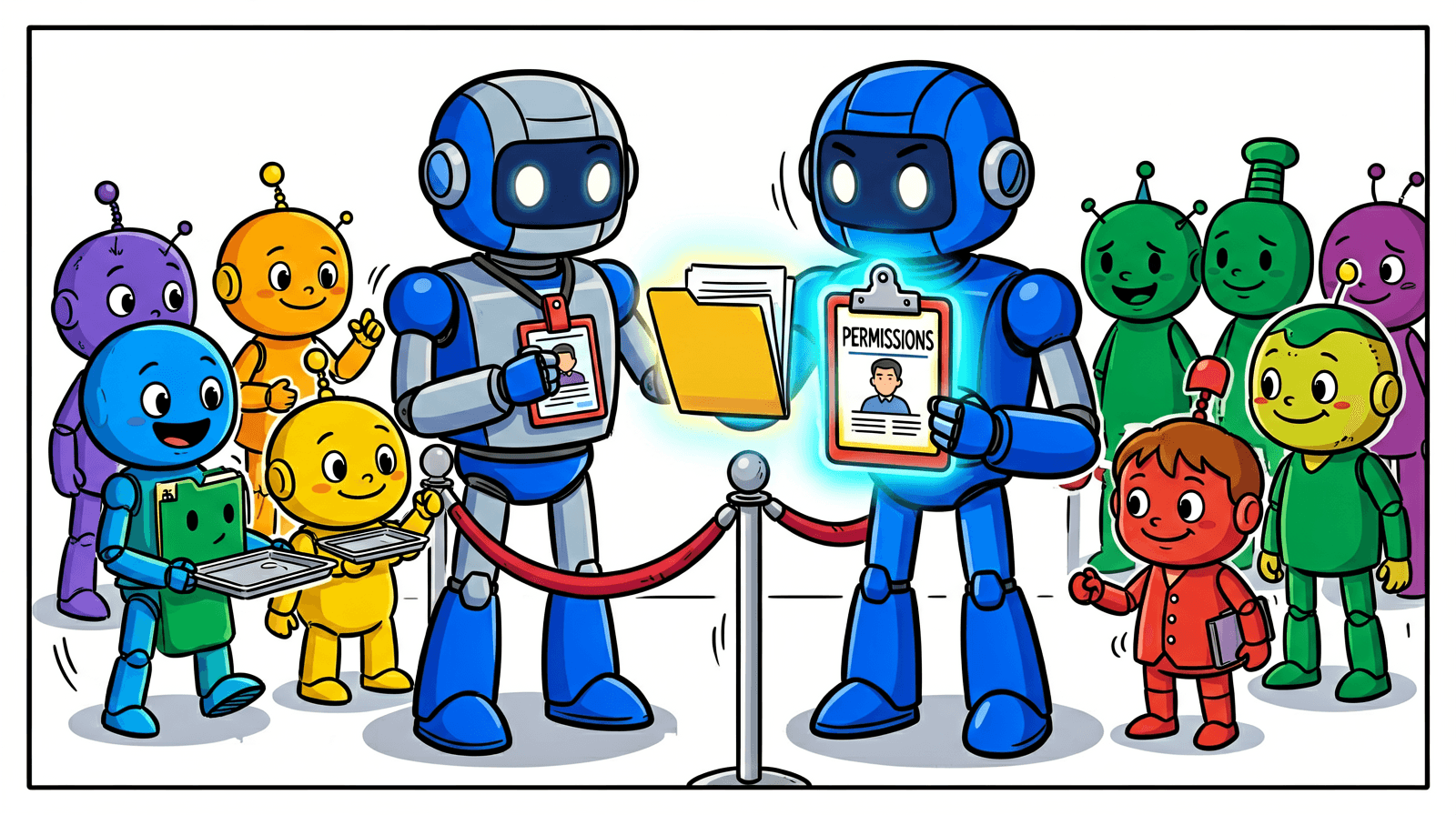
Deleting works like this. If an org admin uninstalls a third-party product from Atlassian Administration, "we will delete the content stored in Teamwork Graph within 30 days". GitHub is one exception: its data leaves Atlassian experiences only after you disconnect GitHub and also uninstall the GitHub for Jira app. Workday is the other exception. After you uninstall it, Atlassian's Talent app keeps its copy of the Workday data until you delete it from inside Talent. The Teams app deletes its copy too, but not if you had stopped syncing Workday to Teams before you uninstalled.
For residency, our Connectors page says "indexed data follows your data residency requirements, stays within Atlassian's infrastructure, and is never processed by external AI models", and the residency doc lists "Ingested third-party(3P) content data" as in scope for Rovo. Code is the stated exception: "Data residency configuration isn't currently supported for code context. Indexed code and embeddings are stored and processed in the United States."
Planning SharePoint first? We went through its consent screens in our SharePoint connector walkthrough.
What admins should check before connecting more tools
All of this sits in admin pages you already have. I'd go through them in this order:
- The Connectors page banner. Ours says that "Starting Nov 15th 2026, Atlassian will discover and index content of user-authorized third-party links embedded within your Atlassian apps and connected third-party tools", with permissions synced to the source, and to "Contact Support with questions or to disable this feature". I found no public doc for it. As I read it, it works like this. Once someone has connected their Google or Figma account, a Google Doc or Figma link in a Jira work item could have the file's content indexed into the graph. Search and Rovo answers could then use it, and it would show only to people allowed to open it in the source app. Take a screenshot of your banner and decide before the 15th.
- Code context. On our org the page says it "will turn on automatically for Rovo-connected workspaces by January 2027". Atlassian's two support docs disagree on whether it's "off by default" or auto-enabled for paid Bitbucket workspaces. Our page fits both. Code context is off today and turns on automatically by January 2027. If US storage of indexed code is a problem for you, raise it now. Atlassian says that if an admin disables it, "All stored embeddings, indices, and code chunks are deleted."
- Smart Link connectors. You can't switch them off. Atlassian's feature request for admin control, ROVO-183, is in Gathering Interest with 95 votes and 85 watchers; vote if it matters to you.
- Beta Rovo features. They're on by default for all plans. An org admin can turn off "Enable beta features", though "Not all features are controlled by this setting." If you're weighing whether to switch Rovo off altogether, we listed what stays on in Disable Rovo in Jira and Confluence.
- Blocklists for big workspaces. Google Drive and SharePoint let you exclude parts of the workspace with a blocklist. Without one, Atlassian imports "the entire Google Drive or the SharePoint workspace", so decide what to exclude before you connect.
On cost, the practical note is short. Atlassian says "storing indexed objects does not use Rovo credits". Each plan has a per-user allowance of indexed objects, the items connectors copy into the graph, pooled across your org (100 per user on Standard Jira, 2,500 on a Premium Teamwork Collection, for example). Asking Rovo questions does use credits, and we measured how many per action in Rovo credits per user.
For developers: the Teamwork Graph API, CLI and MCP
You don't need any of this to use the graph, but it's how other tools get at it. The Teamwork Graph API has been in Preview since 15 October 2026, results are "permission-filtered for the authenticated user", and installing an app with Teamwork Graph scopes needs an organization admin. The Teamwork Graph CLI and the Atlassian MCP server give AI coding tools the same permission-aware access from outside Atlassian. Installing and connecting them is free. Calls that pull Teamwork Graph context out through them (Atlassian calls these enriched calls) use Rovo credits.
So what should you do with it?
If you're on a Standard, Premium or Enterprise plan of Jira, Confluence or JSM Cloud, you already have Rovo, and Rovo reads the Teamwork Graph. The quickest way to understand it is the one we used: pick a project key or a plan name your teams use in both Jira and Confluence, search it in Rovo, then ask Rovo Chat how the two connect and open the step log. You'll see in about a minute what it links and what it misses.
Before you add connectors, read the banner on your Connectors page and the code context page, because both have dates on them (15 November 2026 and January 2027). Then connect the one tool your people search most, and check a restricted file from a test account before you roll it out to everyone (we haven't run that check yet ourselves).
I'm curious what you found when you tried it. Did Rovo connect something you didn't expect, or miss something obvious, like the space members it can't see? Tell me on the Atlassian Community or at gabriela@leanzero.net :)
Comments
0Add a comment