
Atlassian Teamwork Graph API in Forge: build a Rovo agent that knows who works on what

18 min readNovember 2, 2026
Key takeaways
- The Teamwork Graph API went to Preview on 15 October 2026. Apps read it through curated GraphQL queries with per-object scopes such as read:graph:issue:jira; raw Cypher sent at request time is refused, and the broad read:graph:jira scope is being retired.
- The demo agent needed eight scopes, three GET actions and 234 lines of JavaScript. It answered four questions correctly in Rovo chat on our test site; each action ran in 0.8 to 2.6 seconds, and the whole chat answer took 28 to 32 seconds.
- Every query needs an operation name like company_operation (company at least 3 characters, operation at least 4). Without it the API answers HTTP 200 with a DataFetchingException, so a check on res.ok alone passes.
- Curated queries return at most 25 rows a page. In our tests a rate-limited call could come back with zero rows after about 128 calls in 20 seconds, so the client retries with backoff and the agent is told to say incomplete when a source could not be read.
- Codegeist 2026 runs from 27 October to 22 December 2026 and pays $120,000 in total. The Teamwork Graph bonus prize goes to six apps that read from or write to the graph, at $1,500 each. One entry can win one grand prize and one bonus prize.
- Installing an app with Teamwork Graph scopes needs an organization admin, and Rovo comes only with paid plans, so test on a site you administer (a Standard or Premium trial includes Rovo). No allowlisting was needed in October 2026, although two older docs pages still mention it.
The Teamwork Graph API lets a Forge app ask Atlassian who works on what. I wired it into an agent for Rovo, Atlassian's AI assistant, that you can chat with in Jira. Ask it "what is my team working on?" and it reads each member of your Atlassian team and their assigned work items from the graph, then Rovo writes the reply. On our test site it answered all four of my questions correctly, and its actions ran in 0.8 to 2.6 seconds each.
The API went to Preview on 15 October 2026, so search snippets that still say Early Access Program (EAP) are out of date, and even some Atlassian page titles still say EAP. Apps now use "curated" queries, which are ready-made, typed GraphQL queries that Atlassian defines. They also use one permission scope per object type, like read:graph:issue:jira or read:graph:team:atlassian. The old broad scopes, read:graph:jira and read:graph:confluence, are being retired.
I built this demo to learn the APIs. Codegeist 2026, Atlassian's hackathon, has a bonus prize for Teamwork Graph apps, so it's a good moment to learn them. The app is 234 lines of JavaScript, an 81-line manifest and an 11-line prompt, and every file is printed here in full because the repo isn't public.
Most of my time went into small surprises, like an error that arrives as HTTP 200 and a rate limit that hands back an empty list. There are ten of them in the gotchas section.
Prerequisites — You need a Jira Cloud site on a Standard, Premium or Enterprise plan with Rovo turned on. Rovo is paid-only, so a free site may not have it, but a Standard or Premium trial includes it. You need organization admin rights on that site. You need Forge CLI: I used 14.1.0, and 15.0.0 is current and needs Node.js 22.23.4 or newer. You need @forge/api 8.4.0. Last, you need an Atlassian team with a few people who have Jira work items assigned.
- 1
Create a Jira Forge app
run forge create, pick a Jira template, and keep the app id it writes into manifest.yml.
- 2
Replace the manifest
one rovo:agent, three GET actions and eight scopes (Step 1).
- 3
Add the prompt
prompts/prompt.md tells the agent which action answers which question (Step 1).
- 4
Add the Teamwork Graph client
src/twg.js names every operation, pages and retries (Step 2).
- 5
Add the actions
src/index.js reads the person chatting and the work item on screen (Step 3).
- 6
Deploy and install
an org admin installs it and approves the graph scopes (Step 4).
- 7
Ask it four questions
in Rovo chat on a Jira work item, then check the function logs (Step 5).
Why Teamwork Graph matters for Codegeist 2026
Codegeist 2026 is on Devpost at codegeist2026.devpost.com. The bare codegeist.devpost.com address still shows the 2024 edition, so check which one you're reading. Submissions opened 27 October 2026 at 9:00 am Pacific and close 22 December 2026 at 12:00 pm Pacific. Winners are due around 15 February 2027.
Each of the three categories pays $15,000 for first place, $8,000 for second and $5,000 for third. On top of that, the rules page has four bonus prizes worth $1,500 each, and each is awarded to six projects:
Bonus prize | What qualifies (from the rules) |
|---|---|
Best Agents - Rovo/Assignable agents | an app using rovo:agent, rovo:agentConnector, or reusable actions other agents can call |
Best app with Atlassian MCP | tools exposed through the rovo:mcp module |
Best apps with Teamwork Graph integration | an app that "connects data into the graph and/or consumes data from the Teamwork Graph API" |
Best Marketplace published app | published to the Marketplace or submitted for listing |
"The same Submission can win up to one Grand Prize and one Bonus Prize." An app like this demo qualifies for two bonus prizes, Best Agents and Best apps with Teamwork Graph integration, but one entry can only win one of them. The Devpost pages don't say how entrants get a Rovo-enabled site. Atlassian's Rovo pricing page says you can "trial Rovo through a trial of our Standard, Premium, or Enterprise plan".
What the Teamwork Graph API is, and its Preview status
Teamwork Graph is Atlassian's connected model of what lives on a site and in an org: users, teams, Jira work items, comments, goals, Confluence pages, plus whatever third-party connectors add. You talk to it through GraphQL, at one endpoint per site:
1POST https://<your-site>.atlassian.net/gateway/api/graphql/twgAtlassian's curated queries page (updated 25 September 2026) says it is "available through Forge's Preview release phase", which in practice means anyone can use it today with the same support as a generally available feature, and breaking changes get "a minimum 1-month deprecation notice" in the Teamwork Graph changelog before they ship. Each curated query is a typed root field, for example atlassianUserAssignedJiraWorkItems. You pass ids in and get typed nodes back. Paging uses first and after. Unlike persisted Cypher queries (Cypher is a graph query language; more on these in the gotchas), curated queries need no registration first.
Two sentences on that page decided my design. The first says "Every row returned is permission-filtered for the authenticated user, so a curated query only ever returns what that user can already see." The second says "Curated queries cap first at 25 ... Requesting more than 25 returns an error." So my agent runs as the person chatting, and it always pages.
The full schema downloads from https://<your-site>.atlassian.net/gateway/api/graphql/twg/schema (basic auth with an API token works for this one URL). Mine was 172 KB. It's the quickest way I found to look up a field name. Jira's API still calls work items issues, so you'll see issueKey and read:graph:issue:jira next to "work item" everywhere.
Step 1. Create a Rovo agent in a Jira Forge app: the manifest and Teamwork Graph scopes
Run forge create, pick a Jira template, and replace the generated manifest.yml with this one. Keep the app.id line: forge create registered the app and wrote its id there. Delete any template src files you won't use. The manifest declares one rovo:agent, three action modules and their functions. All three actions are GET. I did that on purpose. The action docs say agents triggered by automation rules won't call CREATE, UPDATE, DELETE or TRIGGER actions.
1modules:
2  rovo:agent:
3    - key: work-context-guide
4      name: Work Context Guide
5      description: Answers who is working on what, and who is involved in a work item,
6        from Teamwork Graph.
7      prompt: resource:agent-prompt;prompt.md
8      conversationStarters:
9        - What am I working on right now?
10        - Who is involved in this work item?
11        - What is my team working on?
12      actions:
13        - whos-working-on
14        - work-item-people
15        - team-workload
16  action:
17    - key: whos-working-on
18      name: Who is working on what
19      function: whosWorkingOn
20      actionVerb: GET
21      description: |
22        Lists the Jira work items a person is assigned to, with status, and the Atlassian teams they belong to.
23        Use it for "what is X working on" or "what am I working on". Leave person empty for the user asking.
24      inputs:
25        person:
26          title: Person
27          type: string
28          required: false
29          description: A person's name or email. Leave empty to mean the user who is asking.
30    - key: work-item-people
31      name: People around a work item
32      function: workItemPeople
33      actionVerb: GET
34      description: |
35        For one Jira work item, lists who is assigned, who reported it, who commented recently, the assignee's
36        teams and any goals the item is linked to. Use it for "who is involved in X" or "who should I ask about X".
37      inputs:
38        issueKey:
39          title: Work item key
40          type: string
41          required: false
42          description: The Jira work item key, for example ORB-12. Leave empty to use the
43            work item open on screen.
44    - key: team-workload
45      name: Team workload
46      function: teamWorkload
47      actionVerb: GET
48      description: |
49        For an Atlassian team, lists its members and what each one is assigned. Use it for "what is my team
50        working on" or "what is the Platform team working on". Leave team empty for the asker's first team.
51      inputs:
52        team:
53          title: Team name
54          type: string
55          required: false
56          description: The team's name, or part of it. Leave empty for the team of the
57            user who is asking.
58  function:
59    - key: whosWorkingOn
60      handler: index.whosWorkingOn
61    - key: workItemPeople
62      handler: index.workItemPeople
63    - key: teamWorkload
64      handler: index.teamWorkload
65resources:
66  - key: agent-prompt
67    path: prompts
68permissions:
69  scopes:
70    - read:jira-user
71    - read:jira-work
72    - read:graph:issue:jira
73    - read:graph:issue-status:jira
74    - read:graph:issue-comment:jira
75    - read:graph:user:atlassian
76    - read:graph:team:atlassian
77    - read:graph:goal:atlassian
78app:
79  runtime:
80    name: nodejs22.x
81  id: ari:cloud:ecosystem::app/<your-app-id>
The rovo:agent reference caps the name at 30 characters (ours is 18). Loading the prompt from a resource file needs Forge CLI 10.6.0 or later, and it keeps a long prompt out of the YAML. Rovo reads the action descriptions when it picks an action, so I wrote each one as the question it answers. Watch one mismatch, though. team-workload's description mentions "the Platform team", but the code only finds teams the asker belongs to (Step 3 says why).
The scope names come from the Teamwork Graph scopes page (15 September 2026), whose pattern is read:graph::. The curated queries page adds that a request needs "a scope for every object type the field returns, as well as for the object type it starts from". My queries touch six graph object types (user, team, work item, status, comment, goal), so six graph scopes. The two Jira scopes, read:jira-user and read:jira-work, are for the plain Jira REST calls the actions also make. The scopes page also says the broad read:graph:jira and read:graph:confluence scopes "are being retired", and that Forge caps an app at 50 scopes.
Now create prompts/prompt.md. Here's my whole prompt:
1You are Work Context Guide. You help people see who is working on what in their Atlassian site.
2
3Use your actions, never guess:
4- "what is X working on" or "what am I working on": call whos-working-on (leave person empty for the asker).
5- "who is involved in ORB-12", "who should I ask about this": call work-item-people with the key, or leave it
6  empty when the user is looking at a work item.
7- "what is my team working on" or a named team: call team-workload.
8
9Answer in short plain sentences. Name people and work item keys exactly as the action returns them, and link
10work items with the webUrl you get. If an action says a source could not be read (a "notes" entry), tell the
11user that part may be incomplete instead of saying there is nothing. Never invent people, teams or items.
Don't skip the prompt's last paragraph. An empty answer from the graph doesn't always mean there is nothing there, and that paragraph tells the agent to say the answer may be incomplete instead of saying there is nothing.
Don't expect a clean forge lint yet: the three handlers don't exist until Step 3, and lint should flag them as missing. You'll verify the whole app there.
Step 2. Call the Teamwork Graph API from Forge: curated queries, paging and retries
Create src/twg.js with this, the whole file. twg() makes one call as the user and retries transient errors. twgAll() reads a paged list (GraphQL calls it a connection) 25 rows at a time. Q holds the five queries.
1// Teamwork Graph (TWG) client for Forge backend functions.
2//
3// Things that cost real time to learn (measured on a live site, Oct 2026):
4// - Every operation needs a name shaped `[company]_[operation]` (company >= 3 chars, operation >= 4).
5//   Without it the API answers HTTP 200 with a DataFetchingException, not a 4xx.
6// - Raw cypherQuery is refused for apps. Use curated queries (typed root fields) or persisted queries.
7// - Curated connections return at most 25 rows per page. Page with `after`.
8// - A rate-limited call can come back with zero rows. Treat "empty plus errors" as "could not read",
9//   never as "nothing there", and retry transient errors with backoff.
10// - @forge/api exposes requestTeamworkGraph on asUser() only. asUser() answers with what the person
11//   chatting can see. Calling the Teamwork Graph API as the app is undocumented and untested here,
12//   so this demo uses asUser().
13import api from "@forge/api";
14
15const OP_PREFIX = "rovodemo_";
16export const PAGE_SIZE = 25;
17const TRANSIENT = /RATE_LIMIT|THROTTL|429|502|503|504/i;
18const sleep = (ms) => new Promise((r) => setTimeout(r, ms));
19
20export const userAri = (accountId) => `ari:cloud:identity::user/${accountId}`;
21export const workItemAri = (cloudId, issueId) => `ari:cloud:jira:${cloudId}:issue/${issueId}`;
22
23// One GraphQL call as the user, with up to 3 retries on transient errors.
24// Answers { ok, data, error, ms } and never throws.
25export async function twg(opName, query, variables) {
26  const operationName = `${OP_PREFIX}${opName}`;
27  const text = query.replace("query OP", `query ${operationName}`);
28  const t0 = Date.now();
29  for (let attempt = 0; ; attempt++) {
30    let status = 0;
31    let json = null;
32    try {
33      const res = await api.asUser().requestTeamworkGraph(text, variables, operationName);
34      status = res.status;
35      json = await res.json().catch(() => null);
36    } catch (e) {
37      json = { errors: [{ message: String(e?.message || e) }] };
38    }
39    const errors = Array.isArray(json?.errors) ? json.errors : [];
40    const firstError = errors[0]
41      ? `${errors[0].extensions?.classification || errors[0].extensions?.errorType || "error"}: ${String(errors[0].message).slice(0, 160)}`
42      : status >= 400 ? `http-${status}` : null;
43    if (!firstError && json?.data) return { ok: true, data: json.data, ms: Date.now() - t0 };
44    if (attempt < 3 && TRANSIENT.test(`${firstError} ${status}`)) {
45      await sleep(Math.min(1200, 200 * 2 ** attempt) + Math.floor(Math.random() * 250));
46      continue;
47    }
48    return { ok: false, error: firstError || "no-data", data: json?.data || null, ms: Date.now() - t0 };
49  }
50}
51
52// Reads a curated connection page by page. `field` is the root field name in the query.
53// Answers { ok, nodes, complete, error }. complete=false means we stopped early (maxPages) or a page failed.
54export async function twgAll(opName, query, variables, field, maxPages = 4) {
55  const nodes = [];
56  let after = null;
57  for (let page = 0; page < maxPages; page++) {
58    const r = await twg(opName, query, { ...variables, first: PAGE_SIZE, after });
59    if (!r.ok) return { ok: nodes.length > 0, nodes, complete: false, error: r.error };
60    const conn = r.data?.[field];
61    if (!conn || !Array.isArray(conn.edges)) return { ok: false, nodes, complete: false, error: "no-connection" };
62    for (const e of conn.edges) if (e?.node) nodes.push(e.node);
63    // Keep paging while the API says there is more, even when a page came back short.
64    if (!conn.pageInfo?.hasNextPage || !conn.pageInfo?.endCursor) return { ok: true, nodes, complete: true };
65    after = conn.pageInfo.endCursor;
66  }
67  return { ok: true, nodes, complete: false, error: "stopped-after-max-pages" };
68}
69
70export const Q = {
71  userTeams: `query OP($userId: ID!, $first: Int, $after: String) {
72    atlassianUserInTeams(userId: $userId, first: $first, after: $after) {
73      edges { node { ... on AtlassianTeam { id displayName } } }
74      pageInfo { hasNextPage endCursor }
75    }
76  }`,
77  teamMembers: `query OP($teamAri: ID!, $first: Int, $after: String) {
78    atlassianTeamMembers(teamAri: $teamAri, first: $first, after: $after) {
79      edges { node { ... on AtlassianUser { accountId name } } }
80      pageInfo { hasNextPage endCursor }
81    }
82  }`,
83  assignedWork: `query OP($userId: ID!, $first: Int, $after: String) {
84    atlassianUserAssignedJiraWorkItems(userId: $userId, first: $first, after: $after) {
85      edges { node { ... on JiraWorkItem { key summary webUrl status { name } } } }
86      pageInfo { hasNextPage endCursor }
87    }
88  }`,
89  workItemComments: `query OP($id: ID!, $since: String!, $first: Int, $after: String) {
90    jiraWorkItemComments(id: $id, since: $since, first: $first, after: $after) {
91      edges { node { ... on JiraWorkItemComment { createdAt author { name ... on AtlassianUser { accountId } } } } }
92      pageInfo { hasNextPage endCursor }
93    }
94  }`,
95  workItemGoals: `query OP($id: ID!, $first: Int, $after: String) {
96    jiraWorkItemGoals(id: $id, first: $first, after: $after) {
97      edges { node { ... on AtlassianGoal { name url } } }
98      pageInfo { hasNextPage endCursor }
99    }
100  }`,
101};
Change OP_PREFIX to your own company name first. The operation name rule (more in the gotchas) wants at least 3 characters before the underscore and at least 4 after it. So rovodemo_teamMembers passes, and rovodemo_get would not, because get has only 3 characters. Each query starts with query OP, and twg() swaps in the real name.
A call counts as good only when it has data and no errors, because the API reports some failures with HTTP 200. Transient errors get up to three retries, with backoff from 200 ms capped at 1.2 s plus jitter. twgAll keeps going while hasNextPage is true, stops after four pages by default, and says complete: false when it stopped early or a page failed.
Ids in the graph are ARIs (Atlassian resource identifiers). For a user that's ari:cloud:identity::user/ plus the accountId. For a Jira work item it's ari:cloud:jira::issue/, with the numeric issue id, so the key won't do. Both helpers near the top of twg.js build them. You can't verify this file on its own yet; Step 5's logs confirm it.
Step 3. Write the Forge Rovo agent actions: accountId, issue key and ARIs
Create src/index.js with this, again the whole file:
1// Work Context Guide: three Rovo actions that answer "who works on what" from Teamwork Graph.
2import api, { route } from "@forge/api";
3import { twg, twgAll, Q, userAri, workItemAri } from "./twg.js";
4
5const log = (event, data) => console.log(JSON.stringify({ demo: event, ...data }));
6
7// Rovo puts the person chatting in payload.context.accountId.
8const askerOf = (payload) => payload?.context?.accountId || null;
9
10// Resolve a name or email to one Jira user, as the person asking (they only find who they can see).
11async function findPerson(text) {
12  const res = await api.asUser().requestJira(route`/rest/api/3/user/search?query=${text}&maxResults=5`);
13  if (!res.ok) return { error: `user search failed (${res.status})` };
14  const users = (await res.json()).filter((u) => u.accountType === "atlassian" && u.active);
15  if (users.length === 0) return { error: `no active person matches "${text}"` };
16  if (users.length > 1) {
17    return { error: `"${text}" matches ${users.length} people: ${users.map((u) => u.displayName).join(", ")}. Ask which one.` };
18  }
19  return { accountId: users[0].accountId, name: users[0].displayName };
20}
21
22async function personName(accountId) {
23  const res = await api.asUser().requestJira(route`/rest/api/3/user?accountId=${accountId}`);
24  return res.ok ? (await res.json()).displayName : accountId;
25}
26
27const workItemRow = (n) => ({ key: n.key, summary: n.summary, status: n.status?.name || null, webUrl: n.webUrl });
28
29async function teamsOf(accountId, notes) {
30  const r = await twgAll("userTeams", Q.userTeams, { userId: userAri(accountId) }, "atlassianUserInTeams");
31  if (!r.ok) notes.push(`teams could not be read: ${r.error}`);
32  else if (!r.complete) notes.push("team list may be incomplete");
33  return r.nodes.map((t) => ({ id: t.id, name: t.displayName }));
34}
35
36async function assignedTo(accountId, notes, maxPages = 4) {
37  const r = await twgAll("assignedWork", Q.assignedWork, { userId: userAri(accountId) }, "atlassianUserAssignedJiraWorkItems", maxPages);
38  if (!r.ok) notes.push(`assigned work could not be read: ${r.error}`);
39  else if (!r.complete) notes.push(`showing the first ${r.nodes.length} assigned work items; there are more`);
40  return r.nodes.map(workItemRow);
41}
42
43// Action 1: what is a person (or the asker) working on?
44export async function whosWorkingOn(payload) {
45  const t0 = Date.now();
46  const notes = [];
47  let person;
48  const asked = String(payload?.person || "").trim();
49  if (asked) {
50    person = await findPerson(asked);
51    if (person.error) return { error: person.error };
52  } else {
53    const id = askerOf(payload);
54    if (!id) return { error: "I could not tell who is asking. Give me a name." };
55    person = { accountId: id, name: await personName(id) };
56  }
57  const [teams, workItems] = await Promise.all([teamsOf(person.accountId, notes), assignedTo(person.accountId, notes)]);
58  const open = workItems.filter((w) => w.status && !/^(done|closed|resolved)$/i.test(w.status));
59  log("whos-working-on", { ms: Date.now() - t0, teams: teams.length, items: workItems.length, notes: notes.length });
60  return { person: person.name, teams: teams.map((t) => t.name), assignedOpen: open, assignedDoneCount: workItems.length - open.length, notes };
61}
62
63// Action 2: who is involved in one work item?
64export async function workItemPeople(payload) {
65  const t0 = Date.now();
66  const notes = [];
67  const key = String(payload?.issueKey || payload?.context?.jira?.issueKey || "").trim().toUpperCase();
68  if (!key) return { error: "Which work item? Give me a key such as ORB-12." };
69
70  // Jira REST as the user: proves they can see the item and gives us its numeric id for the ARI.
71  const res = await api.asUser().requestJira(route`/rest/api/3/issue/${key}?fields=summary,assignee,reporter,status`);
72  if (res.status === 404) return { error: `${key} does not exist or you cannot see it.` };
73  if (!res.ok) return { error: `Could not read ${key} (${res.status}).` };
74  const issue = await res.json();
75  const cloudId = payload?.context?.cloudId;
76  const ari = workItemAri(cloudId, issue.id);
77
78  const [comments, goals] = await Promise.all([
79    twgAll("workItemComments", Q.workItemComments, { id: ari, since: "P90D" }, "jiraWorkItemComments"),
80    twgAll("workItemGoals", Q.workItemGoals, { id: ari }, "jiraWorkItemGoals"),
81  ]);
82  if (!comments.ok) notes.push(`comments could not be read: ${comments.error}`);
83  if (!goals.ok) notes.push(`goals could not be read: ${goals.error}`);
84
85  // Count comments per author.
86  const byAuthor = new Map();
87  for (const c of comments.nodes) {
88    const name = c.author?.name || "unknown";
89    const row = byAuthor.get(name) || { name, comments: 0, lastAt: null };
90    row.comments += 1;
91    if (!row.lastAt || c.createdAt > row.lastAt) row.lastAt = c.createdAt;
92    byAuthor.set(name, row);
93  }
94  const assignee = issue.fields.assignee;
95  const assigneeTeams = assignee ? (await teamsOf(assignee.accountId, notes)).map((t) => t.name) : [];
96  log("work-item-people", { ms: Date.now() - t0, key, comments: comments.nodes.length, goals: goals.nodes.length });
97  return {
98    workItem: { key, summary: issue.fields.summary, status: issue.fields.status?.name },
99    assignee: assignee ? { name: assignee.displayName, teams: assigneeTeams } : null,
100    reporter: issue.fields.reporter?.displayName || null,
101    commentersLast90Days: [...byAuthor.values()].sort((a, b) => b.comments - a.comments),
102    goals: goals.nodes.map((g) => ({ name: g.name, url: g.url })),
103    notes,
104  };
105}
106
107// Action 3: what is a team working on?
108export async function teamWorkload(payload) {
109  const t0 = Date.now();
110  const notes = [];
111  const asker = askerOf(payload);
112  if (!asker) return { error: "I could not tell who is asking." };
113  const wanted = String(payload?.team || "").trim().toLowerCase();
114
115  // Teams are found through the asker: the curated API starts from a user or a team id, not a team name.
116  const myTeams = await teamsOf(asker, notes);
117  let team = wanted ? myTeams.find((t) => t.name.toLowerCase().includes(wanted)) : myTeams[0];
118  if (!team && wanted) return { error: `You are not in a team called "${payload.team}". Your teams: ${myTeams.map((t) => t.name).join(", ") || "none"}.` };
119  if (!team) return { error: "You are not in any Atlassian team yet.", notes };
120
121  const members = await twgAll("teamMembers", Q.teamMembers, { teamAri: team.id }, "atlassianTeamMembers");
122  if (!members.ok) return { error: `Members of ${team.name} could not be read: ${members.error}` };
123  // One page of assigned work per member keeps the call well inside Rovo's ~20 s per action.
124  const rows = [];
125  for (const m of members.nodes.slice(0, 12)) {
126    const work = await assignedTo(m.accountId, notes, 1);
127    const open = work.filter((w) => w.status && !/^(done|closed|resolved)$/i.test(w.status));
128    rows.push({ name: m.name, openCount: open.length, open: open.slice(0, 5) });
129  }
130  if (members.nodes.length > 12) notes.push(`showing 12 of ${members.nodes.length} members`);
131  log("team-workload", { ms: Date.now() - t0, team: team.name, members: members.nodes.length });
132  return { team: team.name, members: rows, notes: [...new Set(notes)] };
133}
When Rovo calls an action, your function gets whatever inputs the model filled in plus a context object. payload.context.accountId is the person chatting. If they opened the chat on a work item, payload.context.jira has its issueKey and issueId, and payload.context.cloudId is the site.
Why does workItemPeople read the work item through Jira REST first? A 404 tells the person plainly they can't see the item, and the response has the numeric id the ARI needs. You could take context.jira.issueId from the payload instead when the chat was opened on that item, if you don't care about the visibility check. The comments query passes since: "P90D", an ISO 8601 duration meaning the last 90 days.
whosWorkingOn looks a name up through /rest/api/3/user/search, as the user, so people only find who they can see. If several people match, it asks which one. teamWorkload starts from the asker's own teams, because curated queries start from a user id or a team id and I found no lookup by team name. It reads the members, then one page of assigned work for each of up to 12 of them, to stay well under the time Rovo waits for an action (about 20 seconds in our tests). When a team member has more than 25 assigned items, teamWorkload adds a note that there are more.
Each action returns JSON, and Rovo writes the prose. Anything that might be partial goes into notes, and the prompt turns that into "this may be incomplete". The check that hides finished work only matches the status names Done, Closed and Resolved, so a site that uses other status names or another language needs a different check. Also, personName falls back to the raw accountId if the lookup fails.
Your folder should now hold manifest.yml, package.json, prompts/prompt.md, src/index.js and src/twg.js. Run forge lint now to confirm the three handlers in the manifest match the three exports in src/index.js.
Step 4. Deploy and install the Forge app (an org admin approves the graph scopes)
Install the dependency, then deploy and install:
1npm install @forge/api@8.4.0
2forge deploy -e development
3forge install -e development --site <your-site>.atlassian.net --product jira
An org admin has to run the install, and they're asked to consent to the graph scopes. My deploy also said the version was "eligible for the Runs on Atlassian program", the badge Atlassian applies automatically to eligible Marketplace apps. In October 2026 the scopes were accepted with no allowlisting and no request to Atlassian. Two older pages, Call the Teamwork Graph API (February 2025) and its copy under the Teamwork Graph docs (February 2026), still list an "App not allowlisted" error and tell you to add read:graph:jira. Ignore that part and take scopes from the scopes page.
To confirm it, run forge install list. It lists every environment, so look for the development row with your site and Jira. If you change scopes later, that's a new major version. Atlassian's app versions page says it "won't be applied to a site until its admin consents to the upgrade", so redeploy, then run:
1forge install -e development --site <your-site>.atlassian.net --product jira --upgradeStep 5. Try the Rovo agent in Jira: four questions and its answers
Open a work item in Jira and click Open Rovo Chat. Click Change agent, choose Browse agents, and search for Work Context Guide there. I tried the small search box in the agent menu first. It didn't list my development agent. Browse agents did. You should see the agent's description and its three conversation starters:
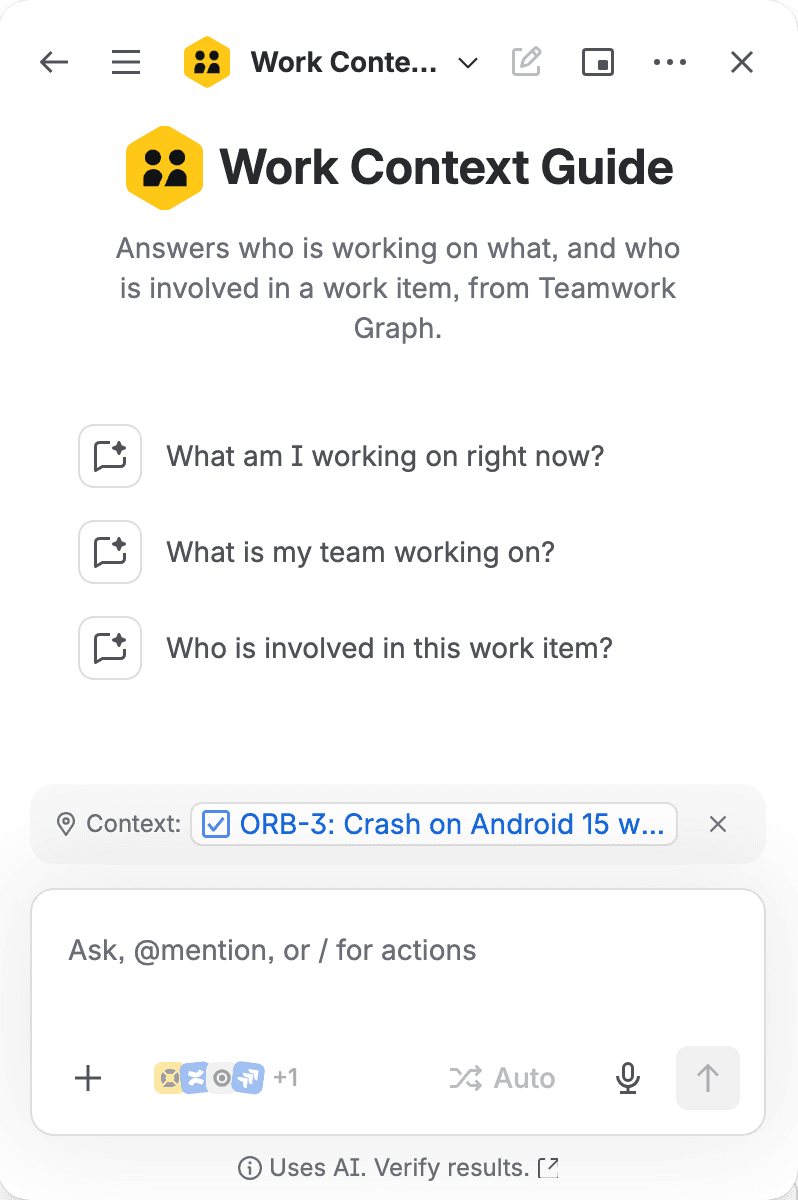
I asked four questions as Theo, a test user who had never opened the app. Rovo actions didn't need him to grant the app anything first. All of this is from our test site on 30 October 2026:
Question | What the agent answered | Right? | Action time |
|---|---|---|---|
Who is involved in this work item? (on ORB-3) | assignee Theo (Orbit Mobile Squad), the reporter, commenters Iris and Elzi | yes, though it left out Theo's own comment | 1.8 s, then 1.0 s on a repeat; 4 comments read |
What is the Orbit Mobile Squad team working on? | Theo ORB-3 and ORB-6, Iris ORB-1, ORB-5 and ORB-7, Elzi ORB-2 | yes, and the Done item ORB-4 was left out | 2.6 s, 3 members |
What is Iris Calder working on? | ORB-1, ORB-7 and ORB-5, plus her team | yes | 1.1 s |
What am I working on right now? | ORB-3 and ORB-6, plus the team | yes | 0.8 s |
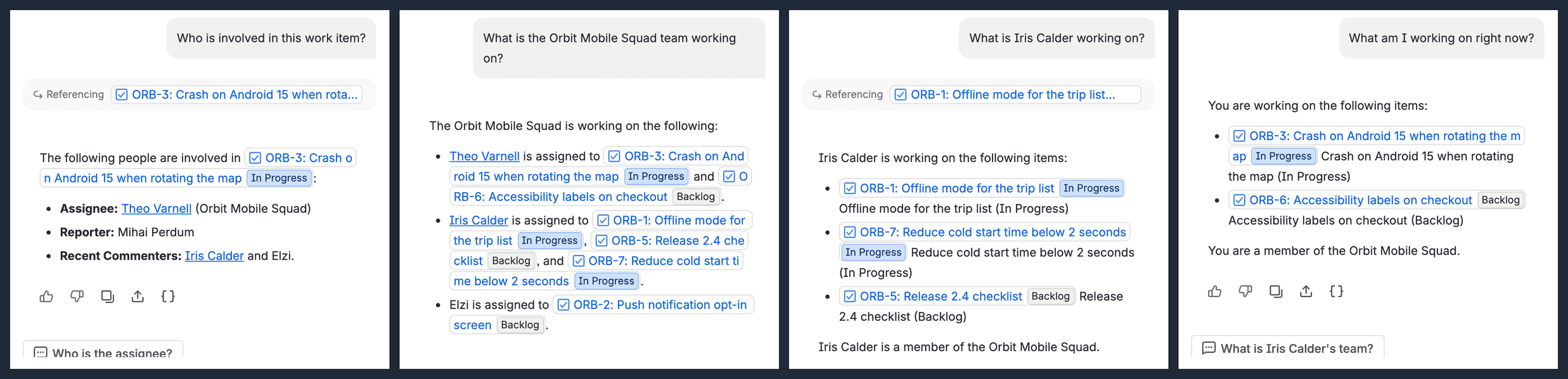
To check what the actions did behind the prose, read the function logs. Each action writes one JSON line:
1forge logs -e development1INFO 2026-10-30T20:39:26.105Z 8b86b8f4-cf67-4750-aa5e-7cbc6e0daa77 {"demo":"work-item-people","ms":1789,"key":"ORB-3","comments":4,"goals":0}
2INFO 2026-10-30T20:41:05.809Z 39db3064-c401-4038-88cb-1700c7bb0a24 {"demo":"work-item-people","ms":1035,"key":"ORB-3","comments":4,"goals":0}
3INFO 2026-10-30T20:41:36.988Z da043a4f-b66e-4806-af23-7670dfb84faf {"demo":"team-workload","ms":2556,"team":"Orbit Mobile Squad","members":3}
4INFO 2026-10-30T20:42:51.366Z db186c8f-c779-417b-aae8-cfb05854311b {"demo":"whos-working-on","ms":1133,"teams":1,"items":3,"notes":0}
5INFO 2026-10-30T20:43:24.939Z 3bc89011-0421-4ab4-9a2a-1a9e1cd01bdb {"demo":"whos-working-on","ms":822,"teams":1,"items":2,"notes":0}Each answer took 28 to 32 seconds to show up in the chat, while the action behind it ran in 0.8 to 2.6 seconds, so almost all of the wait was Rovo's model writing the reply. A 1-second action still gave me a 30-second chat.
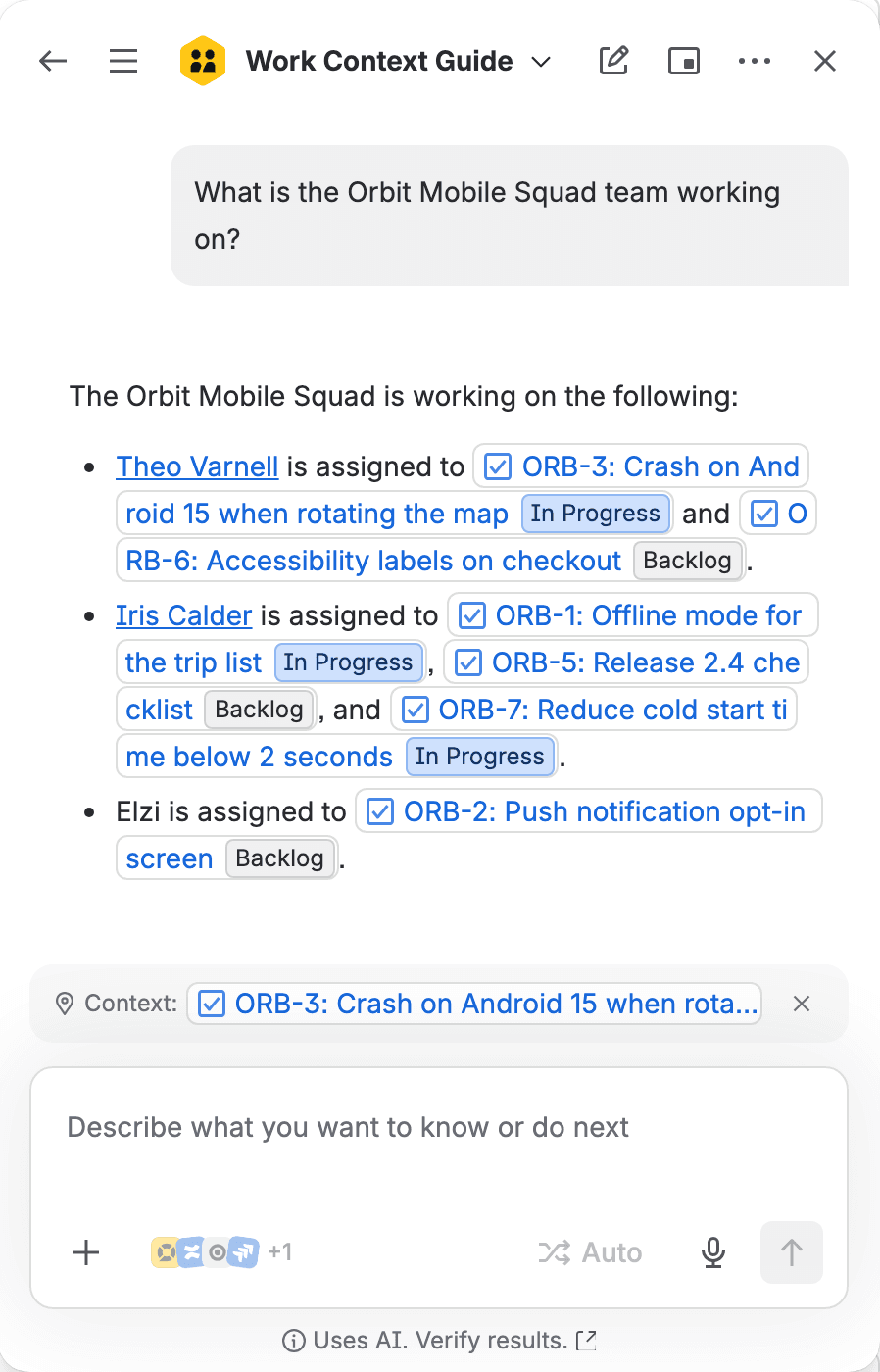
In the first answer Theo, who was asking, had also commented on ORB-3, and Rovo left him off the commenters even though the action returned him. I think the model probably decided he didn't need to hear his own name. I can't prove that.
Teamwork Graph API gotchas we measured
I found these on our own sites in October 2026. It's a Preview API, so check each against the Teamwork Graph changelog before you rely on it.
You must set an operation name of the shape [company]_[operation]
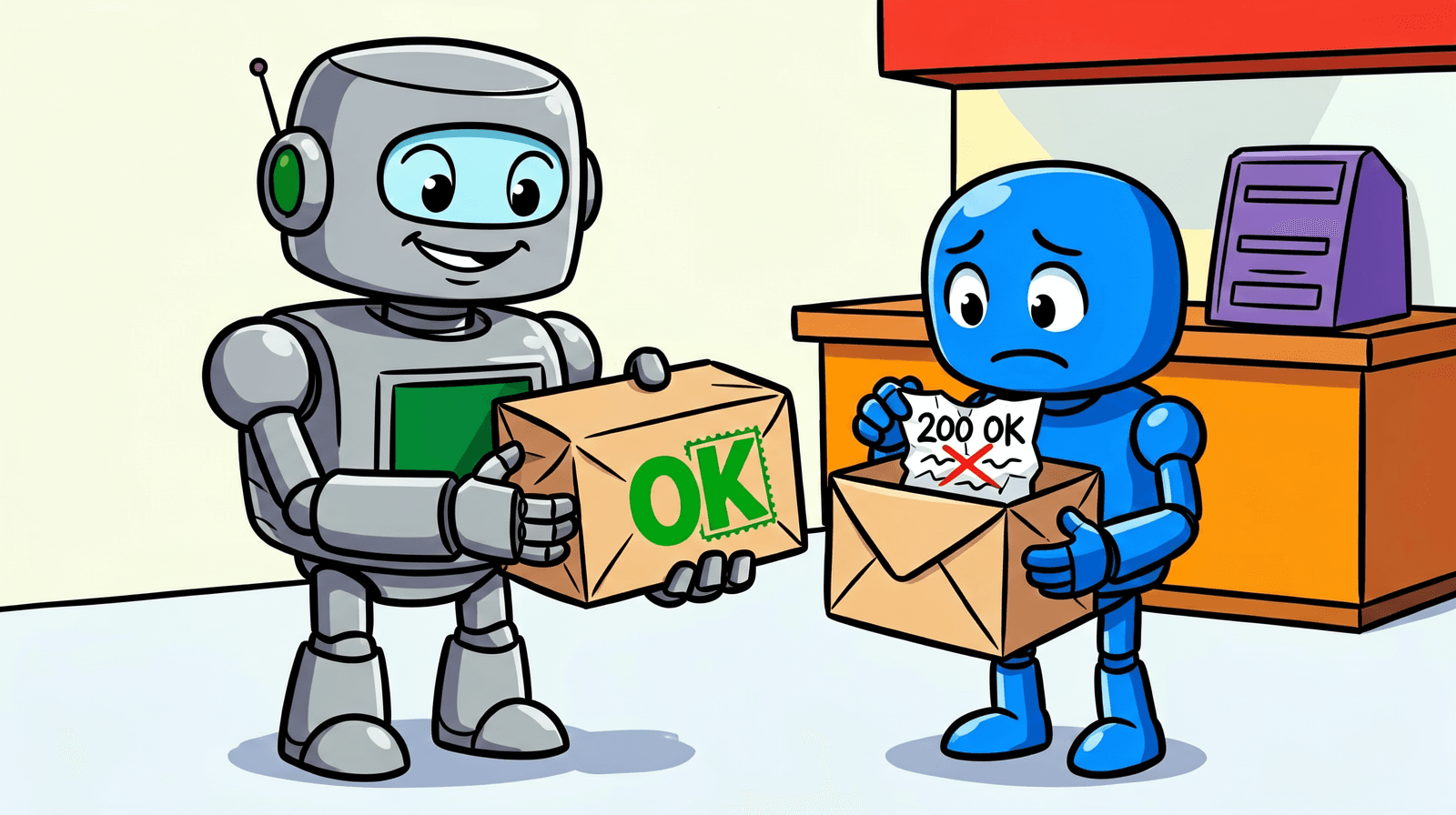
Send a query without a properly named operation and you get this, word for word:
1You must set an operation name of the shape `[company]_[operation]` with company >= 3 chars and operation >= 4 chars and max length 100It arrives with HTTP 200. Classification: DataFetchingException. Atlassian's docs only show the rule by example (their sample query is called companyName_assignedWork). Name every operation, and treat any errors array as a failure whatever the status code says.
Raw Cypher is refused: use a persisted query
Some older examples send a cypherQuery string. That's gone. The migration page says "Apps can no longer send arbitrary Cypher text to Teamwork Graph at request time", and my app got an error telling it to use a persisted query instead. Curated queries covered everything this agent needed.
For traversals they don't cover, you register persisted Cypher queries against your app and call them through customQuery. In our tests we could only register them from a logged-in browser session (a session cookie plus an Origin header); an API token didn't work. The persisted queries page says a new query takes about a minute to distribute.
requestTeamworkGraph with asUser vs asApp
In @forge/api 8.4.0 you'll only find requestTeamworkGraph on asUser(). The AsAppFetchMethods type doesn't have it. asUser answers with what that person can see, and in a chat that's what you want.
Can you call it as the app? It's not settled. A developer community thread from 22 October asks exactly that and is still waiting for an official answer. The requestTeamworkGraph bridge page says calls from the frontend "always run as the current user - Forge apps can't call the Teamwork Graph API as the app", and points backend code to asUser(). If you do find a way to call it as the app, the results aren't filtered to what one person can see, so expect to do your own visibility checks before handing anything to an agent. I didn't test that part. Our Forge app access rule tutorial covers a related case, where an admin policy hides content from the app.
RATE_LIMIT_EXCEEDED and empty results
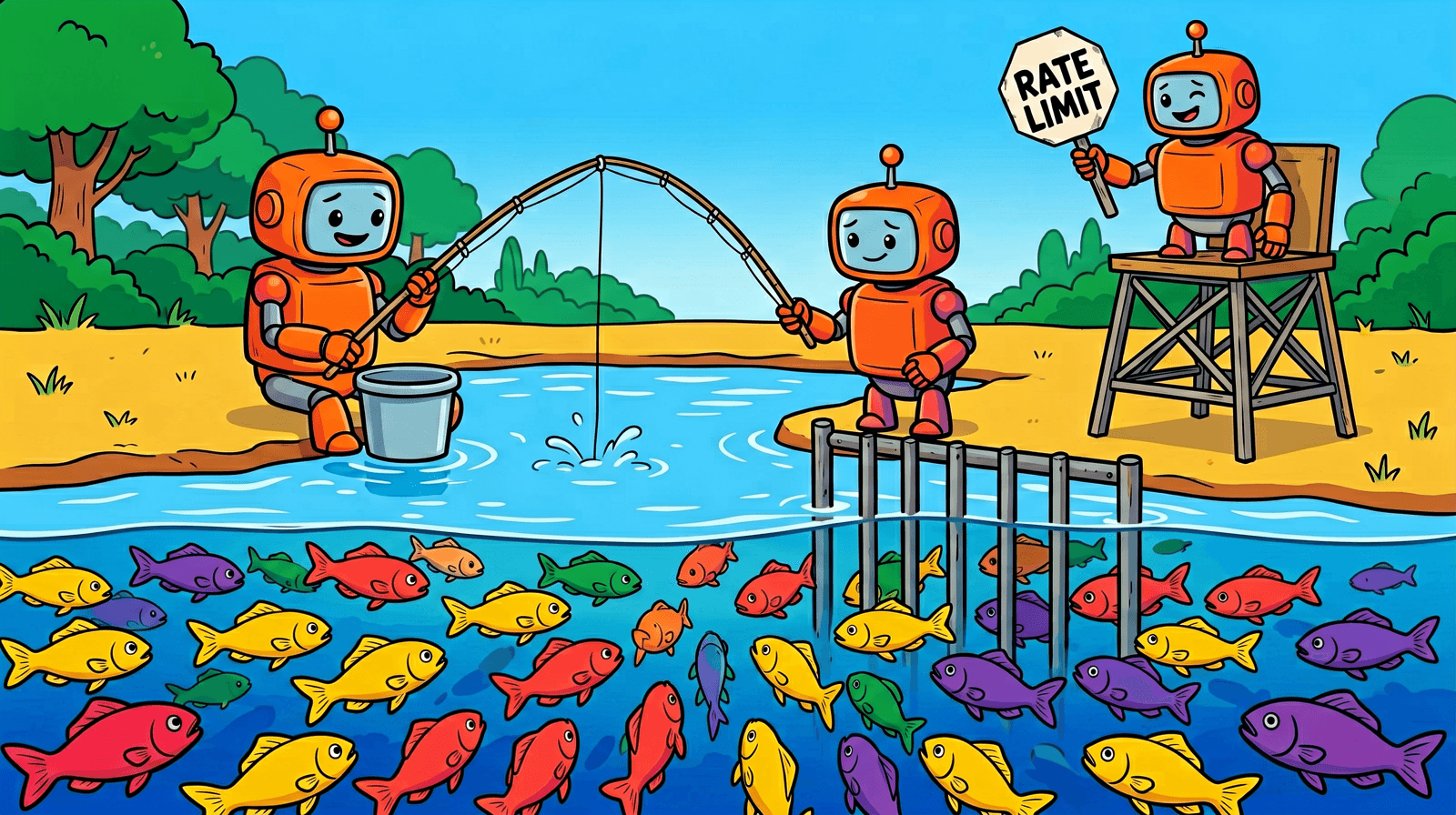
One caller in our tests hit RATE_LIMIT_EXCEEDED after about 128 calls in 20 seconds, and from then on it was allowed roughly 4 calls a second. Worse, a rate-limited query could come back with zero rows. If your code treats that as an empty team, the agent tells the user the team has no work.
That's why twg() retries anything that looks transient and every page is checked for errors. The Jira REST calls in these actions also count against Jira's points-based rate limits.
Keep paging while hasNextPage is true
In our tests a page could come back short with hasNextPage still true. Stop on a short page and you can lose most of a list. So stop only when hasNextPage is false, and cap the number of pages yourself, as twgAll does.
Missing scopes drop rows silently
The scopes page says: "A missing scope doesn't produce an error ... A query that reads an object type you weren't granted comes back successful and empty." In Preview we also saw rows keep coming back after we removed a scope. The same page says scope changes take about a minute to apply, which might explain it. Either way, a query working without some scope tells you nothing, so declare one for every object type your query touches.
Rovo action response size and timeout
The action docs say an action "can only handle data up to 5 MB". In Rovo chat we got less. About 1 MB came back intact. About 1.1 MB failed with a 500. Rovo then retried with a smaller request. Rovo also gave up on an attempt after about 20 seconds, though the invocation limits page gives an action function 55 seconds. I'd plan for well under 1 MB and well under 20 seconds.
The Atlassian home chat may run a different installation
When we opened Rovo chat from the Atlassian home page, one of our actions ran in a different installation of the app, and its app storage was empty. From the Rovo chat panel inside Jira it read the Jira installation's storage. Keep actions stateless, or read what you need from Jira each time, like this demo does.
Basic auth: UNAUTHENTICATED is not allowed in service graph_store
Want to poke at the API with curl and an API token first? You'll get partway. A trivial echo field answers. Anything that reads data returns IncorrectAuthException with "Auth category: UNAUTHENTICATED is not allowed in service graph_store". The schema download is the one thing that works with basic auth. For data, call the API from Forge or use OAuth.
Rovo on free developer sites
Rovo is included with paid plans only, and the Rovo billing KB says "There are currently no plans to offer a free tier of Rovo". So on a free developer site you may not get the agent chat at all. Curated queries did answer on a free site in our tests; teams live at the org level, not on the site. If you're entering Codegeist, keep that in mind when you write testing instructions for judges. On a paid site, our page on Rovo usage limits and extra usage explains how the Rovo credit allowance and extra usage work from 3 December 2026. Before you put an agent like this in front of your team, Gabriela's Rovo credits per user piece gives measured credit costs per action, so you can estimate what the chat will use. Once people are using it, her guide to checking Rovo credits usage for each user shows how to export who used what, and where the 90-day limit on that export applies. And if you'd rather call the agent from a Jira Automation rule than from chat, read her Rovo agent pricing in Jira Automation first, because it works out the cost per agent call.
What you built, and what production would add
You now have a Jira Forge app with one Rovo agent and three read-only actions.
Key takeaways
- It answers "what am I working on", "what is this person working on", "who is involved in this work item" and "what is my team working on" from the Teamwork Graph, as the person asking.
- Every query is named, paged 25 rows at a time and retried on transient errors; partial reads come back as notes, which the agent reports as possibly incomplete.
- It needs eight scopes and an org admin to install, and it ran each action in 0.8 to 2.6 seconds on our test site.
- Not covered: permission filtering against a project the asker can't see (untested), goals (no goal was linked, so jiraWorkItemGoals returned 0 rows), caching, teams the asker isn't in, and more than one page of work per team member. Our test project had seven work items, so the demo never needed a second page.
Where to go next: rovo:mcp, persisted Cypher and Teamwork Graph connectors
Add a rovo:mcp module and the same actions become tools for Model Context Protocol (MCP) clients. It's in Preview, you get at most one per app, and external exposure stays off until an admin turns it on (Gabriela's piece on Atlassian MCP server permissions is worth opening before you turn it on, because it shows what MCP clients can read and write once an admin allows them). Persisted Cypher covers traversals that curated queries don't. And Teamwork Graph connectors are the write side, for putting your own objects into the graph, which is the "connects data into the graph" half of the Teamwork Graph bonus wording.
Building something on this for Codegeist? I'd start from twg.js as it is and change OP_PREFIX to your own company name.
Comments
0Add a comment